

































































Floating Menus
Header menus, hotkey menus and the F3 search menu: open, search and navigate them.
A floating menu opens on top of the editor: the text menus in the headers, the menus that hotkeys call (such as Add with Shift A), and the search menu (F3). They close as soon as you choose an item, move away, or press Esc.
Menu
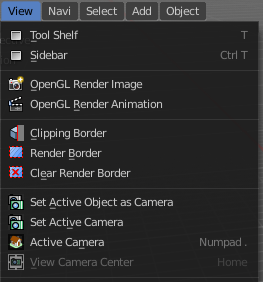
In the header you may find text menus. A text menu contains usually buttons. But it can also contain toggles. Or other menus.
Menu Search
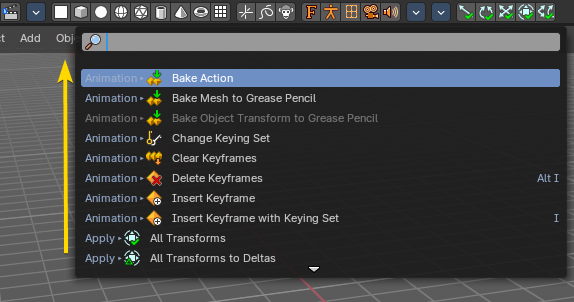
You can search any header menu while it is open with the search menu operator by pressing Space. This will allow filtering the menu contents without navigating into the sub-menus.
Menu shortcuts
- Arrow keys can be used to navigate into a menu
- Each menu item has an underlined character which can be pressed to activate it.
- Number keys or numpad can be used to access menu items. (Where 1 is the first menu item, 2 the second... etc. For larger menus Alt + 1 the 11th... up to Alt + 0 the 20th)
- Press Enter to activate the selected menu item.
- Press Esc to cancel the menu.
Search menu
Press F3 to search all operators and menus by name, then press Enter to run the one you want. The search also shows the menu path and the hotkey of each item, so it is a good way to learn where things are.