
































































Editors

Sequencer - View tab
Syncing options with the 3d view.
Syncing options with the 3d view.
Sync Mode
The sync method.
Built-In
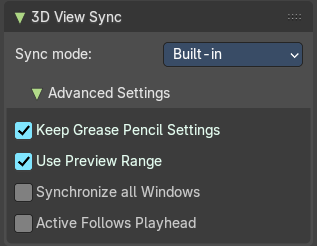
Advanced Settings
| Entry | What it does |
|---|---|
| Keep Grease Pencil Settings | Keep active Grease Pencil tool settings while navigating scene strips. |
| Use Preview Range | Update the current scene strip to match the range. |
| Synchronize all Windows | If the 3d View sync impacts all main windows. |
| Active follows Playhead | Update the active scene strip while scrubbing the playhead. |
Legacy
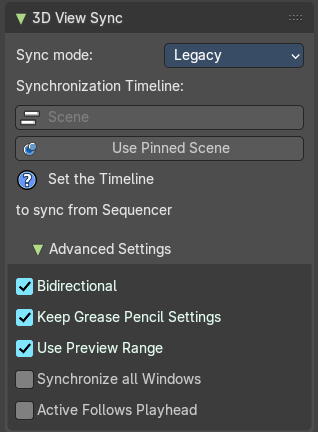
Synchronization Timeline
Scene
The scene to synchronize.
Use Pinned Scene
Mak the pinned scene the active scene. The button and the “Set the Timeline” hint will vanish then.
Advanced Settings
| Entry | What it does |
|---|---|
| Bidirectional | Changing the active scene should also update the timeline scene’s current frame in the sequencer. |
| Keep Grease Pencil Settings | Keep active Grease Pencil tool settings while navigating scene strips. |
| Use Preview Range | Update the current scene strip to match the range. |
| Synchronize all Windows | If the 3d View sync impacts all main windows. |
| Active follows Playhead | Update the active scene strip while scrubbing the playhead. |