

































































Sequencer - Proxy tab
Defines whether the proxies are for individual strips or the entire sequence.
Proxy Settings Panel
Storage
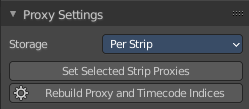
Defines whether the proxies are for individual strips or the entire sequence.
Per Strip
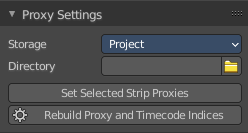
Proxies are stored in the directory of the input.
| Entry | What it does |
|---|---|
| Project | All proxies are stored in one directory. · Proxy Directory: The location to store the proxies for the project. |
| Set Selected Strip Proxies | Set proxy size and overwrite flag for all selected strips. |
| Rebuild Proxy and Time code Indices | Generates Proxies and Time codes for all selected strips, same as doing Strip ? Rebuild Proxy and Time code indices. |
Strip Proxy & Time code panel
Use Proxy Timecode
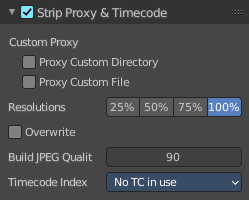
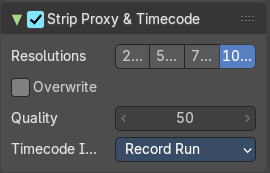
Enable Proxy Timecode.
Custom Proxy
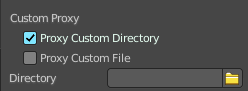
Proxy Custom Directory
Use a custom directory to store data. Activating the tool reveals a directory picker.
Proxy Custom File
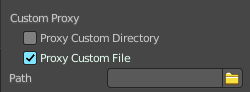
Use a custom file to read proxy data from. Activating the tool reveals a directory picker.
You can either show the directory or the custom file path directory picker.
| Entry | What it does |
|---|---|
| Resolutions | Buttons to control how big the proxies are. The available options are 25%, 50%, 75%, 100 percent of original strip size. |
| Overwrite | Saves over any existing proxies in the proxy storage directory. |
| Build Jpeg Quality | Defines the quality of the JPEG images used for proxies. |
Time code Index
When you are working with footage directly copied from a camera without pre-processing it, there might be bunch of artifacts, mostly due to seeking a given frame in sequence. This happens because such footage usually does not have correct frame rate values in their headers. This issue can still arise when the source clip has the same frame rate as the scene settings. In order for Blender to correctly calculate frames and frame rate there are two possible solutions:
Preprocess your video with e.g. MEncoder to repair the file header and insert the correct keyframes.
Use Proxy/Time code option in Blender.
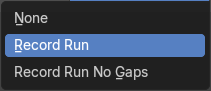
The following time codes are supported:
No TC in use – do not use any time code
Record Run
Free Run
Free Run (rec date)
Record Run No Gaps
Note: Record Run is the time code which usually is best to use, but if the clip’s file is totally damaged, Record Run No Gaps will be the only chance of getting acceptable result.