Editors

Select Menu
Select everything.
Select menu in Sequencer window
All
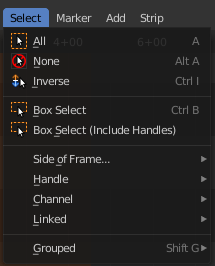
Select everything.
| Entry | What it does |
|---|---|
| None | Select nothing. |
| Inverse | Invert the current selection. |
| Box Select | Draw a rectangle to box select strips. It adds to selection by default. To subtract from selection hold down Shift key. |
| Box Select (Include Handles) | Draw a rectangle to box select the handles of the strips. A strip has a resize handle at the start and the end of the strip. It adds to selection by default. To subtract from selection hold down Shift key. |
Side of Frame submenu

| Entry | What it does |
|---|---|
| Left | Select the strips left from the current frame. |
| Right | Select the strips right from the current frame. |
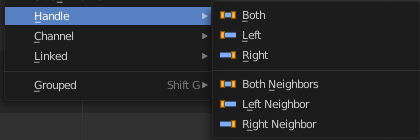
Handle submenu
| Entry | What it does |
|---|---|
| Both | Select all handles of the selected strips. |
| Left | Select the left handles of the selected strips. |
| Right | Select the right handles of the selected strips. |
| Both Neighbours | Select all handles of the selected strips. Plus the handles from the neighbour strips that touches this strip. |
| Left Neighbours | Select the left handles of the selected strips. Plus the handle from the neighbour strips that touches the left handle of the strip. |
| Right Neighbours | Select the right handles of the selected strips. Plus the handle from the neighbour strips that touches the right handle of the strip. |
Last operator Select Handles
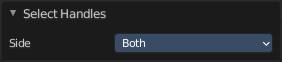
Side
Which side to select.
Channel submenu

| Entry | What it does |
|---|---|
| Left | Select the strips left from the current frame that are in the same channel. |
| Right | Select the strips right from the current frame that are in the same channel. |
| Both sides | Select all strips in the channel of the currently selected strip. |
Linked submenu

| Entry | What it does |
|---|---|
| All | Select all strips that are adjacent to the current selected strip. |
| Less | Decrease the selection of strips that are adjacent to the current selected strip. |
| More | Increase the selection of strips that are adjacent to the current selected strip. |
Selecxt Grouped submenu
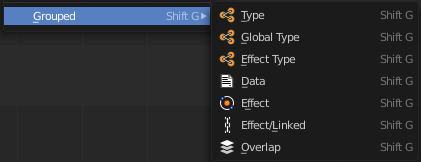
Select all strips that are equal to the current selected strip by the chosen method. The menu items should be self explaining.
Select menu in Preview window
All
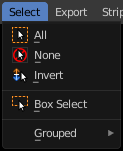
Select everything.
| Entry | What it does |
|---|---|
| None | Select nothing. |
| Inverse | Invert the current selection. |
| Box Select | Draw a rectangle to box select strips. It adds to selection by default. To subtract from selection hold down Shift key. |
Grouped
Select all strips that are equal to the current selected strip by the chosen method. The menu items should be self explaining.
Text Select
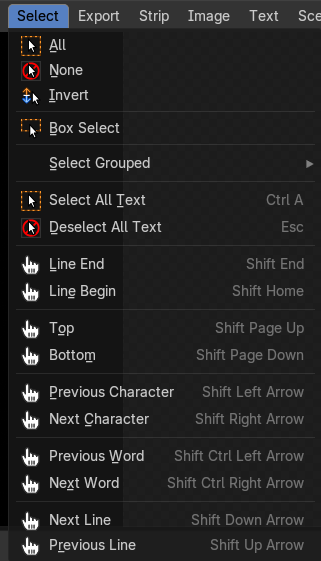
These operators are used to select characters, words, lines and blocks of text.
You can also select all and deselect all.
Note: These are only shown when a text strip is selected. And they are greyed out first.
You need to edit the text at least once in the sidebar.
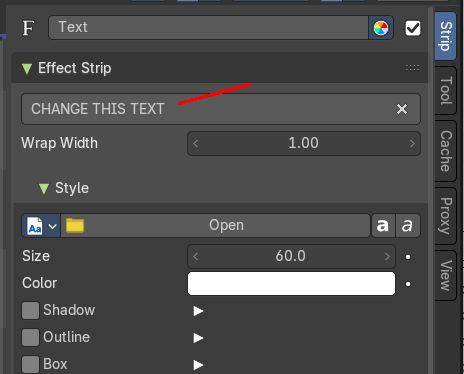
AND you need to go in edit mode by a double click then.