

































































Options Tab
In the Options tab you will find general shading options for the current material for the render engines Eevee and Cycles. The Workbench renderer does not have any extra shading options.
Options Tab - Settings panel
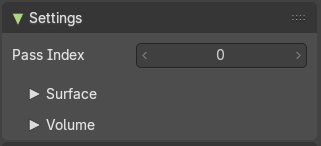
In the Options tab you will find general shading options for the current material for the render engines Eevee and Cycles. The Workbench renderer does not have any extra shading options.
The options tab moves around, dependent of what render engine you have chosen. With cycles the tab is at the end of the list.
The Settings panel appears with a mesh object selected.
Settings panel with Eevee
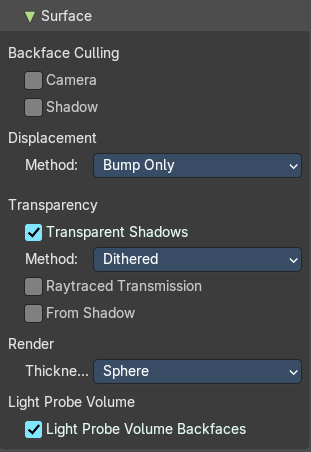
Surface subpanel
Backface Culling
| Entry | What it does |
|---|---|
| Camera | Use backface culling. |
| Shadow | Use backface culling when casting shadows. |
Displacement
Method
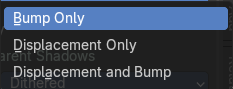
Method to use for the displacement.
Transparency
Transparent Shadows
Use transparent shadows for this material if it contains a transparent bsdf node.
Method
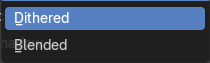
The rendering method. Forward rendering or Deferred rendering.
| Entry | What it does |
|---|---|
| Raytraced Transmissions | Use raytracing instead light probes. |
| From Shadow | Use the shadow maps from shadow casting lights to refine the thickness defined by the material node tree. |
Render
Thickness
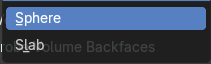
Approximation used to model the light interactions inside the object.
Light Probe Volume Backfaces
Consider material single sided for light probe volume capture.
Volume Subpanel

Intersection
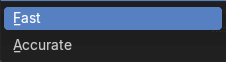
Which inner part of the mesh will produce the volumetric effect.
Settings panel with Cycles
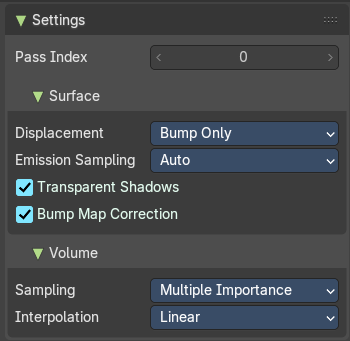
Pass Index
Index number for the material render index pass
Surface sub panel
Displacement
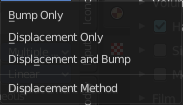
Adjust the displacement method. Bump mapping is an old image based shader technique to fake displacement. Displacement deforms the geometry.
Emission Sampling
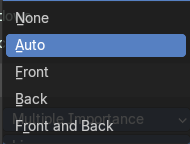
Sampling strategy for emissive surfaces.
| Entry | What it does |
|---|---|
| Transparent Shadows | Use transparent shadows for this material if it contains a Transparent BSDF. |
| Bump Map Correction | Apply corrections to solve shadow terminator artifacts caused by bump mapping. |
Volume Sub panel
Sampling
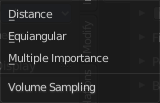
The volume sampling method.
Interpolation
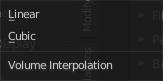
The volume interpolation method. Linear or cubic.
Options Tab - Light panel
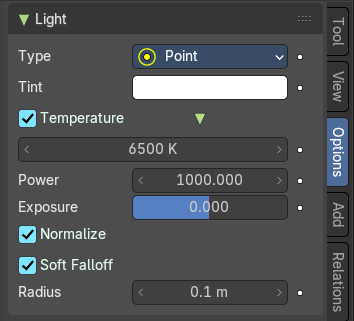
The Light panel appears with a light object selected.
With Eevee + Cycles
Type
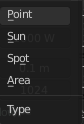
The light type. The light settings changes, dependent of what light type you have chosen.
Animate Property
This property can be animated.
Point light
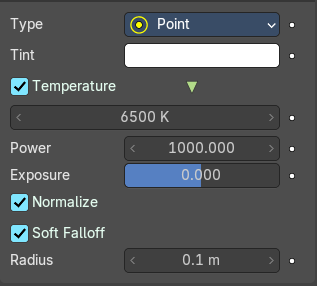
| Entry | What it does |
|---|---|
| Tint | The light color. |
| Temperature | Use Blackbody Temperature to define a natural light color. |
| Power | The strength of the light in Watt. |
| Exposure | Scales the power of the light exponentially. |
| Normalize | Normalize light intensity by light area. |
| Soft Falloff | Apply falloff to avoid artefacts when light intersects with other objects. |
| Radius | The size of the point light. |
Sun light
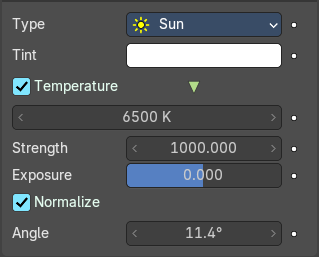
| Entry | What it does |
|---|---|
| Tint | The light color. |
| Temperature | Use Blackbody Temperature to define a natural light color. |
| Strength | The strength of the light. This value is not in Watt. |
| Exposure | Scales the power of the light exponentially. |
| Normalize | Normalize light intensity by light area. |
| Angle | The angular diameter for the sun as seen from the earth. |
Spot light
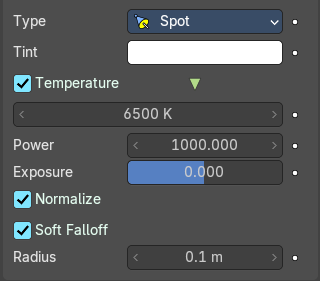
| Entry | What it does |
|---|---|
| Tint | The light color. |
| Temperature | Use Blackbody Temperature to define a natural light color. |
| Power | The strength of the light in Watt. |
| Exposure | Scales the power of the light exponentially. |
| Normalize | Normalize light intensity by light area. |
| Soft Falloff | Apply falloff to avoid artefacts when light intersects with other objects. |
| Radius | The size of the point light. |
Area light
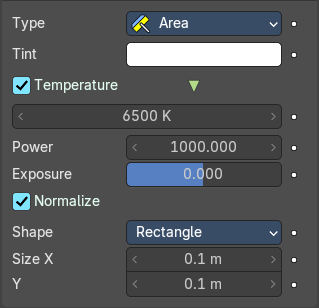
| Entry | What it does |
|---|---|
| Tint | The light color. |
| Temperature | Use Blackbody Temperature to define a natural light color. |
| Power | The strength of the light in Watt. |
| Exposure | Scales the power of the light exponentially. |
| Normalize | Normalize light intensity by light area. |
Shape
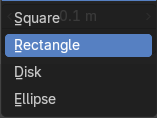
The shape of the light emitting area of the light.
Size X / Y
The size of the light emitting area of the light.
With Workbench
Type
The light type. The light settings changes, dependent of what light type you have chosen.
Options Tab - Viewport Display panel
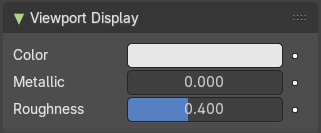
Adjust how the mesh object is displayed in the viewport when the viewport shading in the 3D view is in solid mode.
The content is the same for all three render engines.
| Entry | What it does |
|---|---|
| Color | The color. |
| Metallic | Metallic look. |
| Roughness | The roughness. |