

































































Add Menu - Utilities - Math
This menu contains nodes that deals with Math data.
Add menu - Utilities - Math
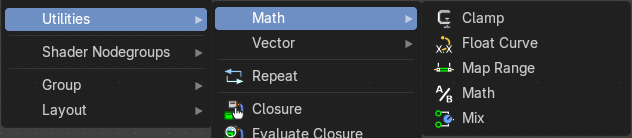
This menu contains nodes that deals with Math data.
Clamp
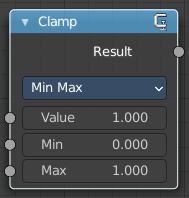
The Clamp node clamps a value between a minimum and a maximum.
Inputs
| Entry | What it does |
|---|---|
| Value | The input value to be clamped. |
| Min | The minimum value. |
| Max | The maximum value. |
Properties
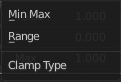
Clamp Type
| Entry | What it does |
|---|---|
| Min Max | Clamp values using Min and Max values. |
| Range | Clamp values between Min and Max range. |
Outputs
Result
The input value after clamping.
Float Curve
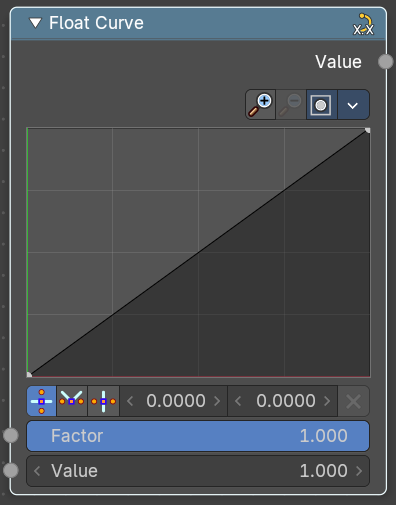
Generates a curve. This curve can then be used for profiles for example.
Inputs
| Entry | What it does |
|---|---|
| Factor | The input factor. |
| Value | The input value. |
Properties
Curve Widget
Navigation elements
The navigation elements at the top are described from left to right.
Zoom in and out
The two buttons with the magnifying glass at it zooms in and out in the curve window.
Clipping
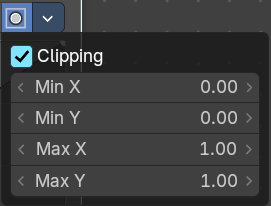
Clipping options.
Tools
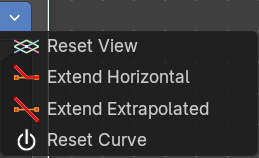
Tools is a menu where you can find some curve related tools.
| Entry | What it does |
|---|---|
| Reset View | Resets the curve windows zoom. |
| Extend Horizontal | Extends the curve before the last point and after the last point horizontally. |
| Extend Extrapolation | Extends the curve before the last point and after the last point extrapolated. |
| Reset Curve | Resets the curve to the initial shape. |
Vector Handle

Set handle type to Vector.
| Entry | What it does |
|---|---|
| Auto Handle | Set handle type to Auto. |
| Auto Clamped Handle | Set handle type to Auto Clamped. |
| X / Y | The x and y position of the currently selected curve point. |
| Delete Points | Delete the currently selected curve point. |
Map Range
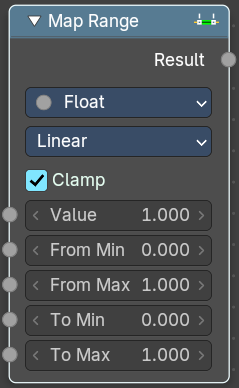
The Map Range node remaps a value from a range to a target range.
Inputs
| Entry | What it does |
|---|---|
| Value | The input value to be remapped. |
| From Min | The lower bound of the range to remap from. |
| From Max | The higher bound of the range to remap from. |
| To Min | The lower bound of the target range. |
| To Max | The higher bound of the target range. |
Properties
Data Type
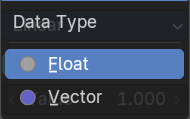
The data type to calculate.
Interpolation Type
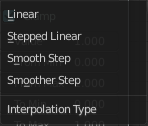
| Entry | What it does |
|---|---|
| Linear | Linear interpolation between From Min and From Max values. |
| Stepped Linear | Stepped linear interpolation between From Min and From Max values. |
| Smooth Step | Smooth Hermite edge interpolation between From Min and From Max values. |
| Smoother Step | Smoother Hermite edge interpolation between From Min and From Max values. |
Clamp
If enabled, the output is clamped to the target range.
Outputs
Result
The input value after remapping.
Math
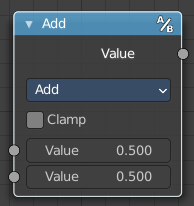
The Math Node performs math operations.
Inputs
| Entry | What it does |
|---|---|
| Value | First numerical value. The trigonometric functions accept values in radians. |
| Value | Second numerical value. This value is not used in functions that accept only one parameter like the trigonometric functions, Round and Absolute. |
Properties
Operation
Here you can choose what mathematical operation to perform.
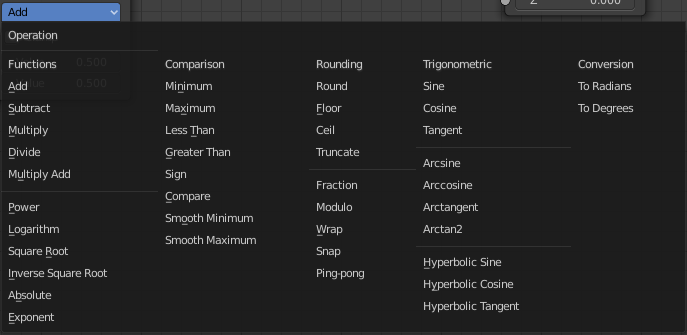
Clamp
Limits the output to the range (0 to 1). See clamp.
Outputs
Value
Numerical value output.
Mix
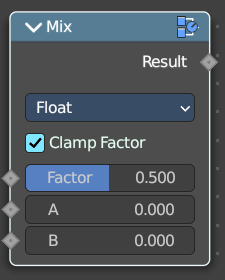
Allows to mix values and vectors in various ways. The node has three different modes. Float, Vector and Color
Input
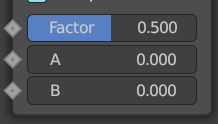
Float
| Entry | What it does |
|---|---|
| Factor | The mix factor. |
| A | Float value A input. |
| B | Float value B input. |
Vector
Factor mode Uniform
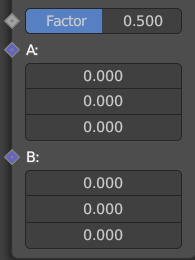
| Entry | What it does |
|---|---|
| Factor | The mix factor. |
| A | Vector A input. |
| B | Vector B input. |
Factor mode Non Uniform
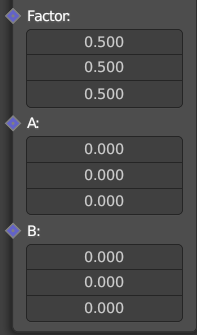
| Entry | What it does |
|---|---|
| Factor | The vector mix factor. |
| A | Vector A input. |
| B | Vector B input. |
Color
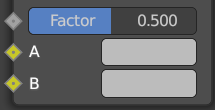
| Entry | What it does |
|---|---|
| Factor | The mix factor. |
| A | Color A input. |
| B | Color B input. |
Properties
Data Type
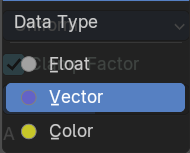
Which mode to use.
Float mode
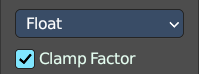
Clamp Factor
Clamp the factor to 0-1 range.
Vector mode
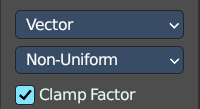
Factor mode
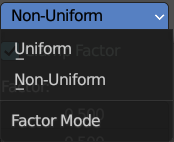
Uniform or non uniform factor.
Clamp Factor
Clamp the factor to 0-1 range.
Color mode
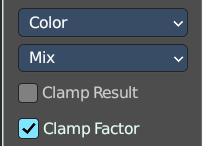
| Entry | What it does |
|---|---|
| Blending mode | What blending mode to use for the color. |
| Clamp Result | Clamp the result to 0-1 range. |
| Clamp Factor | Clamp the input factor to 0-1 range. |
Output
Result
The output value or vector.