

































































Add Menu - Output
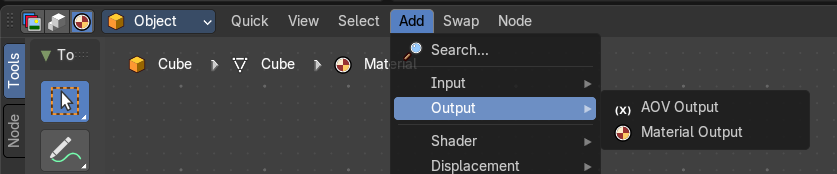
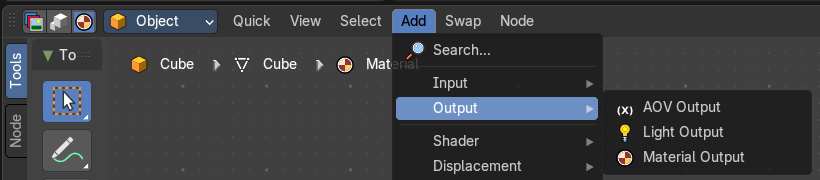
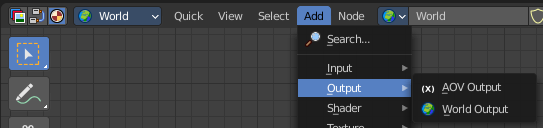
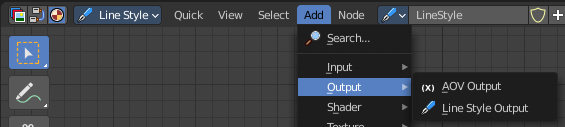
The output section contains the different output nodes. The content is different for the sub modes Object, World and Line Style. And also for the different renderers.
Add menu - Output
The output section contains the different output nodes. The content is different for the sub modes Object, World and Line Style. And also for the different renderers.
How to activate the Line Style Nodes
To make used of the line style nodes you need a grease pencil object. As a whole, or as a Line Art on a mesh geometry.

In the Render Properties activate Freestyle.

In the View Layer tab you will now find a Freestyle section. And a first active Freestyle Line Set that you now can use.

As a last step tick Use Nodes up right in the shader editor. This enables the freestyle nodes.
AOV Output
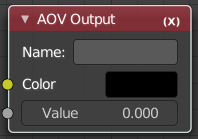
Shader AOVs (Arbitrary Output Variables) provide custom render passes for arbitrary shader node components. As an artist this can be a good way to debug or tweak very fine details of a scene in post processing. To use shader AOVs create the pass in the Shader AOV panel then reference that pass with the AOV Output shading node. Shader AOVs can be added or removed in the Shader AOV panel.
Tip: The AOV Output node can be used in Material and World shader nodes.
| Entry | What it does |
|---|---|
| Inputs | Color: Output a color variable; as the name suggest can be used for a color but also a normal value. · Value: Output a single numerical value. |
| Properties | Name: The name of the render pass to assign the input value to. This property is the same Name that is specified in the Shader AOV panel. |
Material Output
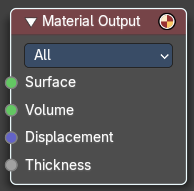
The Material Output node is used to output surface material information to a surface object. It is what goes to the render engine then.
Inputs
| Entry | What it does |
|---|---|
| Surface | Shading for the surface of the object. |
| Volume | Shading for the volume inside the object. The types of volume shaders are: Emission shader. Volume Absorption shader. Volume Scatter shader. |
| Displacement | Used to create bump mapping or actual subdivided displacement. |
| Thickness | Used to give a geometry a thickness by shader. |
Properties
Target
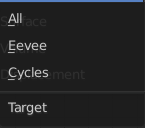
Choose which renderer the output should go to.
Light Output
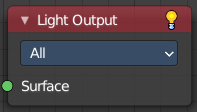
Cycles Only
Outputs light information to a light object.
Inputs
Surface
The shading for the surface of the light object.
Properties
Target
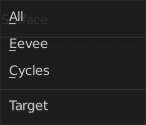
What render engine to use. By default shaders are shared between Cycles and Eevee. By using multiple output nodes specialized shader setups can be created for each.
World Output
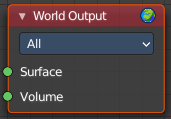
Shader type World. The World Output node is used to output light and color information to the scene’s World.
Inputs
| Entry | What it does |
|---|---|
| Surface | The appearance of the environment, usually preceded by a Background shader. |
| Volume | Used to add volumetric effects to the world. See the shaders Volume Absorption and Volume Scatter for more information. |
| Note | It is not possible to have an HDR and volumetric due to the fact that HDR’s are assumed to be an infinite distance from the camera. |
Properties
Target
What render engine to use. By default shaders are shared between Cycles and Eevee. By using multiple output nodes specialized shader setups can be created for each.
Line Style Output
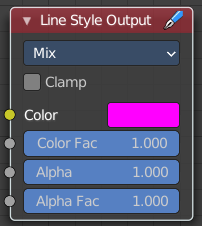
Shader Type Line Style
| Entry | What it does |
|---|---|
| Inputs | Color: The input color. · Color factor: The factor for the color. · Alpha: Alpha channel information. · Alpha Factor: The factor for the alpha channel. |
| Properties | Blending Mode: Choose the Blending mode. · Clamp: Clamp the result to the range between 0 and 1. |
Properties
Blending Mode
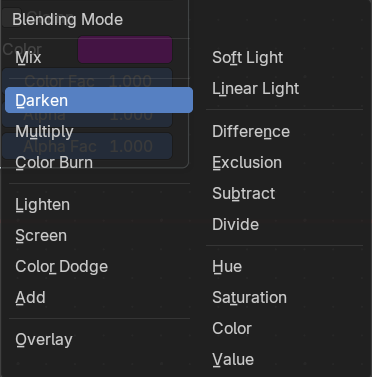
The blending mode between grease pencil and background.