

































































Header
The Header contains various menus, navigation elements, settings and tools for the viewport. This content differs, dependent of the sub mode. And the content of the menus may differ too, dependent of the chosen renderer.
Shader Editor - Header
The Header contains various menus, navigation elements, settings and tools for the viewport. This content differs, dependent of the sub mode. And the content of the menus may differ too, dependent of the chosen renderer.
The header is divided into two areas. Left mode and menus. Right settings.

Header Tabs

The tabs at the very left allows you to switch between the most important node editor types by one click. Compositor Editor, Geometry Nodes Editor and Shader Editor.
Header right click menus
The general right click menu functionality is explained in chapter 6 Editors introduction.
Editortype Menu
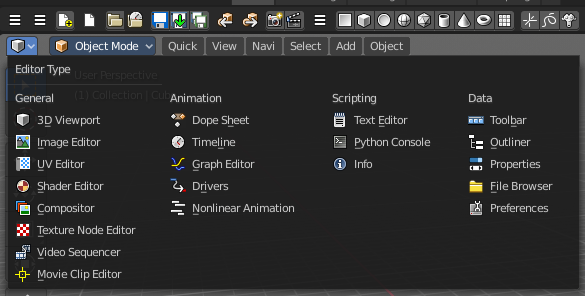
Bforartists is made of several editor types. Headers can display a menu where you can switch to other editor types.
This menu is hidden by default. It is meant to edit the layouts, and should not be necessary for regular work. You can reveal it in the header right click menu.
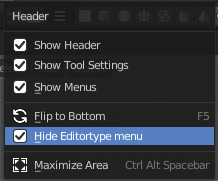
Sub Modes
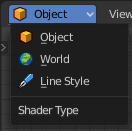
The Shader Editor has three shader type sub modes. Every sub mode has some different set of shaders for its own purpose.
| Entry | What it does |
|---|---|
| Object | The Object mode is for the scene objects. It shows materials and shader for the scene objects. |
| World | In the World mode you can change the shaders and materials for the world settings. It shows the world shaders and materials. |
| Line Style | The Line Style mode allows you to set up materials for the Freestyle renderer. Freestyle rendering must be active for this. It shows the Freestyle materials and shaders. |