

































































Physics Properties Tab
Gravity or collisions are real time physical effects. In the Physics tab you will find some methods to simulate such physical effects to use them in your images or movies. They allow objects to interact with each other.…
Physics
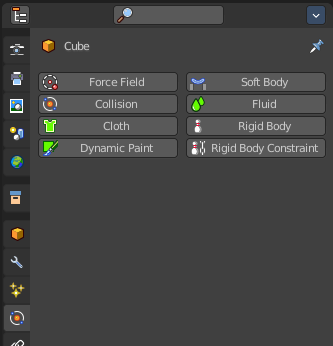
Gravity or collisions are real time physical effects. In the Physics tab you will find some methods to simulate such physical effects to use them in your images or movies. They allow objects to interact with each other. Like collisions. Or that wind forces bends some plant meshes. And much more.
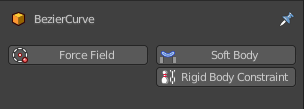
Not every object has a physics tab. And not all physics are available at the object types that has it available. A Bezier curve object for example has just Force Field, Soft Body and Rigid Body Constraints available.
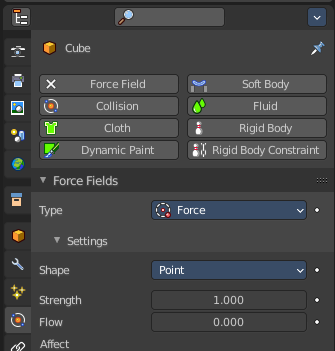
By clicking at one of the buttons you will enable the physics type. And its settings will appear.
Active buttons will have an X at the front. By clicking at it you can remove the physics effect.
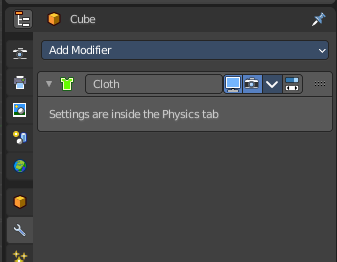
Some Physics types will add a modifier to the modifier stack. Cloth for example.
Physics types
You can add up to eight different types of physics. There can be more than one physics type at the object.
| Entry | What it does |
|---|---|
| Force Field | As the name says, this physics type adds forces. Wind for example. And the forces can influence other physic types like particles, soft bodies, cloth and rigid bodies. |
| Collision | Collision physics is meant for collisions. Particles, Soft Bodies and Cloth objects may collide with mesh objects. Boids try to avoid Collision objects. |
| Cloth | Cloth is a physics effect that tries to simulate the motion and behavior of fabrics. |
| Dynamic Paint | Dynamic paint is a modifier and physics system that can turn objects into paint canvases and brushes. With Dynamic Paint you can create vertex colors, image sequences or displacement. This makes many effects possible like, for example footsteps in the snow, raindrops that make the ground wet, paint that sticks to walls, or objects that gradually freeze. |
| Soft Body | Soft body simulation is used for simulating soft deformable objects. |
| Fluid | Fluid physics is used to simulate liquids. |
| Rigid Body | Rigid bodies simulates the motion of solid objects. They can receive forces, gravity or acceleration for example. And allows collision without to deform them. Just mesh objects can have rigid bodies. |
| Rigid Body Constraint | Rigid body constraint is used to connect two rigid bodies. This can be the position, or the rotation or scale. |
Simulation Nodes
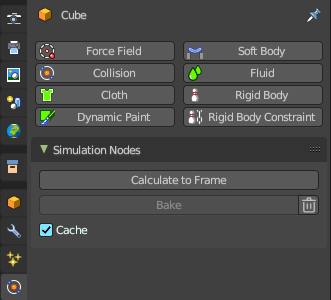
The simulation is automatically cached during playback. For more information, please check out the Geometry Nodes Editor – Header – Simulation chapter.
Calculate to Frame
Calculate the simulations in Geometry Nodes modifiers from the start to current frame.
Bake
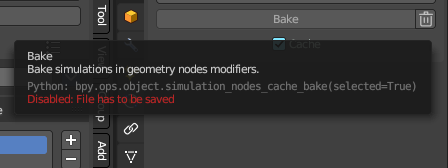
Bake simulations in all geometry node modifiers to disk.
| Entry | What it does |
|---|---|
| Delete Cached Bake | The trashcan icon will erase the baked collection from disk. |
| Cache | This checkbox toggles the feature to cache frames on playback. When you turn this off, then the automatic caching on playback will not bake to disk. |