

































































Speaker Object
Note that sound files just loads as Mono files.
Sound panel
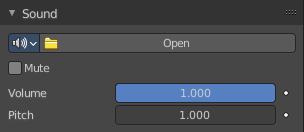
Sound property
Note that sound files just loads as Mono files.
Data Browser
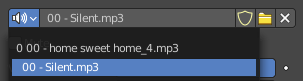
A list of available sounds in the scene.
Open
When no sound is loaded the open button is displayed. Open opens the file browser to load an audio file.
Name

The name of the currently active image.
Fake User
Keep this image in the scene even if it has no user.
Open Sound Mono
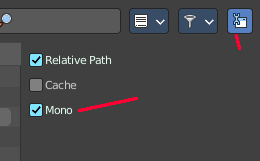
Open a sound file as mono. You can load stereo files too when you untick Mono in the import settings.
Import settings
| Entry | What it does |
|---|---|
| Relative Path | Load the file with a relative path. |
| Cache | The whole sound will be decoded and the raw audio data will be buffered in memory. |
| Mono | For any 3D audio or panning effects the sound source has to be single channel, otherwise it’s assumed that the 3D audio and panning information is already present in the multichannel file. Enable this if you want to use those effects for a file with multiple channels. |
| Entry | What it does |
|---|---|
| Remove | Remove the sound file. Note that the file is not deleted, but removed as the active sound file. |
| Mute | Toggles whether or not the sound can be heard. |
| Volume | Adjust the loudness of the sound. |
| Pitch | Can be used to bend the pitch of the sound to be either deeper or higher. This basically changes the playback speed of the sound which also results in a pitch change. |
Distance panel
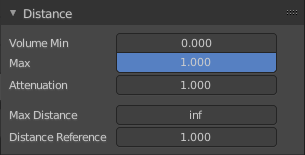
Distance relevant settings.
| Entry | What it does |
|---|---|
| Volume Min | The minimum volume for the farest distance. |
| Max | The maximum volume for the closest distance. |
Attenuation
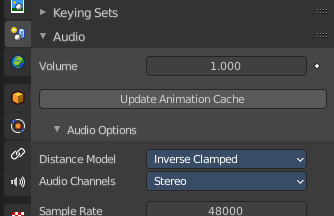
How strong the distance affects the volume. This value is dependent of the chosen Distance model in the Scene properties in the Audio panel.
| Entry | What it does |
|---|---|
| Max Distance | The distance maximum. |
| Distance Reference | The distance at which the volume is 100%. |
Cone panel
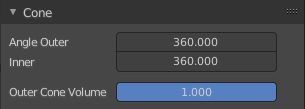
Directionality relevant settings.
There are two cones for an audio source that defines the direction of the sound. An inner and an outer cone. The angles represent their opening angles. 360° mean the cone is fully open and there’s no directionality anymore. Inside the inner cone the volume is 100% (1.0), outside the outer cone the volume is, whatever one sets for the outer cone volume and the volume between those two cones, linearly interpolated between this two volumes.
| Entry | What it does |
|---|---|
| Angle Outer | Angle of the outer cone in degrees. Outside this cone, the volume is equal to the Outer volume. |
| Inner | Angle of the inner cone in degrees. Inside the cone, the volume is 100%. |
| Outer Cone Volume | Volume outside the outer cone. |
Custom Properties Panel
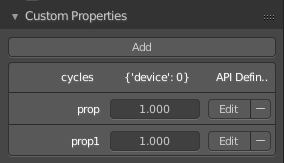
Here you can define custom properties that can be used for scripting.
Here you might also find custom properties from addons or scripts.
Add
Adds a new property.
Edit
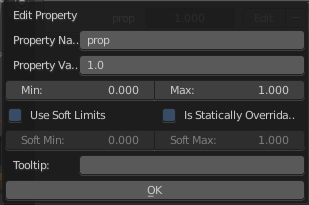
Opens a panel where you can adjust the settings for the custom property.
Remove
Removes the property.