

































































Point Cloud Object
A list of the attributes at this object. Attributes can be used to identify an object in the shader editor or the geometry nodes editor.
Attributes panel
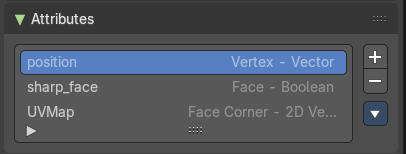
A list of the attributes at this object. Attributes can be used to identify an object in the shader editor or the geometry nodes editor.
Attributes Index
A List of the attributes for this mesh.
| Entry | What it does |
|---|---|
| Attribute name | The name of the attributes. It can be renamed by double clicking at it. |
| Drag Handler | The two vertical lines at the end is a handler with which you can expand the list. |
| Search Field | You can expand a search field at the bottom of the list. Type in your term and hit enter to filter for your term. · Invert: Exclude the search term instead of searching for it. · Sort by Name: Sort the List by name. |
Add +
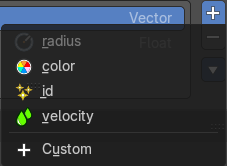
Create a new attribute. You can choose between predefined attributes. Or generate a custom one.
Remove -
Delete the selected attribute.
Attribute Specials menu
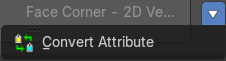
Convert Attrribute
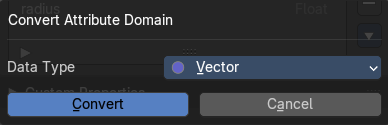
Change how the selected attribute is stored.
This operator opens a popup menu where you can change the settings of the attribute.
Data Type
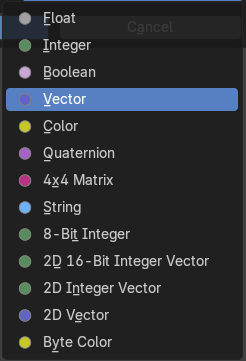
Just Generic. What data type to use for the attribute calculation.
Custom Properties Panel
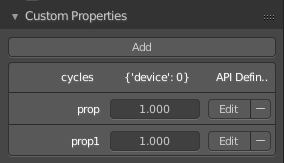
Here you can define custom properties that can be used for scripting.
Here you might also find custom properties from addons or scripts.
Add
Adds a new property.
Edit
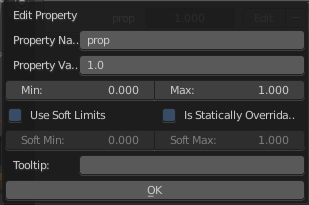
Opens a panel where you can adjust the settings for the custom property.
Remove
Removes the property.