

































































Metaball Object
The 3D Viewport resolution of the generated mesh. The lower the higher the resolution.
Metaball panel
Resolution Viewport
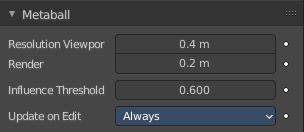
The 3D Viewport resolution of the generated mesh. The lower the higher the resolution.
Render
The rendered resolution of the generated mesh. The lower the higher the resolution.
Influence Threshold
How much the surface of a meta object influences the surface of other meta objects. The lower the value the higher the influence, and the bigger the meta element of the meta object.
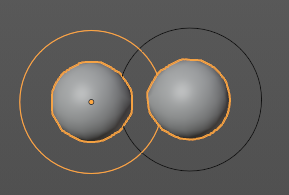
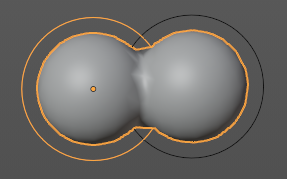
Update on Edit
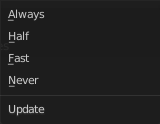
Define how the metas updates on editing.
| Entry | What it does |
|---|---|
| Always | Fully display the meta during transformations. |
| Half | During transformations, display the meta at half its Wire size resolution. |
| Fast | Do not display meta during transformations. |
| Never | Never show meta mesh at editing. It is just shown while rendering then. |
Texture Space panel
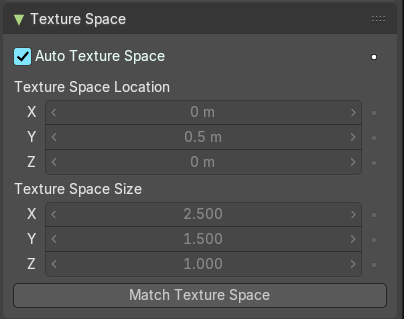
UV mapping can be generated. A procedural brick texture uses generated UV space for example to define the mapping.
In this panel you can adjust settings of the texture space used by generated texture mapping.
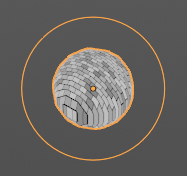
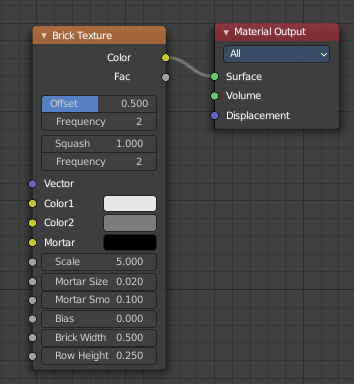
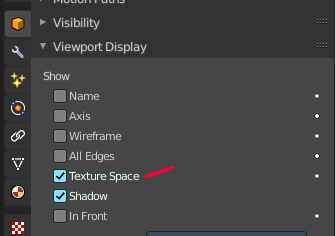
The display of the texture space cage can be activated in the Viewport Display in the Object properties.
| Entry | What it does |
|---|---|
| Texture Mesh | Use another curve for texture indices. The vertex of the two objects must be perfectly aligned. Otherwise the UV map will be distorted. Note that, this is only for mesh objects. |
| Auto Texture Space | Adjusts the active object’s texture space automatically when transforming the object. |
Location, Size
Adjust the location and size of the texture space manually if Auto Texture Space is off.
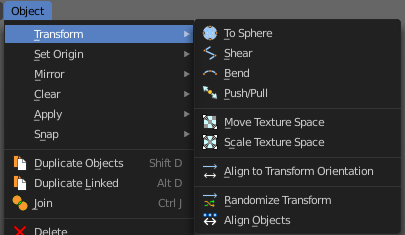
The texture space can also be adjusted in the 3D Viewport. See Object Menu / Transform / Move and Scale Texture Space
Custom Properties Panel
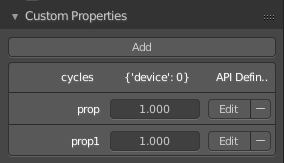
Here you can define custom properties that can be used for scripting.
Here you might also find custom properties from addons or scripts.
Add
Adds a new property.
Edit
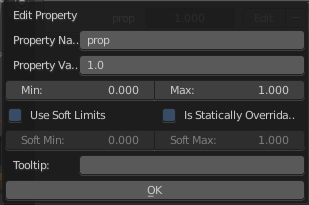
Opens a panel where you can adjust the settings for the custom property.
Remove
Removes the property.