

































































Empty&Image Object
Empties are objects without additional geometry. They do not render. A use case is that you use empties as handlers for a rigged character.
Empty panel
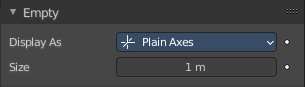
Empties are objects without additional geometry. They do not render. A use case is that you use empties as handlers for a rigged character.
Display As
Empties have graphical elements to display the location. In this drop down list you can choose the shape of this graphical element.
Further display settings can be found in the Object Properties tab in the Viewport Display panel.
Size
The size of the graphical element.
Image
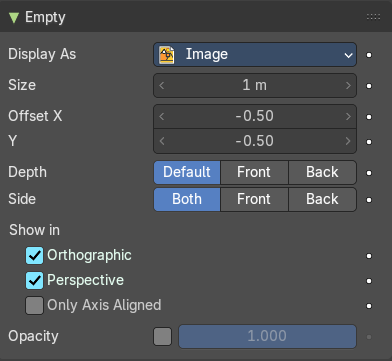
Empties can display images. This images can be used to create reference images to model along. The image is always displayed, independent of the 3D display mode.
| Entry | What it does |
|---|---|
| Offset X, Y | Offset the image origin. 1.0 represents the width/height of the image. |
| Depth | Default: Use normal depth behavior. · Front: Always display on top of other objects. · Back: Always display behind of other objects. |
| Side | Both: Display both the front and back of the empty. · Front: Only display the front of the image. · Back: Only display the back of the image. |
| Show in | Orthographic: Show in orthographic view. · Perspective: Show in perspective view. · Only Axis Aligned: Only displays the image contents when the view is aligned with the object’s local axis. · Opacity: The opacity. Use alpha blending instead of alpha test. |
Image panel
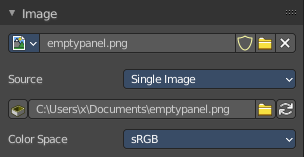
When you choose an empty of type Image then this panel with further settings appears.
Image property
Image Browser
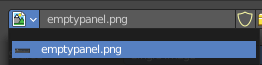
A list of available images in the scene.
Open
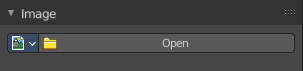
When no image is loaded the open button is displayed. Open an image opens the file browser to load an image.
Name

The name of the currently active image.
| Entry | What it does |
|---|---|
| Fake User | Keep this image in the scene even if it has no user. |
| Open Image | Open image opens the file browser to load an image. |
Source
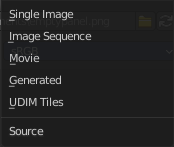
What image type to choose.
Source Type Single Image
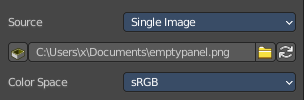
Path edit box

| Entry | What it does |
|---|---|
| Pack | With this button you can pack the movie or the image sequence into the blend file. It gets packed when you save the blend file the next time. |
| Path edit box | See and edit the path to your movie or image sequence files. |
| Open | Open a new movie or image sequence files. A file dialog will appear. |
| Refresh | Reread the movie or image sequence files. |
Color Space
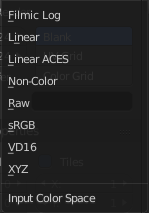
Choose the color space type for the movie or image sequence files.
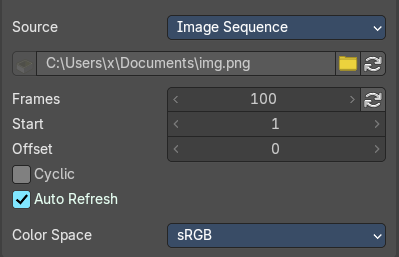
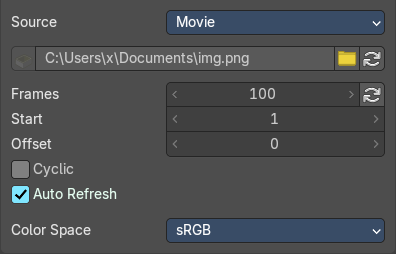
Source Type Movie + Image Sequence
Path edit box

| Entry | What it does |
|---|---|
| Pack | With this button you can pack the movie or the image sequence into the blend file. It gets packed when you save the blend file the next time. |
| Path edit box | See and edit the path to your movie or image sequence files. |
| Open | Open a new movie or image sequence files. A file dialog will appear. |
| Refresh | Reread the movie or image sequence files. |
| Entry | What it does |
|---|---|
| Info string | Some information about the currently loaded movie. Frames, resolution and color space. |
| Frames | The number of frames of the movie or image sequence. |
| Start | The start frame of the movie or image sequence |
| Offset | Offset the number of the frame to use in the animation. -1 means off. |
| Cyclic | Cycle the images in the movie. |
| Auto Refresh | Always refresh image on frame changes. |
Color Space
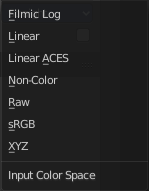
Choose the color space type for the movie or image sequence files.
4
Source Type Generated
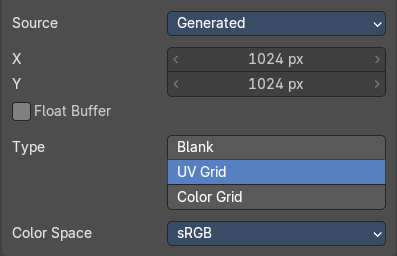
X / Y
The image width and height.
Float Buffer
Use a floating point buffer. 8 Bit images uses integers. 32 Bit works with floats.
Generated Type Blank

This type displays an image with one blank color.
Color
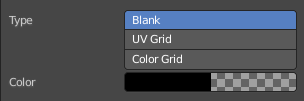
The color of the blank image.
Generated Type UV Grid
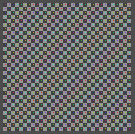
This type displays a with a black and white checker texture but colored dots.
Generated Type Color Grid
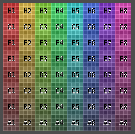
This type displays a with a colored checker texture with numbers.
Color Space
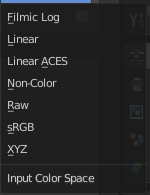
Choose the color space type for the image.
Source Type Udim
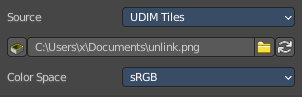
UDIM is an enhancement to the UV mapping and texturing workflow. And does not belong here. But in the UV Editor. It is just in the list because it shares the same menus with the UV Editor.
You can load a UDIM file. But it will just display the first tile of the UDIM image. And there is no way to adjust the UDIM settings since they are in the UV Editor, in Edit mode. And Empties have no Edit mode.
Custom Properties Panel
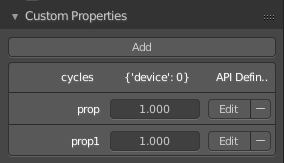
Here you can define custom properties that can be used for scripting.
Here you might also find custom properties from addons or scripts.
Add
Adds a new property.
Edit
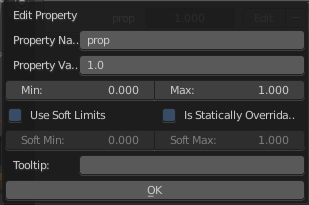
Opens a panel where you can adjust the settings for the custom property.
Remove
Removes the property.