

































































Curves Object
The Curves Object Data Properties tab provides access to the attributes, surface bindings, animation settings, and custom properties of curve-based objects. It centralizes control over procedural hair, fibers, and curve…
Curves Properties Tab
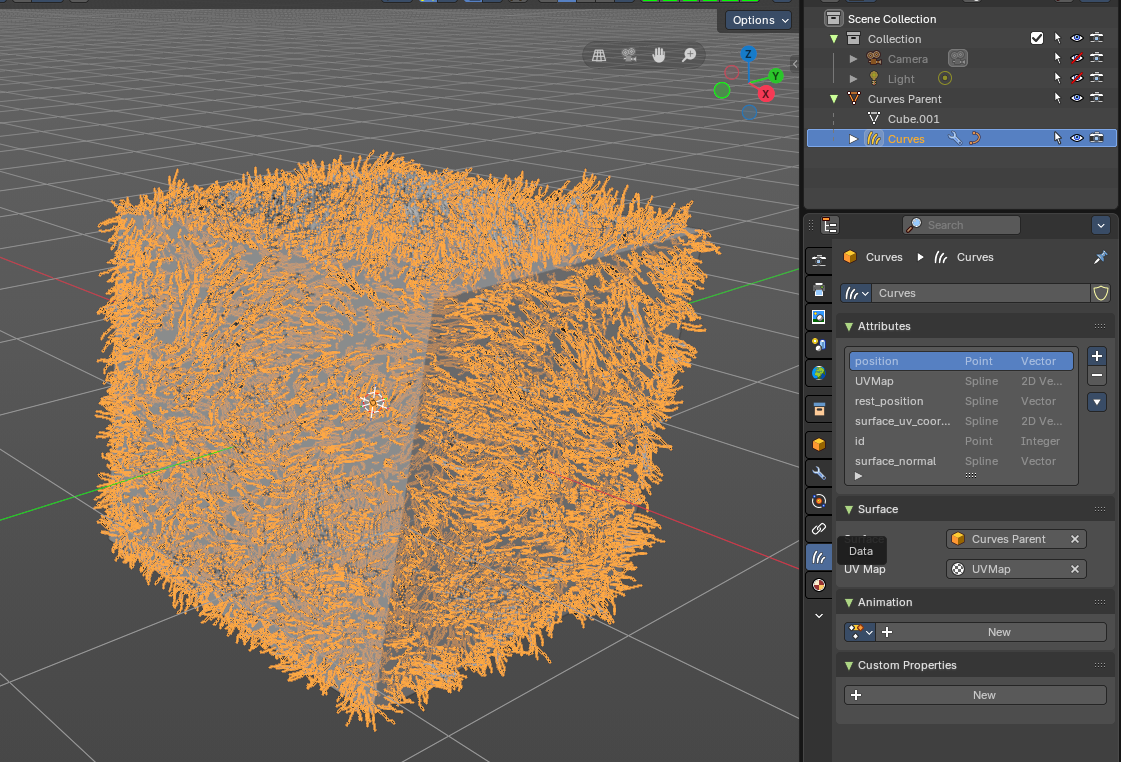
The Curves Object Data Properties tab provides access to the attributes, surface bindings, animation settings, and custom properties of curve-based objects. It centralizes control over procedural hair, fibers, and curve geometry, allowing artists to manage data, link surfaces, and define behaviors directly from the Properties Editor.
Header
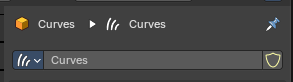
The header of the Curves Object Data Properties tab provides the identity and management controls for the active curve data. It is the entry point for working with curves objects, allowing you to pin, rename, and set curves data before diving into attributes, surface bindings, and animation.
| Entry | What it does |
|---|---|
| Data Name/Selector | Displays the name of the active curve data. Can be renamed directly in the field to organize curve objects in the project. Acts as the identifier for linking and referencing curves across Blender. |
| Pin Icon | Locks the panel to the current curve data. Prevents the panel from switching when another object is selected. Useful for editing curve data while navigating between different objects in the scene. |
| Shield Icon (Fake User) | Ensures the curve data is saved even if no object is using it. Prevents accidental loss of curve data when closing Blender. Commonly used for reusable curve assets like hair systems or procedural strands. |
Attributes Panel
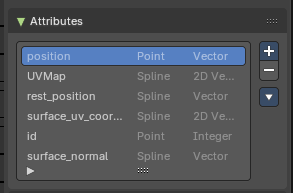
Lists all available attributes associated with the curve object. Each attribute is defined by its domain (Point, Spline) and data type (Vector, Integer, 2D Vector) – each can be accessed in Geometry Nodes.
Add Menu
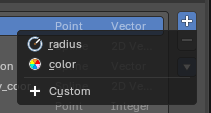
The Add (+) button creates a new attribute entry.
You can add from predefined built-in attributes such as _radius or _color, or define a Custom attribute. This makes it possible to attach extra data to curves, such as thickness, color values, or procedural flags, which can then be accessed in Geometry Nodes or modifiers.
Remove Operators
The Remove (–) button deletes the selected attribute from the list. This cleans up unused or redundant attributes, keeping the curve object lightweight and organized. Removing an attribute means it will no longer be available in Geometry Nodes or shading workflows, so it should only be done when you are certain the data is not needed.
Specials Menu
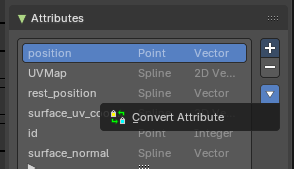
The panel includes operators such as Convert Attribute, which allows changing the data type or domain of an attribute. This ensures compatibility with other nodes, modifiers, or workflows that require specific attribute formats.
Properties
The Attributes panel lists and manages the data fields associated with a curve object. These attributes define how curves behave, store information, and interact with surfaces, shaders, and procedural systems. Each attribute has a domain (Point or Spline) and a data type (Vector, Integer, 2D Vector), which determine how the data is applied and interpreted.
| Entry | What it does |
|---|---|
| position | Point domain, Vector type. Represents the spatial coordinates of each curve point. |
| UVMap | Spline domain, 2D Vector type. Stores UV coordinates for mapping textures along curves. |
| rest_position | Spline domain, Vector type. Captures the original undeformed position of curve points, useful for simulations. |
| surface_uv_coordinate | Spline domain, Vector type. Provides UV coordinates relative to the bound surface. |
| id | Point domain, Integer type. Unique identifier for each curve point, ensuring stable references in procedural workflows. |
| surface_normal | Spline domain, Vector type. Stores the normal direction of the surface at curve attachment points. Operators such as Convert Attribute allow changing the data type or domain of attributes for compatibility with other nodes or modifiers. |
Surface
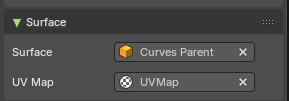
Defines the relationship between the curves object and its parent mesh surface.
| Entry | What it does |
|---|---|
| Surface | Specifies the mesh object to which the curves are bound. This ensures curves follow the topology of the parent surface. |
| UV Map | Determines which UV map from the parent mesh is used for curve placement and texture alignment. This section is critical for hair and fiber systems, as it ensures curves are distributed, deforms and shades consistently across the surface. |
Animation
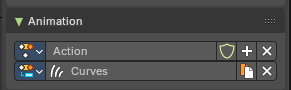
The Animation panel manages animation data linked to Curves objects. It provides a way to store, organize, and edit animation clips that drive curve attributes, enabling procedural growth, deformation, or motion effects.
Properties / Input
| Entry | What it does |
|---|---|
| Action | Represents an animation clip data containing keyframes for the Curves attributes. Can be selected, created, renamed, or deleted directly from the panel. Includes controls for protecting the data (Fake User shield icon), adding new actions (plus button), or removing them (X button). |
| Slots | Lists the animation slot associated with the action clip. You can use a selection, display and change the name of the slot, duplicate the slot and remove the Curves object from the slot. |
Custom Properties
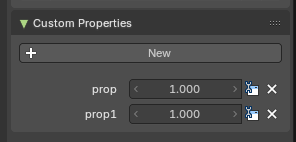
Here you can define custom properties that can be used for scripting.
Here you might also find custom properties from addons or scripts.
Add
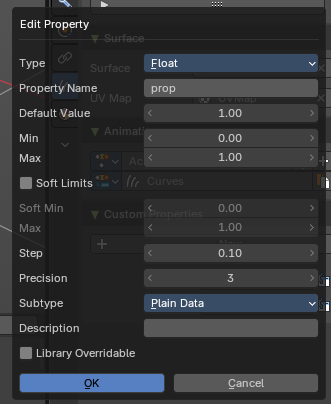
Adds a new property.
| Entry | What it does |
|---|---|
| Edit | Opens a panel where you can adjust the settings for the custom property. |
| Remove | Removes the property. |