

































































Collection Properties Tab
The collection tab provides you with collection related settings.
Collection Properties Tab
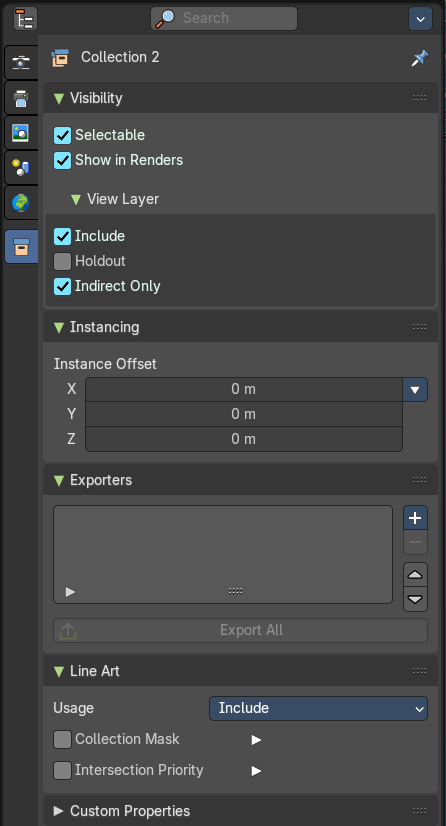
The collection tab provides you with collection related settings.
Visibility Panel
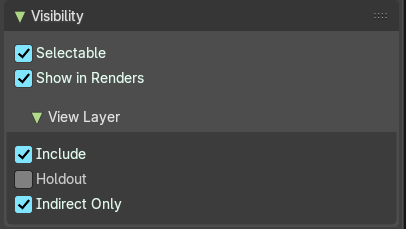
Set restrictions for the selected collection(s).
| Entry | What it does |
|---|---|
| Selectable | Make this collection and its content selectable. |
| Show in Renders | Render the content of the collection. |
| View Layer sub panel | Include: Include the collection in the scene. · Holdout: Mask out objects in collection from view layer. · Indirect Only: Make the objects in the collection just contribute indirectly. By light or shadow or reflections. |
Instancing panel
Instance Offset
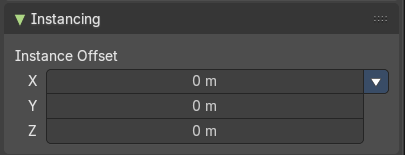
Adjust an offset from the origin when instancing the collection.
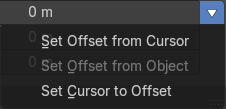
Instance offset menu
| Entry | What it does |
|---|---|
| Set Offset from cursor | Set the offset used for collection instance based on cursor position. |
| Set Offset from Object | Set the offset used for collection instance based on the active object position. |
| Set Cursor to Offset | Set cursor position to the offset used for collection instances. |
Exporters panel
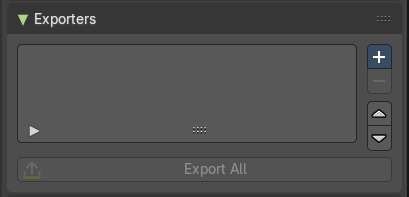
This panel contains the collection settings to assign an exporter per collection, where you can batch export collections in multiple file formats.
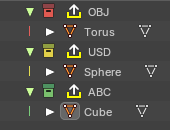
Collections where an exporter is added to shows the export symbol in the outliner.
Note: You can also batch export collections from the Topbar File header menu.
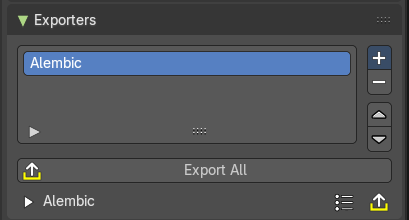
Add
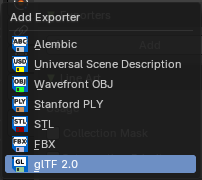
Adds an exporter operator to the collection. This will show an exporter icon on the collection in the outliner, and list the file format the collection will export to.
File Exporter Types:
- Alembic
- USD (Universal Scene Description)
- OBJ (Wavefront Object)
- Stanford PLY
- FBX
- glTF 2.0
Export All

Exports all the collections with exporter operators assigned.
Exporter Operators
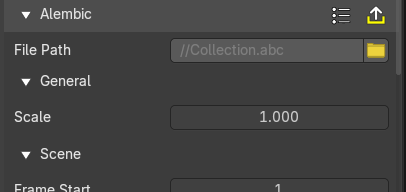
These settings comes from the chosen exporter. See chapter export in the File menu.
Line Art Panel
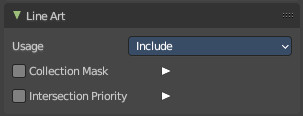
Usage
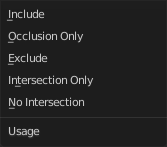
The method to display the line art in this collection.
| Entry | What it does |
|---|---|
| Include | Generate feature lines for this collection. |
| Occlusion Only | Only use the collection to produce occlusion. |
| Exclude | Don't use this collection in line art. |
| Intersection only | Only generate intersection lines for this collection |
| No Intersection | Include this collection but do not generate intersection lines. |
Collection Mask

Use custom intersection masks for faces in this colllection.
Masks
You can use up to 8 masks, starting with value 0.
Intersection Priority

Assign intersection priority value for this collection.
Priority Value
The intersection line will be included into the object with the higher intersection priority value.