
































































Editors

NLA Editor - Add Menu
A menu where you can add various elements to the NLA.
NLA Editor - Add Menu
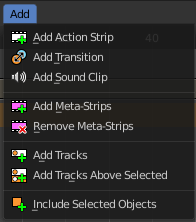
A menu where you can add various elements to the NLA.
Add Action Strip
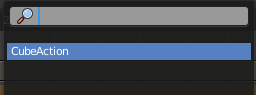
Adds an action strip. Opens a popup menu where you can choose what animation data this new action strip should contain.
Add Transition
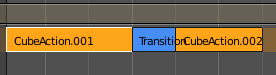
Adds a transition strip between two selected action strips.
Add Sound Clip

Adds a sound clip at the marker position.
A Sound Clip Controls when a speaker plays a sound. This strip type requires a Speaker object with a sound clip assigned. You can create a speaker object in the 3D view. The sample can be loaded in the Object Data Properties tab in the Properties editor then.
Add Meta Strips
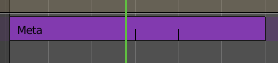
Turns selected strips into a meta strip. A group of strips.
| Entry | What it does |
|---|---|
| Remove Meta Strips | Ungroups the meta strips into its original action strips. |
| Add Tracks | Adds a new track in the Channel list. |
| Add Tracks Above Selected | Adds a new track in the Channel list. |
| Include Selected Objects | Objects without animation or a NLA strip will not appear in the channel list. With this command you can load selected objects into the NLA, regardless if they have animation yet or not. |