

































































Tool shelf
The Tool Shelf exists for the Tracking Mode in Clip submode. And for Mask mode.
Tool Shelf
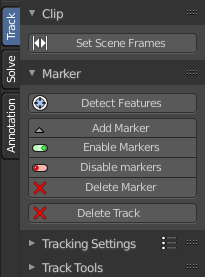
The Tool Shelf exists for the Tracking Mode in Clip submode. And for Mask mode.
In Tracking Mode it contains the tools to do the tracking. And in Mask Mode some mask tool functionality.
The submodes Graph and Dopesheet does not have a tool shelf. Here you can find a list of the tracks instead.
The content is differing, dependant of the mode you are in. Tracking mode has other tools than the Masking mode.
Track Tab and Solve Tab in Tracking Mode
The track tab contains the tools around the movie side of things. Markers, tracking etc.
The solve tab contains the tools around the scene side of things. Scene setup, camera motion, etc.
Annotation tab
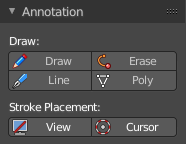
The Annotation tab contains the usual Annotation tools to draw and erase strokes. The tools should be self explaining
| Entry | What it does |
|---|---|
| Draw | Draw: Draw freehand strokes. · Erase: Erase strokes. · Line: Draw a line by clicking at a starting point and then at the end point. · Poly: Draw a polygon by clicking at the places where a corner should be. |
| Stroke Placement | View: Place the strokes relative to the view. · Cursor: Place the strokes relative to the cursor. |