

































































Tracking Mode - View tab
Just shows in Mask mode. Tracking has no 2D cursor.
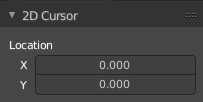
Just shows in Mask mode. Tracking has no 2D cursor.
This panel shows the location of the 2d cursor, based at the lower left corner of the footage image. The edit boxes also allows you to set the cursor position by numeric values.
Preface
Note that the correct mode is Tracking Mode in Clip View. In Graph and Dope sheet View there is no sidebar.
Note also that some panels exists in both modes, tracking and masking.
Annotations Panel
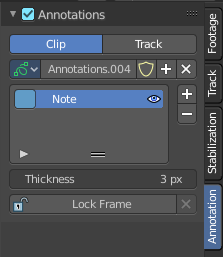
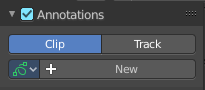
The Annotations panel is the place to manage the Annotation layers and materials.
When you don't have drawn an annotation yet then the panel just contains a New button.
Clip / Track
Where the Grease Pencil comes from. From the movie Clip, or from a track.
Annotations prop
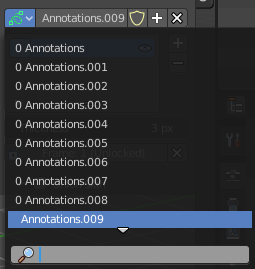
Add, remove and rename new annotations.
Drop down box
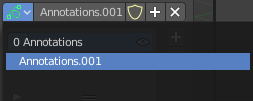
A list of the available annotation layers.
| Entry | What it does |
|---|---|
| Edit Box | The name of the current annotation. You can rename the annotation to your needs here. |
| Fake User | Assign a fake user to this annotation. Fake users is an odd concept to keep data in the scene even if it has no user somewhere. The fake user is then a dummy user so that the object is not deleted when saving the scene. |
| Add Annotation | Add a new annotation. |
| Delete Annotation | Delete the annotation. |
List of Annotation Strokes

A list of the Annotation layers for the current Annotation. Every layer can have an own color.
At the right side you find buttons to sort them and to add and remove new Annotation layers.
You can change the color by clicking at the color field. A color dialog will pop up. You can rename annotation layers by double clicking at it.
The eye icon allows you to make it invisible And it has a search field.
| Entry | What it does |
|---|---|
| Thickness | The thickness of the annotation stroke. |
| Frame Locked/Unlocked | Lock frame displayed by current layer. This toggles whether the active layer is the only one that can be edited. · Delete Active Frame: This feature is active when there is an animation. Delete the active frame from the active annotations layer. |