

































































Mask Mode - Add Menu
Masking can be done by using curves. In the Add menu you will find two spline primitives. You can choose between a circle Bezier curve object and a square Bezier curve object.
Add Menu
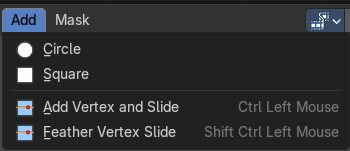
Masking can be done by using curves. In the Add menu you will find two spline primitives. You can choose between a circle Bezier curve object and a square Bezier curve object.
You select curve points by clicking with the left mouse button at them. Holding down Shift will add to the selection. Clicking in the off will deselect everything.
Circle
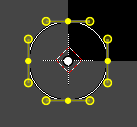
Adds a Bezier circle that you can use for masking.
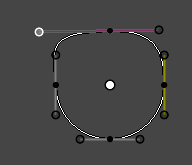
This circle element can be modified by right clicking at the handlers and pulling at the handlers until the desired result is achieved. The yellow points are handlers. The whole curve can be moved around with right mouse button. See also Transform sub menu in the Mask menu.
Last Operator Add Circle
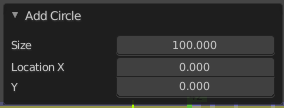
| Entry | What it does |
|---|---|
| Size | The size of the circle. |
| Location X Y | The location of the circle. |
Square
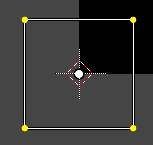
Adds a Bezier circle that you can use for masking.
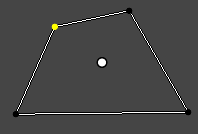
This circle element can be modified by right clicking at the handlers and pulling at the handlers until the desired result is achieved. The yellow points are handlers. The whole curve can be moved around with right mouse button. See also Transform sub menu in the Mask menu.
Last Operator Add Square
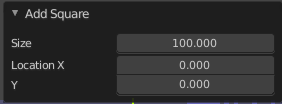
| Entry | What it does |
|---|---|
| Size | The size of the circle. |
| Location X Y | The location of the circle. |
Add Vertex and Slide
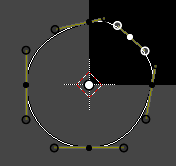
You can add more curve points by holding down ctrl and clicking left at a curve.
You can create a spline from scratch with this method too. Simply hold down Ctrl, click into the viewport, and created your needed spline points. To close the created mask spline use Toggle Cyclic from the mask menu.
Last operator Add Vertex and Slide
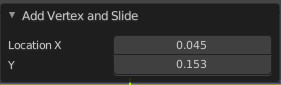
Location X Y
The location of the created spline point.
Feather Vertex Slide
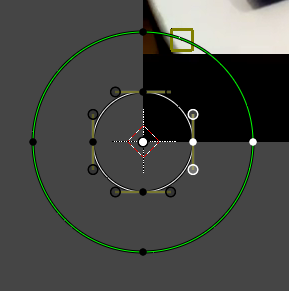
Add new vertex to feather and slide it. Hotkey only tool !
Last Operator Add Feather Vertex and Slide
Location X Y
The location of the circle.