

































































Modifiers Tab
F-Curve modifiers are similar to Object modifiers. They allow to add adjustable non destructive effects. And they can be layered on top of each other.
Modifiers Tab - Modifiers Panel
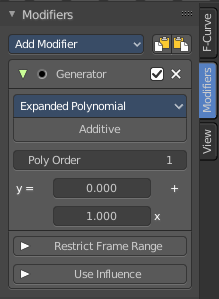
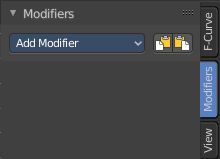
F-Curve modifiers are similar to Object modifiers. They allow to add adjustable non destructive effects. And they can be layered on top of each other.
Different to the Object modifiers you can't reorder this modifiers. You have to create it in the order that you need it.
Add Modifier
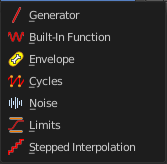
The list of modifiers. Choose by clicking.
| Entry | What it does |
|---|---|
| Copy F-Curve Modifiers | Copy the F-Curve Modifiers of the active F-Curve. |
| Paste F-Curve Modifiers | Paste copied F-Curve modifiers to the active F-Curve. |
Last Operator Add F-Curve Modifier

| Entry | What it does |
|---|---|
| Type | A drop down list with the Type of modifier to add. |
| Only Active | Only add a modifier to the currently active curve. |
Modifier header

Every modifier is a panel. And every panel has a header area with some general UI elements.
| Entry | What it does |
|---|---|
| Triangle button | Every modifier panel can be expanded or collapsed by clicking at this triangle button. |
| Active | This is the panel that you currently edit. When you edit a panel while it is not set to the active one, then the changes will not be applied. |
| Modifier name | The name of the modifier. Read only. |
| Muted | Enable or disable this modifier. |
| Delete F-Curve Modifier | Delete this modifier. |
Generator modifier
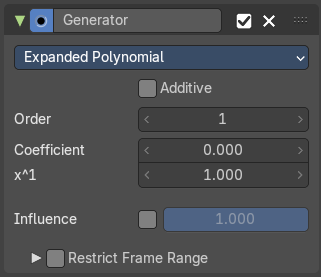
Polynomial Mode
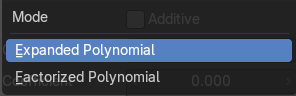
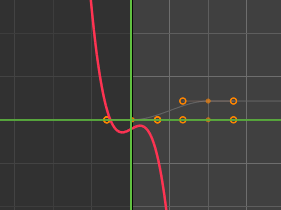
Use Expanded Polynominal or Factorized Polynominal algorithm. With these mathematical formulas you can create lines, parabolas, and other more complex curves by changing the values in the poly order field.
| Entry | What it does |
|---|---|
| Additive | Add on top of the existing curve instead of replacing the existing curve. |
| Order | The hightes value of X for this polynominal. |
| Coefficient | Coefficient for X. |
| x^1 | Coefficient for X. |
| Use Influence | Temper the F-Curve Modifier effect by a default influence factor. Expanding the Use Influence sets it to active. It reveals a value slider then. · Influence: The influence factor. |
Restrict Frame Range
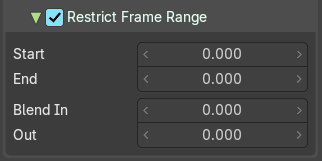
Expanding the Restrict Frame range sets it to active. It reveals some value slider then.
| Entry | What it does |
|---|---|
| Start / End | The start and end frame of the generated curve. |
| Blend In / Out | Fade the curve in or out for chosen frame numbers. |
Built- in Function modifier
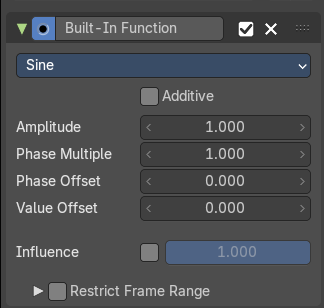
Generate a curve by built in functions.
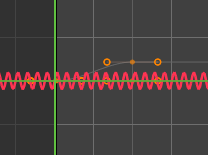
Curve Type
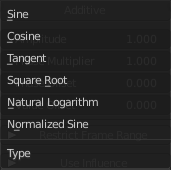
The available wave forms for the curve.
| Entry | What it does |
|---|---|
| Additive | Add on top of the existing curve instead of replacing the existing curve. |
| Amplitude | The amplitude of the curve wave. Adjusts the Y scaling. |
| Phase Multiplier | A phase multiplier for the curve wave. Adjusts the X scaling. |
| Phase Offset | A phase offset for the curve wave. Adjusts the Y scaling. |
| Value Offset | A constant value offset for the whole curve. Adjusts the X scaling. |
| Use Influence | Temper the F-Curve Modifier effect by a default influence factor. Expanding the Use Influence sets it to active. It reveals a value slider then. · Influence: The influence factor. |
Restrict Frame Range
Expanding the Restrict Frame range sets it to active. It reveals some value slider then.
| Entry | What it does |
|---|---|
| Start / End | The start and end frame of the generated curve. |
| In / Out | Fade the curve in or out for chosen frame numbers. |
Envelope modifier
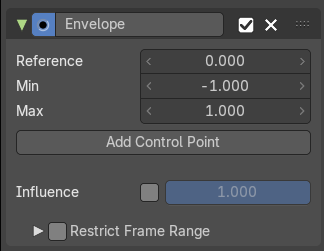
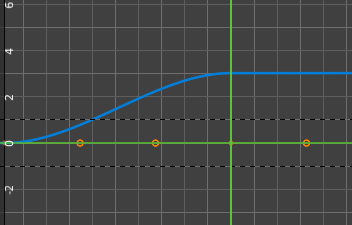
The Envelope modifier allows you to modify the overall shape of the curve by control points.
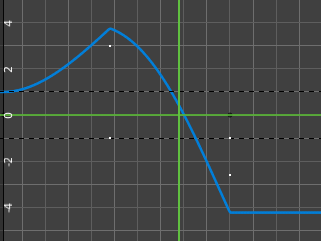
| Entry | What it does |
|---|---|
| Envelope | Reference Value: Set the Y value to center the envelope around. · Min: The lower distance from reference value for 1:1 default influence. · Max: The higher distance from reference value for 1:1 default influence. |
| Add Control Point | Add a control point. A control point has two sub points, a lower control point and a higher control point. |
Use Influence

Temper the F-Curve Modifier effect by a default influence factor.
Expanding the Use Influence sets it to active. It reveals a value slider then.
Influence
The influence factor.
Restrict Frame Range
Expanding the Restrict Frame range sets it to active. It reveals some value slider then.
| Entry | What it does |
|---|---|
| Start / End | The start and end frame of the generated curve. |
| In / Out | Fade the curve in or out for chosen frame numbers. |
Cycles modifier
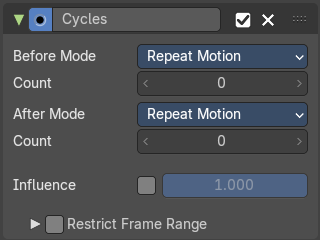
Add a cyclic motion to a curve that has two or more control points. The option can be set before or after the curve.
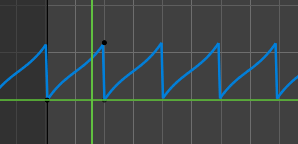
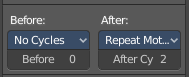
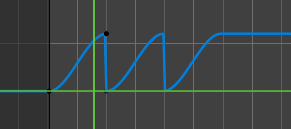
Trivially Cyclic Curves
When the Cycle Mode for both ends is set to either Repeat Motion or Repeat with Offset, and no other options of the modifier are changed from their defaults, it defines a simple infinite cycle.
This special case receives some additional support from other areas of Blender:
Automatic Bezier handle placement is aware of the cycle and adjusts to achieve a smooth transition.
The Cycle-Aware Keying option can be enabled to take the cycle into account when inserting new keyframes.
Before Mode
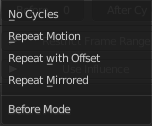
Set the cycle mode before the first keyframe.
Count
Maximum number of cycles to allow before first keyframes. A value of 0 means infinite.
After Mode
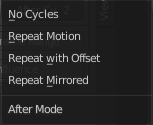
Set the cycle mode after the first keyframe.
Count
Maximum number of cycles to allow after last keyframes. A value of 0 means infinite.
Use Influence
Temper the F-Curve Modifier effect by a default influence factor.
Expanding the Use Influence sets it to active. It reveals a value slider then.
Influence
The influence factor.
Restrict Frame Range
Expanding the Restrict Frame range sets it to active. It reveals some value slider then.
| Entry | What it does |
|---|---|
| Start / End | The start and end frame of the generated curve. |
| In / Out | Fade the curve in or out for chosen frame numbers. |
Noise modifier
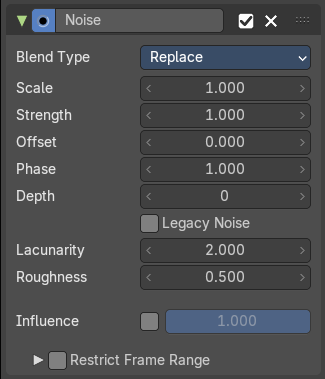
Adds noise to the curve.
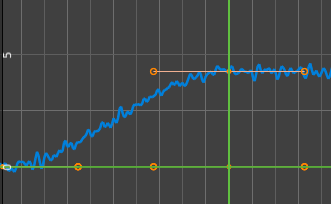
Blend Type
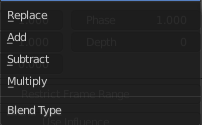
How to blend the noise with the curve.
| Entry | What it does |
|---|---|
| Scale | The overall size of the noise. The bigger the value the less frequent the noise. |
| Strength | Adjust the Y value of the noise. |
| Offset | Time offset of the noise. |
| Phase | The random seed for the noise. |
| Depth | How detailed the noise function is. |
| Legacy Noise | Use the legacy way of generating noise. |
| Lacunarity | Gap between successive frequencies. A value of 0 disables the feature. |
| Roughness | Amount of high frequency details. |
| Use Influence | Temper the F-Curve Modifier effect by a default influence factor. Expanding the Use Influence sets it to active. It reveals a value slider then. · Influence: The influence factor. |
Restrict Frame Range
Expanding the Restrict Frame range sets it to active. It reveals some value slider then.
| Entry | What it does |
|---|---|
| Start / End | The start and end frame of the generated curve. |
| In / Out | Fade the curve in or out for chosen frame numbers. |
Limits modifier
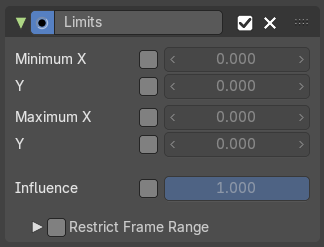
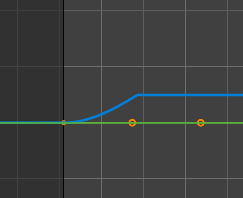
Sets limits to the curve in specified x and y range values.
| Entry | What it does |
|---|---|
| Minimum / Maximum X | Cuts the curve at these minimum and maximum frame values. |
| Minimum / Maximum Y | Clamps the curve at these minimum and maximum values. |
| Use Influence | Temper the F-Curve Modifier effect by a default influence factor. Expanding the Use Influence sets it to active. It reveals a value slider then. · Influence: The influence factor. |
Restrict Frame Range
Expanding the Restrict Frame range sets it to active. It reveals some value slider then.
| Entry | What it does |
|---|---|
| Start / End | The start and end frame of the generated curve. |
| In / Out | Fade the curve in or out for chosen frame numbers. |
Stepped Interpolation modifier
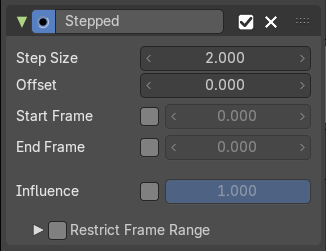
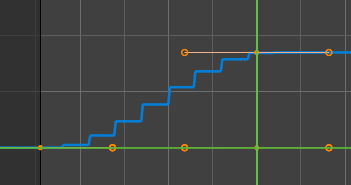
Adds steps to the curve by rounding the values.
| Entry | What it does |
|---|---|
| Step Size | The number of frames to hold each frame |
| Offset | A number of offset frames before frames get held. |
| Start Frame | Restrict the modifier so that it just acts before its end frame. |
| End Frame | Restrict the modifier so that it just acts after its start frame. |
| Use Influence | Temper the F-Curve Modifier effect by a default influence factor. Expanding the Use Influence sets it to active. It reveals a value slider then. · Influence: The influence factor. |
Restrict Frame Range
Expanding the Restrict Frame range sets it to active. It reveals some value slider then.
| Entry | What it does |
|---|---|
| Start / End | The start and end frame of the generated curve. |
| In / Out | Fade the curve in or out for chosen frame numbers. |