
































































Editors

F-Curve Tab
This panel displays the properties for the active F-Curve.
F-Curve Tab - Active F-Curve Panel

This panel displays the properties for the active F-Curve.
| Entry | What it does |
|---|---|
| Channel Name | The name of the currently active F-Curve channel. |
| RNA Path | RNA Path to property. This is a read only information. |
| RNA Array Index | The RNA Array Index to the specific property affected by the F-Curve if applicable. This is a read only information. |
Display Color
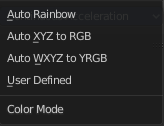

With what colors to display the curves. User defined allows you to choose a custom color for the curve. A color field appears. The other methods works random.
Handle Smoothing
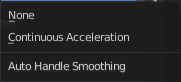
Select the method to compute automatic Bezier Handles.
| Entry | What it does |
|---|---|
| None | Only directly adjacent key values are used when computing the handles. Vector handles points directly at the adjacent keyframes. |
| Continuous Acceleration | Also keyframes behind the next or previous keyframe gets used for calculation. Which results in a smoother curve. |
F-Curve Tab - Active Keyframe Panel
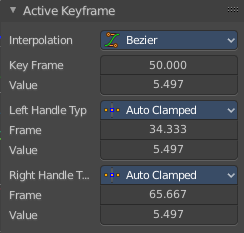
Interpolation
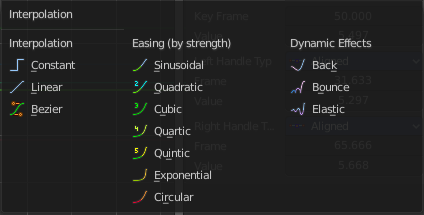
Set the interpolation type for this keyframe.
Key Frame
The current position of this keyframe.
Value
The Y value of this keyframe.
Left Handle Type / Right Handle Type
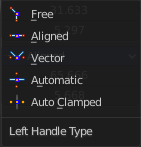
Set the handle type. The handles of a keyframe can be independent. Some constellations just works with some other constellations.
| Entry | What it does |
|---|---|
| Free | Move and adjust the handles independently. |
| Aligned | With the left handler the right handler moves too. |
| Vector | Creates a curve with straight lines. |
| Automatic | Creates a smooth curve. |
| Auto Clamped | Creates a smooth curve that only changes the direction at other curve points. It is clamped to prevent overshoots in the curve shape. |
| Entry | What it does |
|---|---|
| Frame | The current frame of this handle. |
| Value | The current Y position of this handle. |