
































































Editors

Add Menu - Volume - Write
Here you find nodes to modify the volume.
Add menu - Volume

Here you find nodes to modify the volume.
Grid Background
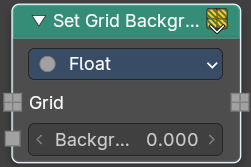
Set the background value used for inactive voxels and tiles.
Inputs
| Entry | What it does |
|---|---|
| Grid | Standard geometry input. |
| Background | Volume density per voxel. Higher values makes it more dense. |
Properties
Data Type
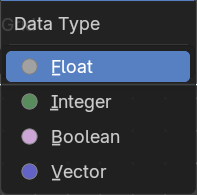
What data type to calculate.
Output
Grid
The grid output.
Set Grid Transform
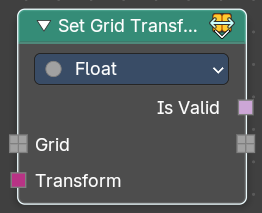
Set the transform for the grid from index space into object space.
Inputs
| Entry | What it does |
|---|---|
| Grid | Standard geometry input. |
| Transform | The input transform. |
Properties
Data Type
What data type to calculate.
Output
| Entry | What it does |
|---|---|
| Is Valid | If the new transform is successfully applied and working. |
| Grid | The grid output. |
Store Named Grid
Set the transform for the grid from index space into object space.
Inputs
| Entry | What it does |
|---|---|
| Volume | The volume input. |
| Name | The name |
| Grid | Standard geometry input. |
Properties
Data Type
What data type to calculate.
Output
Volume Geometry
The volume geometry to add to.