

































































Add Menu - Utilities - Vector
Vector nodes are for calculating vector operations.
Add menu - Vector
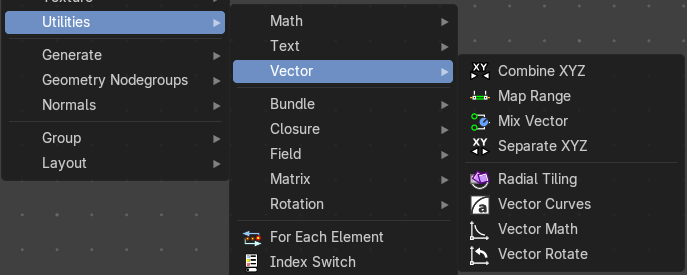
Vector nodes are for calculating vector operations.
Combine XYZ
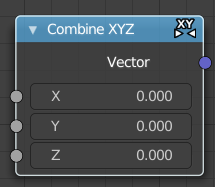
The Combine XYZ Node combines a vector from its individual components.
| Entry | What it does |
|---|---|
| Input | X Y and Z: X, Y and Z values. |
| Output | Color: Color output. |
Map Range
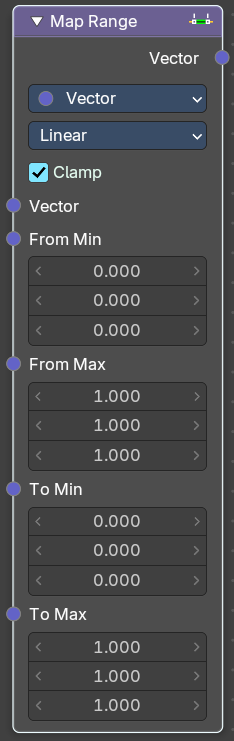
Remap a value from a range to a target range.
Input
| Entry | What it does |
|---|---|
| From Min | Vector 3 from the minimum input. |
| From Max | Vector 3 from the maximum input. |
| To Min | Vector 3 to the minimum input. |
| To Min | Vector 3 to the maximum input. |
Properties
Data Type
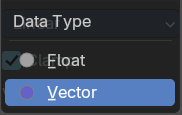
What data to calculate.
Interpolation Type
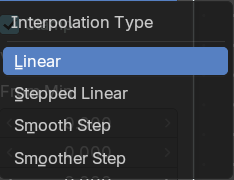
The interpolation method for the operation.
Clamp
Clamp the result to the target range of To Min - To Max.
Outputs
Vector
The output vector.
Mix Vector
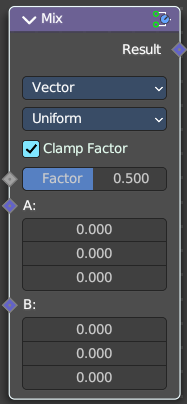
Allows to mix values and vectors in various ways. The node has three different modes. Float, Vector and Color. This here is the node in Vector mode.
Input
Factor
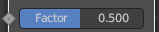
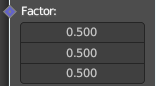
The mix factor. With mode Uniform it is a single value. With mode Non Uniform it is a vector.
A
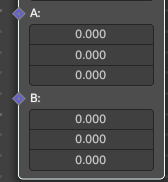
Vector A input.
B
Vector B input.
Properties
Data Type
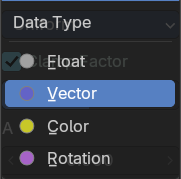
Which mode to use. We cover here the Vector mode.
Factor Mode
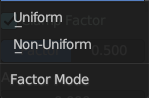
Use a single value or a vector for the factor.
Output
Result
The output value or vector.
Separate XYZ
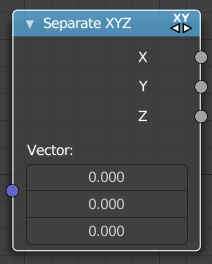
The Separate XYZ Node splits a vector into its individual components.
| Entry | What it does |
|---|---|
| Input | Vector: The Input vector. |
| Output | X, Y and Z: The output vectors for X, Y and Z. |
Radial Tiling
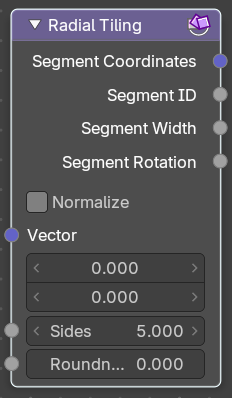
The Separate XYZ Node splits a vector into its individual components.
| Entry | What it does |
|---|---|
| Input | Vector: The Input vector. · Sides: Number of angluar segments for tiling. · Roundness: Roundness of the segments coordinate systems. |
| Properties | Normalize: Stretch the textures to fit into each angular segment. |
| Output | Segment Coordinates: The segment coordinates for texture mapping. · Segment ID: Unique ID for every segment. · Segment Width: The width of every segment. · Segment Rotation: The rotation of every segment. |
Vector Curves
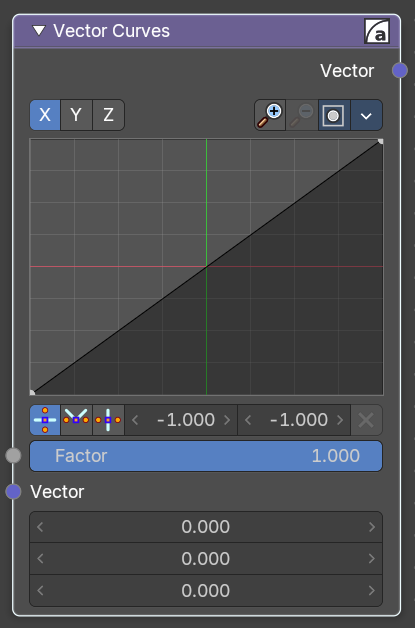
The Vector Curves node maps an input vector components to a curve.
Inputs
| Entry | What it does |
|---|---|
| Factor | Standard vector input. |
| Vector | Standard vector input. |
Properties
Channel
X Y Z

X, Y, Z Channel buttons. Clicking on one of the channels displays the curve for each.
Curve edit field
Create and tweak a Bezier curve that varies the input levels (X axis) to produce an output level (Y axis).
Selecting Points
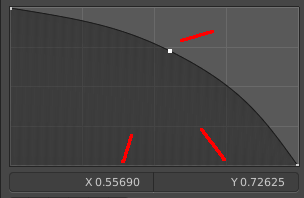
You can select curve points. This reveals two edit boxes for the x and y coordinate of this point.
Selected points can be moved around. Left click at them, hold the mouse button down and move them to a new location.
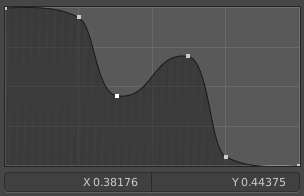
Adding Points
You can add new curve points by simply left clicking at the curve. Move the mouse to position them where you need it.
Navigation elements
The navigation elements at the top are described from left to right.
Zoom in and out
The two buttons with the magnifying glass at it zooms in and out in the curve window.
Clipping
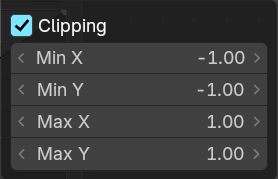
Clipping options. Set up clipping for the stroke.
Tools
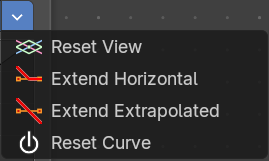
Tools is a menu where you can find some curve related tools.
| Entry | What it does |
|---|---|
| Reset View | Resets the curve windows zoom. |
| Extend horizontal | Extends the curve before the first curve point and behind the last curve point horizontally. |
| Extend extrapolated | Extends the curve before the first curve point and behind the last curve point extrapolated. |
| Reset Curve | Resets the curve to the initial shape. |
Vector Handle

Set handle type to Vector.
| Entry | What it does |
|---|---|
| Auto Handle | Set handle type to Auto. |
| Auto Clamped Handle | Set handle type to Auto Clamped. |
| Entry | What it does |
|---|---|
| X Y values | The x and y values of the selected curve point. |
| Delete Points | Deletes selected curve points. |
Outputs
Vector
Standard vector output.
Vector Math
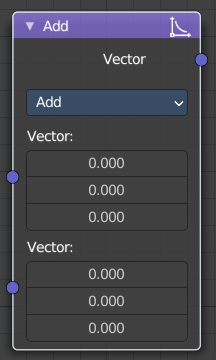
The Vector Math node performs the selected math operation on the input vectors.
Inputs
The inputs of the node are dynamic. Some inputs are only available in certain operations. For instance, the Scale input is only available in the Scale operator.
| Entry | What it does |
|---|---|
| Vector | Input vector A. |
| Vector | Input vector B. |
| Scale | Input Scale. |
Properties
Operation
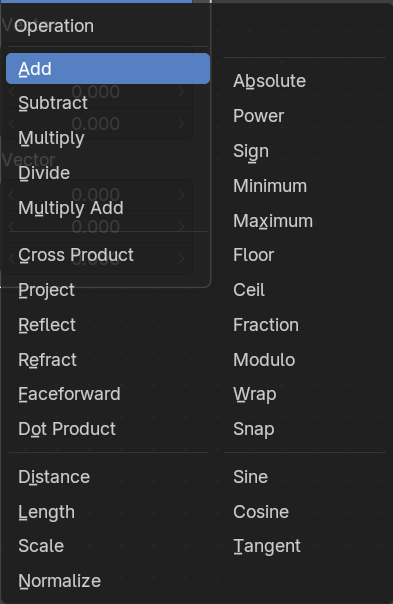
The vector math operator to be applied on the input vectors.
Outputs
The output of the node is dynamic. It is either a vector or a scalar depending on the operator. For instance, the Length operator have a scalar output while the Add operator have a vector output.
| Entry | What it does |
|---|---|
| Vector | Output vector. |
| Value | Output value. |
Vector Rotate
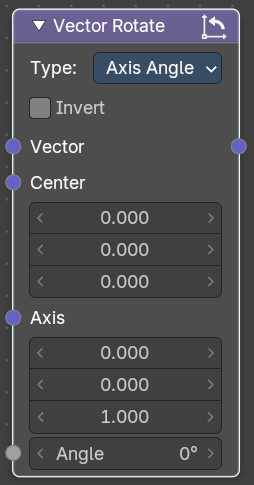
The Vector Rotate node allows rotations by a vector.
Inputs
The inputs of the node are dynamic. Some inputs are only available in certain operations. For instance, the Angle input is just available with the Axis Angle type.
| Entry | What it does |
|---|---|
| Vector | Input vector. |
| Center | Input Center |
| Axis | Input Axis. |
| Angle | Input Angle |
Properties
Type
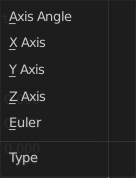
The rotation type.
Outputs
Vector
The Output vector.