

































































Add Menu - Utilities - Text
Text object related nodes.
Add menu - Utilities - Text
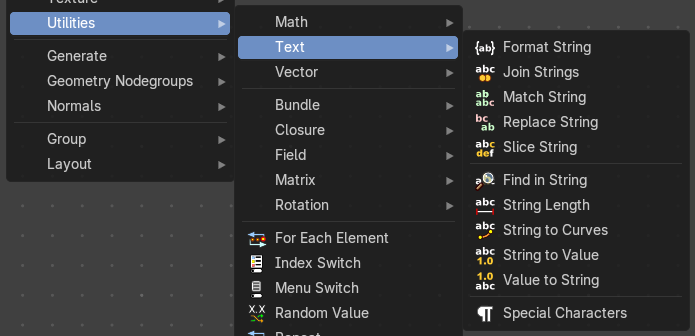
Text object related nodes.
Format String
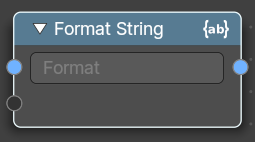
Insert Values into a string using a Python and path template compatible formatting syntax.
The syntax can be found here: https://docs.python.org/3/library/string.html#format-string-syntax
| Entry | What it does |
|---|---|
| Inputs | Strings: The strings that you want to modify. |
| Properties | String: The python syntax to modify the string. |
| Output | String: The output string. |
Join Strings
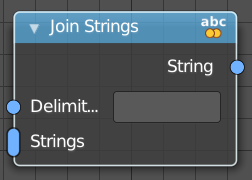
Allows you to join several string into a text string.
| Entry | What it does |
|---|---|
| Inputs | Delimiter: Add a delimiter character. · Strings: The strings that you want to join into one text string. |
| Output | String: The output string. |
Match Strings
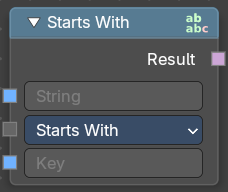
Allows you to compare strings to match conditions
Inputs
| Entry | What it does |
|---|---|
| String | The input string. |
| Key | An input key. |
Properties
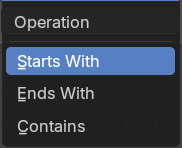
Operation
What string condition to match.
Output
Result
The output strings that matches the condition.
Replace Strings
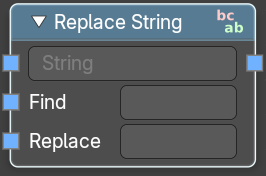
Find and replace strings inside of the input string.
| Entry | What it does |
|---|---|
| Inputs | String: The input string. · Find: The string part that you want to replace. · Replace: The string part that you use to replace the selected string part. |
| Output | String: The strings that you want to join into one text string. |
Slice String
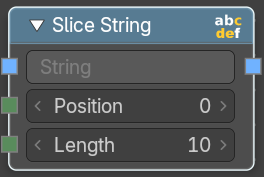
Allows you to extract a string from a substring at given position with given length.
| Entry | What it does |
|---|---|
| Inputs | String: The source string. · Position: The start position of the sub string. · Length: The length of the substring. |
| Outputs | String: The output substring. |
Find in String
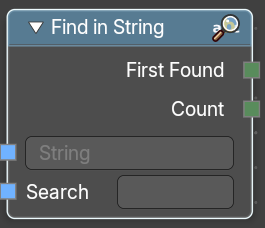
Returns an integer of the total count of matching strings or the first integer position of a matching string
| Entry | What it does |
|---|---|
| Inputs | String: The string that you want to search in. · Search: The string that would be matched in the string search. |
| Outputs | First Found: Returns the integer position of the first character of the found string. · Count: Returns an integer position of the first character of the found string. |
String length
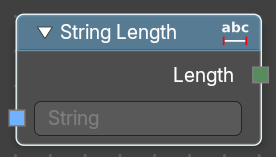
Gives back the number of characters in this string.
| Entry | What it does |
|---|---|
| Inputs | String: The string that you want to calculate. |
| Outputs | Length: How many characters the string has. |
String to Curves
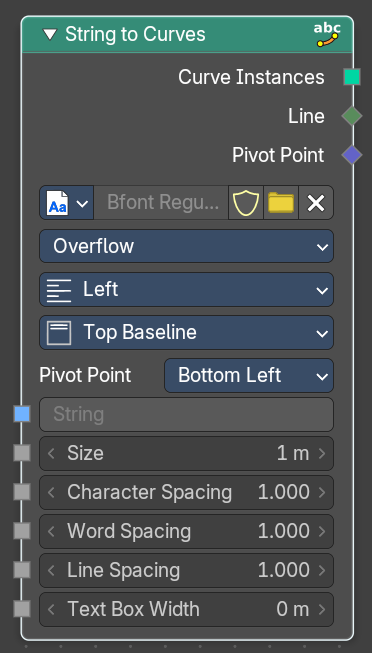
Converts the letters of a text into curve objects.
Inputs
| Entry | What it does |
|---|---|
| String | The text string to convert. |
| Size | Size of the string. |
| Character Spacing | The character spacing of the string. |
| Word Spacing | The word spacing of the string. |
| Line Spacing | The line spacing of the string. |
| Max Width | The maximum width of the string. |
Properties
Font property

Font browser
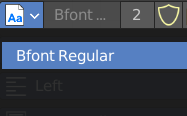
A list of the loaded fonts.
| Entry | What it does |
|---|---|
| Font Edit Box | The active font. |
| Number of Users | The number of users for this font. |
| Fake User | Keep this font in the blender file even when it has no users. The default font is special in this regards. It will not vanish when you close the file, even when it has no fake user assigned. |
| Open Font | Load a system font. |
| Remove | Removes the active font. The default font is special in this regards. You cannot delete it. |
Overflow
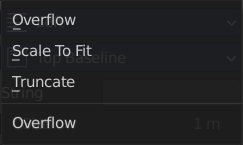
The overflow method for the text.
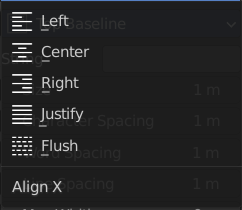
Align X
How to align the text horizontally
Align Y
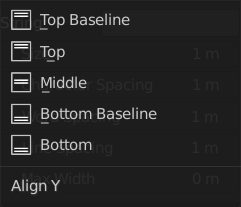
How to align the text vertically.
Pivot Point
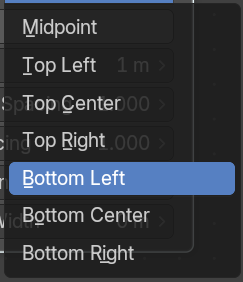
What point of the string to use as the pivot point.
Output
| Entry | What it does |
|---|---|
| Curve Instances | The curves output. |
| Line | Outputs the line number of the character. |
| Pivot Point | Outputs the selected pivot point position per character. |
String to Value
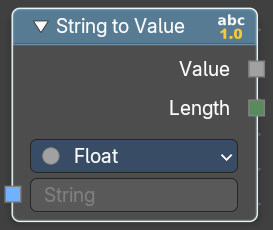
Converts a string input (e.g. "3.14" or "42") into a numeric value that can be used in fields, modifiers, or procedural logic. It also outputs the length of the string for additional control or validation.
Inputs
String
The input string.
Properties
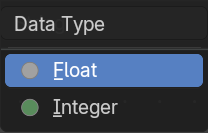
| Entry | What it does |
|---|---|
| Data Type | Specifies the target data type for conversion |
| Outputs | Value: The output value. · Length: The number of characters in the input string as an Integer. |
Value to String
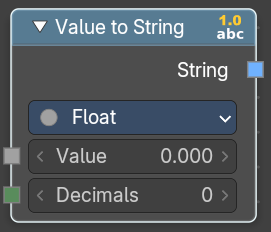
Converts a value to a string.
Inputs
| Entry | What it does |
|---|---|
| Value | The input value. |
| Decimals | How many decimals the value has. |
Properties
| Entry | What it does |
|---|---|
| Data Type | Specifies the target data type for conversion |
| Outputs | String: The output string. |
Special Character
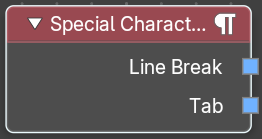
Adds special characters to the text string.
Outputs
| Entry | What it does |
|---|---|
| Line Break | Adds a Line Break to the text string. |
| Tab | Adds a tab to the text string. |