

































































Add Menu - Utilities - Field
Field nodes.
Add menu - Utilities - Field
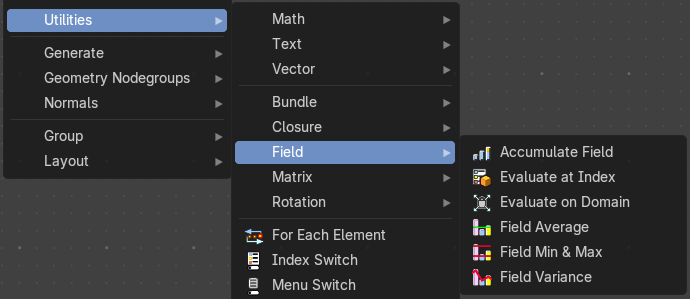
Field nodes.
Accumulate Field
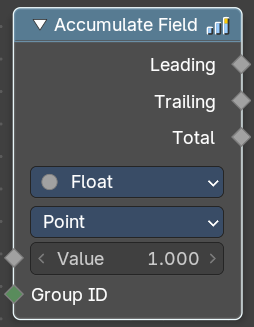
Creates a running total of a given Vector, Float, or Int field.
Inputs
| Entry | What it does |
|---|---|
| Value | The field to be accumulated. |
| Group Index | The values of this input are used to aggregate the input into separate 'bins', creating multiple accumulations. |
Properties
Data Type
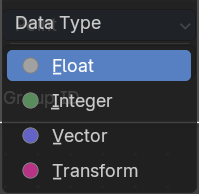
What data type to work with.
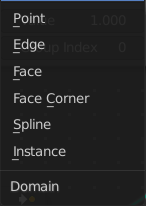
Domain
From which domain to use the data.
Outputs
| Entry | What it does |
|---|---|
| Leading and Trailing | Returns the running totals starting at either the first value of each accumulations or 0 if there is no data |
| Total | Returns the total accumulation at all positions of the field. |
Evaluate at Index
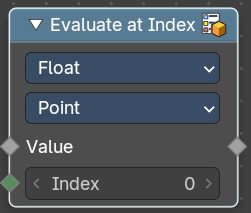
This node allows accessing data of other elements in the context geometry.
It is similar to the Transfer Attribute node in Index mode. The main difference
is that this node does not require a geometry input, because the context
is used.
Inputs
| Entry | What it does |
|---|---|
| Index | Input Index. |
| Value | Input Value. |
Properties
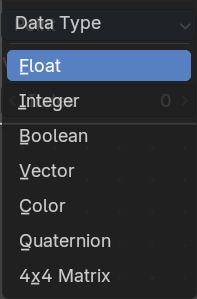
Data Type
What data type to calculate.
Domain
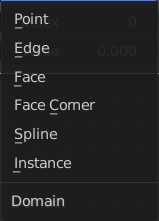
What geometry to calculate.
Output
Value
The output value.
Evaluate on Domain
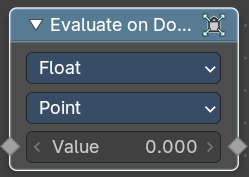
This node evaluates an existing field on a separate domain in a larger field context - an alternative to the Capture Attribute node. This nodes gets the field type of an existing field from the input socket and interpolates the field type as an array in the output socket.
Inputs
Value
The input value to get the field.
Properties
Data Type
Select the Data Type - which can be float, integer, vector, color and boolean.
Domain
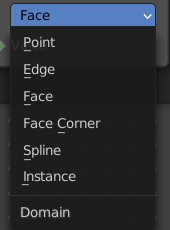
The domain the Field evaluates. This gets and filters the field type. The domain can be point, edge, face, face corner, spline or instance.
Outputs
Value
The output value.
Field Average
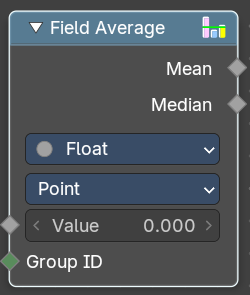
Calculate the mean and median of a given field.
Inputs
| Entry | What it does |
|---|---|
| Value | The input value to get the field. |
| Group ID | The input Group ID to get the field. |
Properties
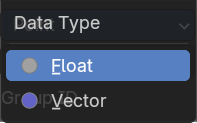
Data Type
Select the Data Type - which can be float, integer, vector, color and boolean.
Domain
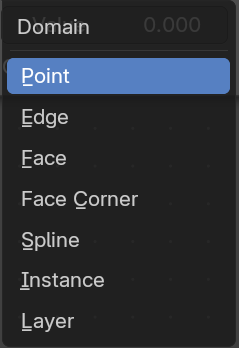
The domain the Field evaluates. This gets and filters the field type. The domain can be point, edge, face, face corner, spline or instance.
Outputs
| Entry | What it does |
|---|---|
| Mean | The Mean output value. |
| Median | The Median output value. |
Field Min & Max
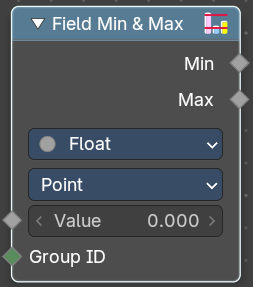
Calculate the minimum and maximum of a given field.
Inputs
| Entry | What it does |
|---|---|
| Value | The input value to get the field. |
| Group ID | The input Group ID to get the field. |
Properties
Data Type
Select the Data Type - which can be float, integer, vector, color and boolean.
Domain
The domain the Field evaluates. This gets and filters the field type. The domain can be point, edge, face, face corner, spline or instance.
Outputs
| Entry | What it does |
|---|---|
| Min | The Min output value. |
| Max | The Max output value. |
Field Variance
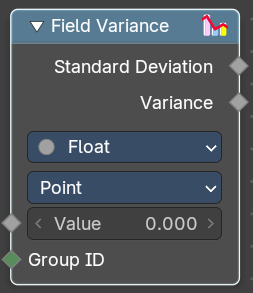
Calculate the standard derivation and variance of a given field.
Inputs
| Entry | What it does |
|---|---|
| Value | The input value to get the field. |
| Group ID | The input Group ID to get the field. |
Properties
Data Type
Select the Data Type - which can be float, integer, vector, color and boolean.
Domain
The domain the Field evaluates. This gets and filters the field type. The domain can be point, edge, face, face corner, spline or instance.
Outputs
| Entry | What it does |
|---|---|
| Standard derivation | The Min output value. |
| Variance | The Max output value. |