

































































Add Menu - Texture
Texture nodes.
Add menu - Texture
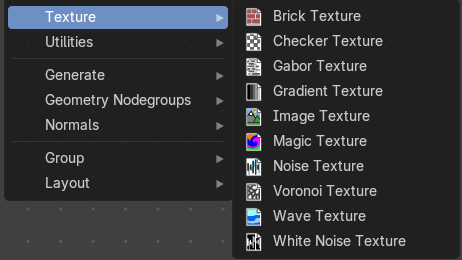
Texture nodes.
Brick Texture
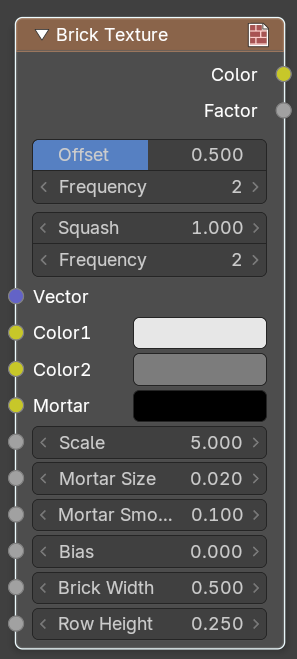
The Brick Texture node is used to add a procedural brick texture.
| Entry | What it does |
|---|---|
| Inputs | Color 1, Color 2 and Mortar: Color of the bricks and mortar. · Scale: Overall texture scale. · Mortar Size: The size of the filling between the bricks known as “mortar”; 0 means no mortar. · Mortar Smooth: Blurs/softens the edge between the mortar and the bricks. This can be useful with a texture and displacement textures. · Bias: The color variation between Color 1/2. Values of -1 and 1 only use one of the two colors; values in between mix the colors. · Brick Width: The width of the bricks. · Row Height: The height of the brick rows. |
| Properties | Offset: Determines the brick offset of the various rows. · Frequency: Determines the offset frequency. A value of 2 gives an even/uneven pattern of rows. · Squash: Amount of brick squashing. · Frequency: Brick squashing frequency. |
| Outputs | Color: Texture color output. · Factor: Mortar mask (1 = mortar). |
Checker Texture
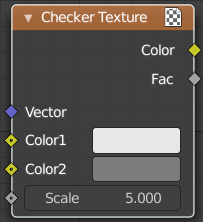
Adds a checker texture.
| Entry | What it does |
|---|---|
| Inputs | Vector: Vector input. · Color 1: The first checker color. · Color 2: The second checker color. · Scale: The scale of the checker texture. |
| Output | Color: The checker texture output. · Factor: Factor output. |
Gabor Texture
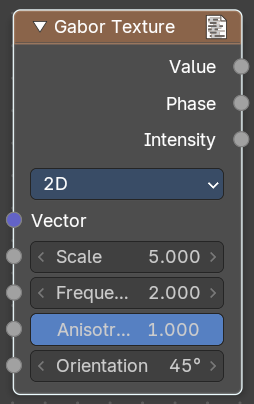
Adds a Gabor texture.
Properties
2D Mode
Uses the X Y vector. Z value is ignored.
| Entry | What it does |
|---|---|
| Vector | Vector input. |
| Scale | The scale of the gabor noise. |
| Frequency | The rate at which the gabor noise changes across space. The scale is global, the frequency relative to the current noise direction. |
| Anisotrophy | The directionality of gabor noise. A value of 1 is completely directional, while a value of 0 is omnidirectional. |
| Orientation | The direction of the anisotropic gabor noise. It is an angle, since it is 2d. |
3D Mode
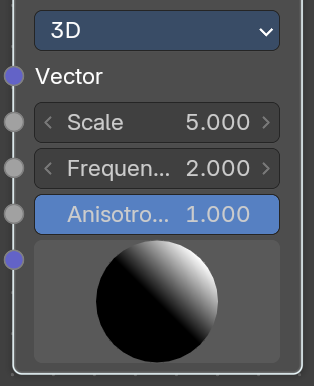
| Entry | What it does |
|---|---|
| Scale | The scale of the gabor noise. |
| Frequency | The rate at which the gabor noise changes across space. The scale is global, the frequency relative to the current noise direction. |
| Anisotrophy | The directionality of gabor noise. A value of 1 is completely directional, while a value of 0 is omnidirectional. |
| Orientation | The direction of the anisotropic gabor noise. It is oriented in the 3d space. And can be adjusted with the 3d widget. |
Output
| Entry | What it does |
|---|---|
| Value | The sum of gabor phase and intensity. |
| Phase | The gabor phase. |
| Intensity | The gabor intensity. |
Gradient Texture
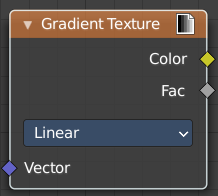
Add a gradient texture.
Inputs
Vector
Vector input.
Properties
Gradient Type
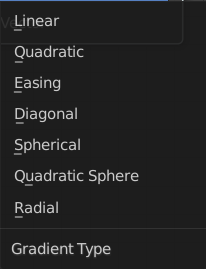
What gradient type to use.
Output
| Entry | What it does |
|---|---|
| Factor | Factor output. |
| Color | Color output. |
Image Texture
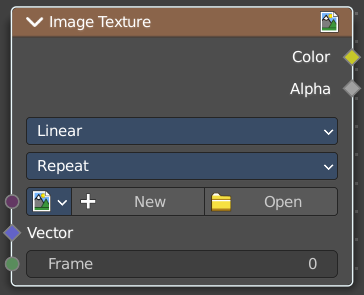
The Image Texture is used to add an image file as a texture.
Inputs
Image
The Image input. Open an image, choose an existing image, or generate a new image.
When you click at Open then a file browser opens up. When you click at New then a popup dialog opens. up where you can create a new image.
Image Browser
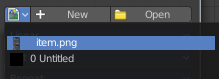
The image browser at the left allows you to pick an already existing texture.
| Entry | What it does |
|---|---|
| New/Open | Create a new image, or open an image. |
| Image Edit Box | The name of the image. |
| Fake User | Keep the texture in the blend file even if it is not used. |
New Image
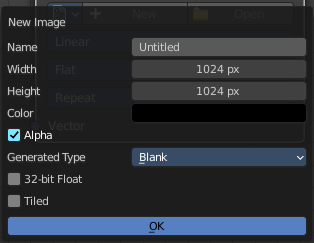
Create a new image.
The settings of this image can be further adjusted in the sidebar of the UV Editor.
| Entry | What it does |
|---|---|
| Open Image | Open an image. |
| Remove | Remove the image. Note that it is still in the blend file as long as it has users, and as long as you haven't purged it. By saving and reloading the blend file for example. |
| Entry | What it does |
|---|---|
| Vector | Texture coordinate for texture look-up. If this socket is left unconnected, UV coordinates from the active UV render layer are used. |
| Frame | The frame of an image sequence, if available. |
Properties
Interpolation
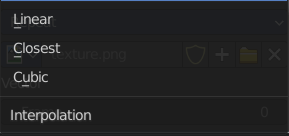
Method to scale images up or down for rendering.
| Entry | What it does |
|---|---|
| Linear | Regular quality interpolation. |
| Closest | No interpolation, use only closest pixel for rendering pixel art. |
| Cubic | Smoother, better quality interpolation. For bump maps this should be used to get best results. |
Extension
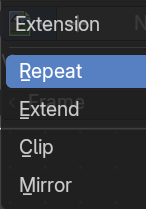
Extension defines how the image is extrapolated past the original bounds:
| Entry | What it does |
|---|---|
| Repeat | Will repeat the image horizontally and vertically giving tiled-looking result. |
| Extend | Will extend the image by repeating pixels on its edges. |
| Clip | Clip to the original image size and set all the exterior pixels values to transparent black. |
| Mirror | Flip the image horizontally and vertically repeatedly. |
Outputs
| Entry | What it does |
|---|---|
| Color | RGB color from image. If the image has alpha, the color is premultiplied with alpha if the Alpha output is used, and unpremultiplied or straight if the Alpha output is not used. |
| Alpha | Alpha channel from image. |
Magic Texture
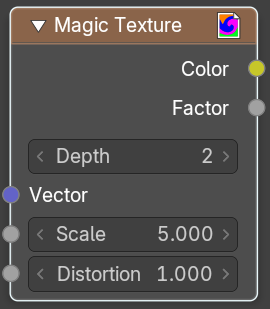
The Magic Texture node is used to add a procedural psychedelic color texture.
| Entry | What it does |
|---|---|
| Inputs | Vector: Texture coordinate to sample texture at; defaults to Generated texture coordinates if the socket is left unconnected. · Scale: Scale of the texture. · Distortion: Amount of distortion. |
| Properties | Depth: Number of iterations. |
| Outputs | Color: Texture color output. · Factor: Texture intensity output. |
Noise Texture
The Noise Texture node evaluates a fractal Perlin noise at the input texture coordinates. This nodes allows great control over how noise octaves are combined.
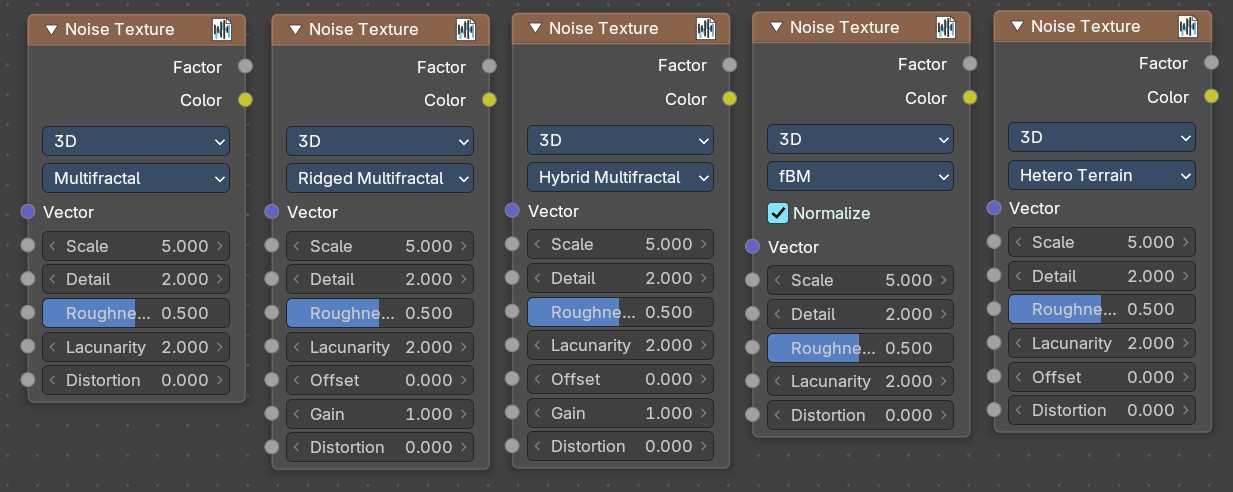
Inputs
The inputs are dynamic, they become available if needed depending on the node properties.
| Entry | What it does |
|---|---|
| Vector | Texture coordinate to evaluate the noise at; defaults to Generated texture coordinates if the socket is left unconnected. |
| Normalize | Normalize the output to the 0 - 1 range. · W: Texture coordinate to evaluate the noise at. Appears with 4 dimensions. · Scale: Scale of the base noise octave. · Detail: Number of noise octaves. The fractional part of the input is multiplied by the magnitude of the highest octave. Higher number of octaves corresponds to a higher render time. · Roughness: Adds a roughness noise. · Lacunarity: The scale of a perlin noise octave relative to the perlin noise octave from the previous octave. · Offset: An added offset to each octave, determines the level where the highest octave will appear. · Gain: An extra multiplier to tune the magnitude of octaves. · Distortion: Amount of distortion. |
Properties
Dimensions
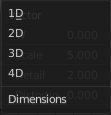
The dimensions of the space to evaluate the noise in.
| Entry | What it does |
|---|---|
| 1D | Evaluate the noise in 1D space at the input W. |
| 2D | Evaluate the noise in 2D space at the input Vector. The Z component is ignored. |
| 3D | Evaluate the noise in 3D space at the input Vector. |
| 4D | Evaluate the noise in 4D space at the input Vector and the input W as the fourth dimension. |
Type
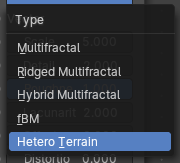
Type of the perlin noise texture.
| Entry | What it does |
|---|---|
| Multifractal | The result is more uneven (varies with location), more similar to a real terrain. Uses a multiplicative cascade. |
| Ridged Multifractal | Creates sharp peaks. Calculates the absolute value of the noise, creating “canyons”, and then flips the surface upside down. |
| Hybrid Multifractal | Creates peaks and valleys with different roughness values, like real mountains rise out of flat plains. Combines the additive cascade with a multiplicative cascade. |
| fBM (fractal Brownian Motion) | Produces an unnatural homogeneous and isotropic result. Uses an additive cascade, the values are simply added together. |
| Hetero Terrain (Heterogeneous Terrain) | Similar to Hybrid Multifractal creates a heterogeneous terrain, but with the likeness of river channels. |
Outputs
| Entry | What it does |
|---|---|
| Factor | Value of fractal noise. |
| Color | Color with different fractal noise in each component. |
Voronoi Texture
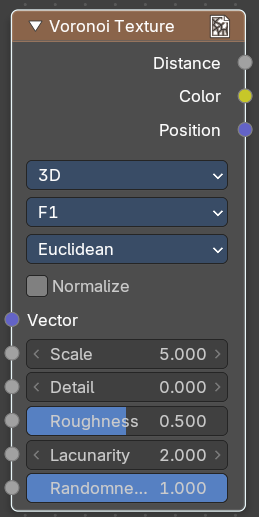
Add a voronoi texture.
Inputs
| Entry | What it does |
|---|---|
| Vector | Vector input. |
| W | The value w scale in 4 dimensions. |
| Scale | The scale of the voronoi texture. |
| Detail | The number ovf voronoi layers. |
| Roughness | The influence of the voronoi layer relative to the previous layer. |
| Lacunacy | The scale of the voronoi layer relative to the previous layer. |
| Smoothness | Smoothness of Smooth F1 |
| Randomness | The detail of the voronoi texture. |
Properties
Dimensions
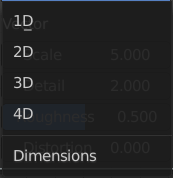
How many dimensions to use for the voronoi texture.
Feature Output
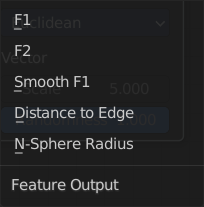
Feature output mode.
| Entry | What it does |
|---|---|
| F1 | Computes the distance to the closest point as well as its position and color. |
| F2 | Computes the distance to the second closest point as well as its position and color. |
| Smooth F1 | Smoothed version of F1.Weighted sum of neighbor voronoi cells. |
| Distance to Edge | Computes the distance to the edge of the voronoi cell. |
| N-Sphere Radius | Computes the radius of the n-sphere inscribed in the voronoi cell. |
Distance Metric
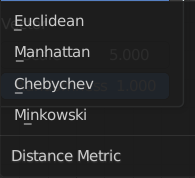
Distance calculation mode. The modes are different mathematical methods.
Normalize
Normalize the output distance to the 0.0 - 1.0 range.
Output
| Entry | What it does |
|---|---|
| Factor | Factor output. |
| Color | Color output. |
Wave Texture
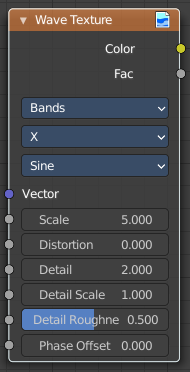
The Wave Texture node adds procedural bands or rings with noise distortion.
Inputs
| Entry | What it does |
|---|---|
| Vector | Texture coordinate to sample texture at; defaults to Generated texture coordinates if the socket is left unconnected. |
| Scale | Overall texture scale. |
| Distortion | Amount of distortion of the wave (similar to the Marble texture in Blender Internal). |
| Detail | Amount of distortion noise detail. |
| Detail Scale | Scale of distortion noise. |
| Detail Roughness | Adds a roughness noise. |
| Phase Offset | Set an offset for the phase. |
Properties
Wave Type
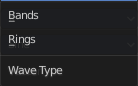
Bands or Rings shaped waves.
Bands direction
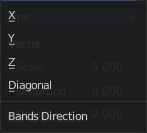
In which direction the bands should point.
Wave Profile
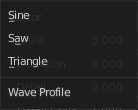
Controls the shape and look of the wave type.
| Entry | What it does |
|---|---|
| Saw | Uses a saw tooth profile. |
| Sine | Uses the standard sine profile. |
| Triangle | Uses a triangle shape. |
Outputs
| Entry | What it does |
|---|---|
| Color | Texture color output. |
| Factor | Texture intensity output. |
White Noise Texture
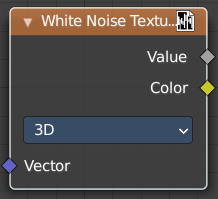
Add a white noise texture.
Inputs
Vector
Vector input.
Properties
Dimensions
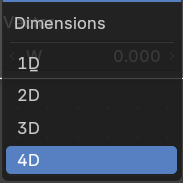
What gradient type to use.
Output
| Entry | What it does |
|---|---|
| Vector | Factor output. |
| Color | Color output. |