

































































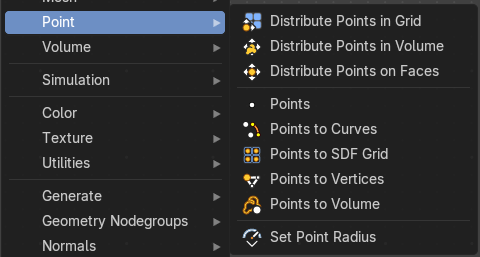
Add Menu - Point
Distributes points randomly in a grid.
Add menu - Point
Distribute Points In Grid
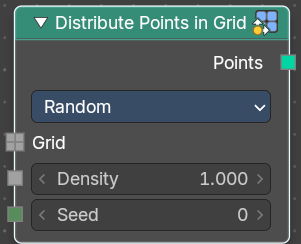
Distributes points randomly in a grid.
Point, corner and polygon attributes of the input geometry are transferred to the generated points. That includes vertex weights and UV maps. Additionally, the node has Normal and Rotation outputs.
The node also generates a stable ID, which is then stored in the built-in id attribute. It is used as a stable identifier for each point. When the geoemetry is deformed or the density changes the values will be consistent for each remaining point. This attribute is used in the Random Value and Instance on Points nodes.
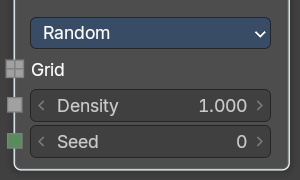
Inputs Random mode
| Entry | What it does |
|---|---|
| Grid | The grid to import the points to. |
| Density | Density of the points. |
| Seed | The random seed for the point distribution. |
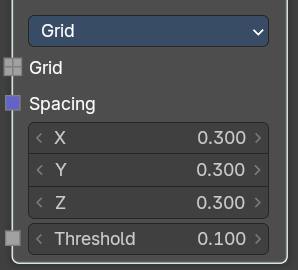
Inputs Grid mode
| Entry | What it does |
|---|---|
| Grid | The grid to import the points to. |
| Spacing | The spacing between the grid points. |
| Threshold | Minimum density of a volume cell to contain a grid point. |
Properties
Distribution method
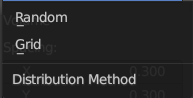
| Entry | What it does |
|---|---|
| Random | Distributes the points randomly. This allows overlappings. |
| Grid | Distributes the points along a grid with given width. |
Output
Points
Points output.
Distribute Points In Volume
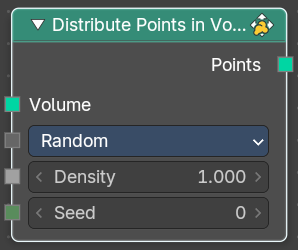
Distributes points randomly in a volume.
Point, corner and polygon attributes of the input geometry are transferred to the generated points. That includes vertex weights and UV maps. Additionally, the node has Normal and Rotation outputs.
The node also generates a stable ID, which is then stored in the built-in id attribute. It is used as a stable identifier for each point. When the geoemetry is deformed or the density changes the values will be consistent for each remaining point. This attribute is used in the Random Value and Instance on Points nodes.
Inputs Random mode
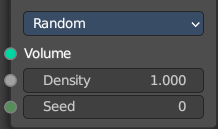
| Entry | What it does |
|---|---|
| Volume | The volume to import the points to. |
| Density | Density of the points. |
| Seed | The random seed for the point distribution. |
Inputs Grid mode
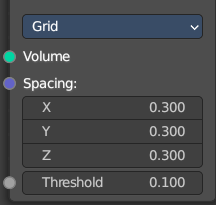
| Entry | What it does |
|---|---|
| Volume | The volume to import the points to. |
| Spacing | The spacing between the grid points. |
| Threshold | Minimum density of a volume cell to contain a grid point. |
Properties
Distribution method
| Entry | What it does |
|---|---|
| Random | Distributes the points randomly. This allows overlappings. |
| Grid | Distributes the points along a grid with given width. |
Output
Points
Points output.
Distribute Points on Faces
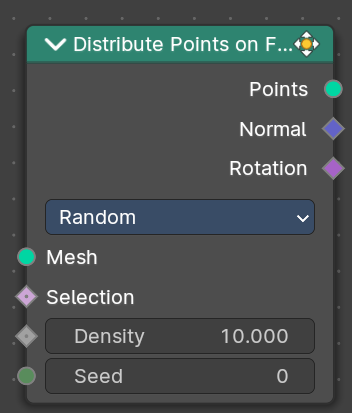
Distributes points randomly on the faces of a mesh geometry.
Point, corner and polygon attributes of the input geometry are transferred to the generated points. That includes vertex weights and UV maps. Additionally, the node has Normal and Rotation outputs.
The node also generates a stable ID, which is then stored in the built-in id attribute. It is used as a stable identifier for each point. When the mesh is deformed or the density changes the values will be consistent for each remaining point. This attribute is used in the Random Value and Instance on Points nodes.
Inputs Random mode
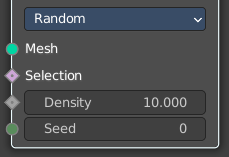
| Entry | What it does |
|---|---|
| Mesh | Standard geometry input. |
| Selection | The selection of which face corners should be considered for point distribution. |
| Density | Density of the points. |
| Seed | The random seed for the point distribution. |
Inputs Poisson Disk mode
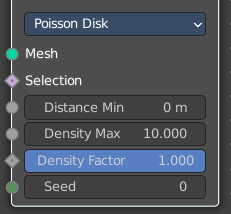
| Entry | What it does |
|---|---|
| Mesh | Standard geometry input. |
| Selection | The selection of which face corners should be considered for point distribution. |
| Distance Min | The minimum distance that two points can have. |
| Distance Max | The naximum distance that two points can have. |
| Density Factor | Density of the points. |
| Seed | The random seed for the point distribution. |
Properties
Distribution method
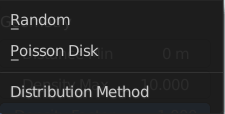
| Entry | What it does |
|---|---|
| Random | Distributes the points randomly. This allows overlappings. |
| Poisson Disk | Distributes the points randomly, but prevents overlappings by defining a minimum and maximum distance. |
Output
| Entry | What it does |
|---|---|
| Points | Points output. |
| Normal | Normal output. |
Rotation
Euler Rotation output. Please note that the Z axis of the result rotation will be arbitrary. The mesh normal used to create the rotation does not have enough information to set all three rotation axes.
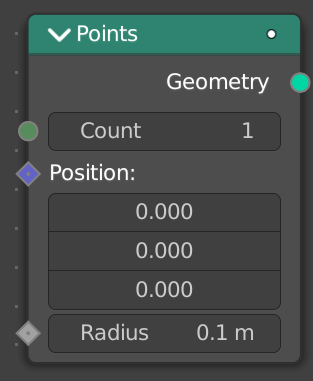
Points
Generates a single point or points with position, count and radius.
Inputs
Count
The count of the generated points as an integer.
Position
The position of the points as a vector. This is a field meaning you can set the position per index or ID of the point.
Radius
The radius of the points as a float. This is a field meaning you can set the scale per index or ID of the point.
Outputs
Mesh
Standard mesh output.
Points to Cuves
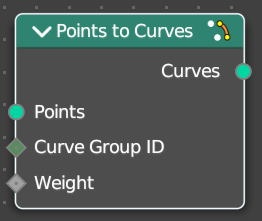
Generates a mesh vertex in the output geometry for each point cloud point in the input geometry.
| Entry | What it does |
|---|---|
| Inputs | Points: Points input. · Curve Group ID: A curve is created from every distinct group ID. All points with the same ID are put into the same curve. · Selection: Selection input. |
| Outputs | Mesh: Standard mesh output. |
Points to SDF Grid
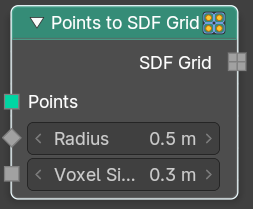
Generates a mesh vertex in the output geometry for each point cloud point in the input geometry.
| Entry | What it does |
|---|---|
| Inputs | Points: Points input. · Radius: The radius of the grid. · Voxel size: The voxel size of the grid. |
| Outputs | SDF Grid: Standard mesh output. |
Points to Vertices
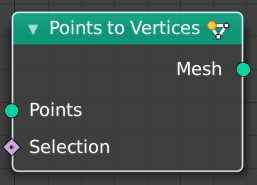
Generates a mesh vertex in the output geometry for each point cloud point in the input geometry.
| Entry | What it does |
|---|---|
| Inputs | Points: Points input. · Selection: Selection input. |
| Outputs | Mesh: Standard mesh output. |
Points to Volume
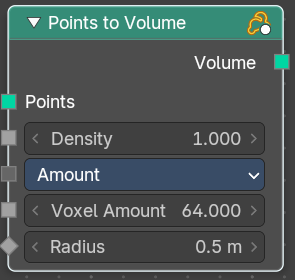
Creates a fog volume sphere around every point in the input geometry. The new volume grid is then called density.
Inputs
| Entry | What it does |
|---|---|
| Points | Points input. |
| Density | The density of the volume. |
Resolution Mode
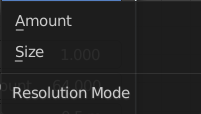
Base the voxel resolution at the amount or the size of the point cloud.
| Entry | What it does |
|---|---|
| Voxel Amount | Voxel amount of the volume. |
| Radius | The radius of the generated volume around each point. |
Outputs
Volume
Standard geometry output.
Set Point Radius
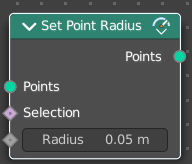
The Set Point Radius node controls the size each selected point cloud point should display with in the viewport.
| Entry | What it does |
|---|---|
| Inputs | Points: Geometry input. · Selection: Selection input. · Radius: The radius of the points. |
| Outputs | Points: Standard geometry output. |