

































































Add Menu - Output
Here you find nodes that outputs data.
Add menu - Output

Here you find nodes that outputs data.
Enable Output
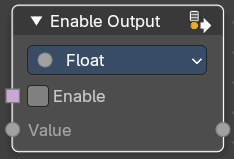
This node allows dynamic control over output visibility in node groups. It simplifies logic where certain output sockets should only be exposed under specific conditions—like menu selections or switch toggles.
This is especially useful for building clean, context-sensitive node groups.
Use
When used inside a Node Group, this node helps to automatically filter or detect outputs.
- If the output always returns a fallback value (e.g. 0, false, empty geometry), this will hide the output socket from the node group output socket interface.
- This behavior is more efficient and user-friendly than using a Switch node, which requires manually setting fallback values per type and will always expose the output socket.
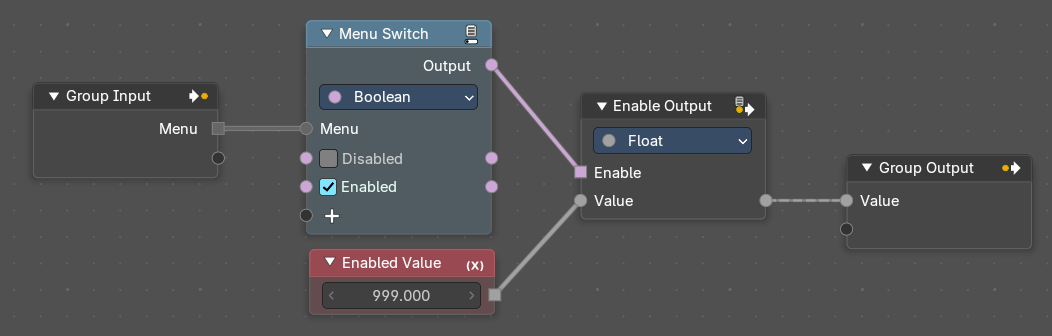 It’s especially useful in menu-driven setups, where only certain outputs are relevant depending on user selection based on the menu they choose – like the example below
Properties
Data Type
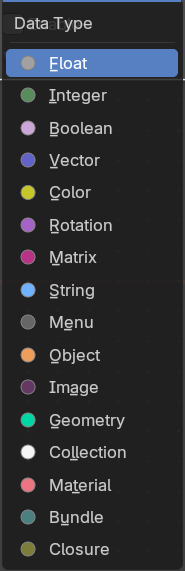
Defines the type of the Value input and output. Options include Float, Vector, Color, Boolean, Geometry, etc. This ensures compatibility with the group output socket.
| Entry | What it does |
|---|---|
| Inputs | Enable: When True, the node passes the input value through to the output socket. When False, it outputs a fallback value and hides the output socket from the group. · Value: The data to be conditionally passed to the output. Can be Float, Vector, Color, Geometry, etc., depending on the selected Data Type. |
| Outputs | Value: When True, the node passes the input value through to the output socket. When False, it outputs a fallback value and hides the output socket from the group output interface. |
Viewer
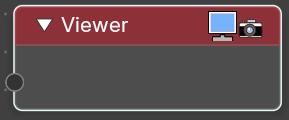
This node allows you to output the geometry data of a node in the node tree to the spreadsheet editor.
Inputs
Geometry
Standard geometry input.
Warning
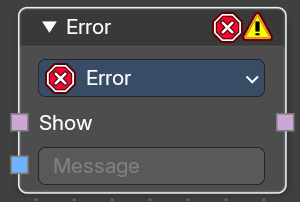
Allows node groups to throw expectations.
Inputs
| Entry | What it does |
|---|---|
| Show | Is true or false. |
| String | The string to show at evaluation. |
Properties
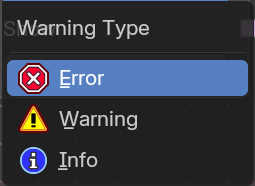
Warning type
What type the warning should be.
Output
Output
Output the warning string if true.