

































































Add Menu - Mesh - Operations
Nodes to modify the mesh geometry.
Add menu - Mesh - Operations
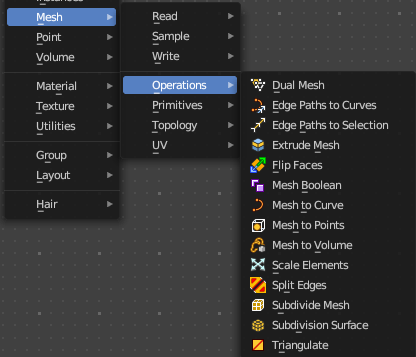
Nodes to modify the mesh geometry.
Dual Mesh
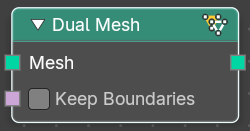
The Dual Mesh node calculates the dual of the input mesh. This means that faces get replaced with vertices and vertices with faces.
| Entry | What it does |
|---|---|
| Inputs | Mesh: The input mesh. · Keep Boundaries: Keep the (non-manifold) boundaries of the mesh intact. |
| Outputs | Dual Mesh: The output mesh. |
Edge Paths to Curves
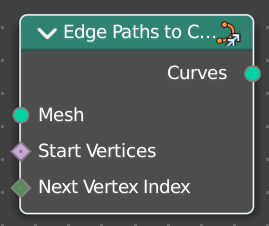
Converts Edge Paths to Curves.
| Entry | What it does |
|---|---|
| Inputs | Mesh: The input mesh. · Start Vertices: The start vertices of the edge path. · Next Vertex Index: The edge path by index. |
| Outputs | Curves: The output curve. |
Edge Path to Selection
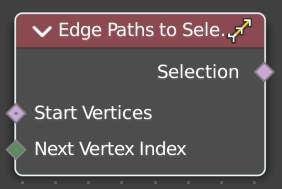
Calculates an edge path, and converts it to a selectoin
| Entry | What it does |
|---|---|
| Inputs | Start Vertices: The start vertices of the edge path. · Next Vertex Index: The edge path by index. |
| Outputs | Selection: The selection |
Extrude Mesh
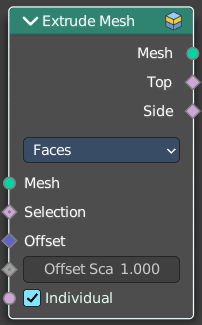
Extrudes out geometry at the selection by a given amount.
Inputs
| Entry | What it does |
|---|---|
| Mesh | The input mesh. |
| Selection | A selection of the mesh. |
| Offset | The offset amount. |
| Offset Scale | The offset scale. Without an offset this is equal the amount. |
| Individual | Just Faces mode. Extrude out individual faces. |
Properties
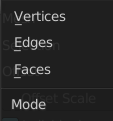
Mode
What kind of elements to extrude out. Vertices, Edges or Faces.
Outputs
| Entry | What it does |
|---|---|
| Mesh | The output mesh. |
| Top | The top elements of the extrusion. |
| Side | The side elements of the extrusion. |
Flip Faces
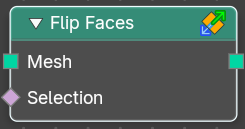
Flips the winding order of the selected faces.
Blender developers decided not to call it Flip Normals. Since "normals are
derived data, changing them is only a side effect." However, what the node does is in fact to flip the normals.
| Entry | What it does |
|---|---|
| Inputs | Mesh: The input mesh. · Selection: A selection of the input mesh. |
| Outputs | Dual Mesh: The output mesh. |
Mesh Boolean
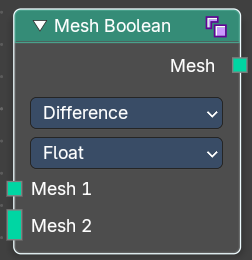
The Boolean Node allows you to cut, subtract, and join the geometry of two inputs. This node offers the same operations as the Boolean modifier.
Inputs
| Entry | What it does |
|---|---|
| Mesh 1 | Standard geometry input. |
| Mesh 2 | Standard geometry input. |
| Self Intersect | Allow self intersection. |
| Hole Tolerant | Allow holes. |
Properties
Operation
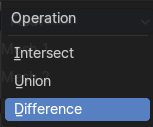
The boolean operation.
| Entry | What it does |
|---|---|
| Intersect | Produce a new geometry containing only the volume inside of both geometry 1 and geometry 2. |
| Union | The two input pieces of geometry are joined, then any interior elements are removed. |
| Difference | Geometry 2 is subtracted from geometry 1 (everything outside of geometry 2 is kept). |
Solver
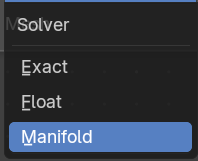
| Entry | What it does |
|---|---|
| Float | Simple solver for the best performance. Does not support overlapping geometry. |
| Exact | Exact solver for the most accurate result. |
| Manifold | Fastest solver with best result, but only works on manifold meshes. |
Output
| Entry | What it does |
|---|---|
| Geometry | Standard geometry output. |
| Intersecting Edges | Outputs the intersecting edges. |
Mesh to Curve
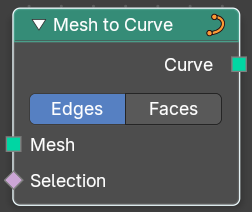
Converts a mesh geometry to a curve geometry.
| Entry | What it does |
|---|---|
| Inputs | Mesh: Input mesh. · Selection: A selection of the input mesh. |
| Properties | Mode: Edges or Faces. |
| Outputs | Curve: Standard curve output. |
Mesh to Density Grid
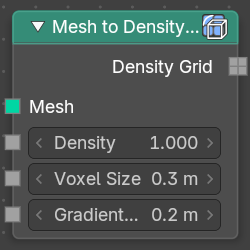
Converts a mesh geometry to a curve geometry.
| Entry | What it does |
|---|---|
| Inputs | Mesh: Input mesh. · Density: Mesh density. · Voxel Size: The vodel size. · Gradient Width: The width of the gradient. |
| Outputs | Density Grid.: Density Grid output. |
Mesh to Points
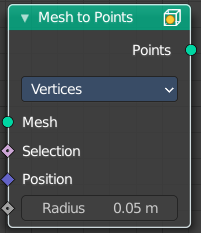
Converts a mesh geometry to a point geometry.
Inputs
| Entry | What it does |
|---|---|
| Mesh | Input mesh. |
| Selection | A selection of the input mesh. |
| Position | The position of the points. |
| Radius | The radius of the points |
Properties
Mode
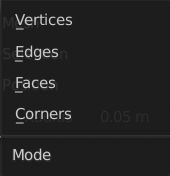
What geometry to convert to points.
Outputs
Curve
Standard curve output.
Mesh to SDF Grid
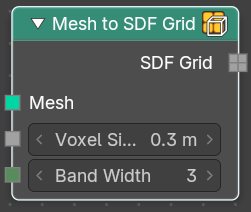
Converts a mesh geometry to a curve geometry.
| Entry | What it does |
|---|---|
| Inputs | Mesh: Input mesh. · Voxel Size: The vodel size. · Band Width: The width of the band. |
| Outputs | Density Grid.: Density Grid output. |
Mesh to Volume
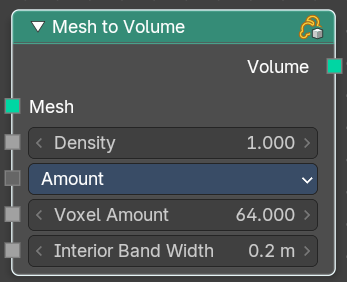
Converts a mesh geometry to a Volume.
Inputs
| Entry | What it does |
|---|---|
| Mesh | Input mesh. |
| Density | The density of the volume |
Resolution Mode
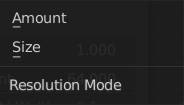
How to calculate the volume. Based of the size or based at the amount.
| Entry | What it does |
|---|---|
| Voxel Amount / Voxel Size | The voxel amount / the voxel size. |
| Interior Bandwidth | Where to start the calculation inside of the volume. |
Outputs
Volume
The volume output.
Scale Elements
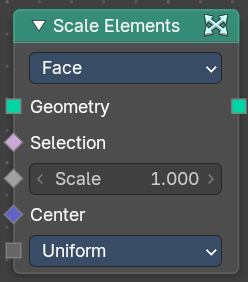
Allows to scale the selected elements.
Inputs
| Entry | What it does |
|---|---|
| Geometry | Standard geometry input. |
| Selection | A selection of the geometry. |
| Scale | The scale factor |
| Center | The center of the scaling. |
Scale Mode
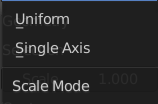
Uniform scales uniformly in all three world coordinates.
Single Axis scales separately in the single axis.
Axis
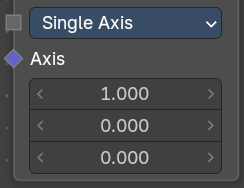
Scale Mode Single axis only. Scale the selection separately along its single axis.
Properties
Domain
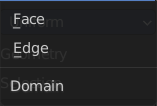
What kind of elements to scale.
Outputs
Geometry
The output geometry.
Split Edges
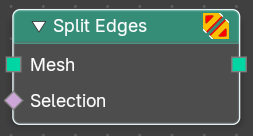
Splits the edges of the geometry.
Note that splitting edges breaks the mesh topology.
| Entry | What it does |
|---|---|
| Inputs | Mesh: Input mesh. · Selection: A selection of the input mesh. |
| Outputs | Mesh: Standard Mesh output. |
Subdivide Mesh
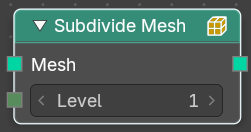
Subdivides the geometry by a simple division.
| Entry | What it does |
|---|---|
| Inputs | Geometry: Standard geometry input. · Level: To which degree the geometry will be deformed. |
| Outputs | Geometry: Standard geometry output. |
Subdivision Surface
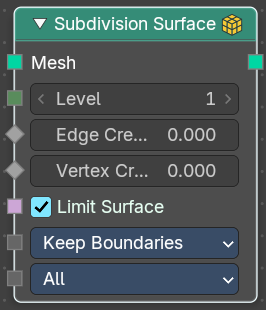
The Subdivision Surface node subdivides the geometry using Catmull-Clark deformation.
Inputs
| Entry | What it does |
|---|---|
| Mesh | Standard geometry input. |
| Level | To which degree the geometry will be deformed. |
| Edge Crease | Control how smooth edges should be with Weighted Edge Creases. |
| Vertex Crease | Control how smooth edges should be with Weighted Vertex Creases. |
| Limit Surface | Place the vertices at the surface as if it would be infinite subdivided. This results in the smoothest possible shape. |
UV Smooth
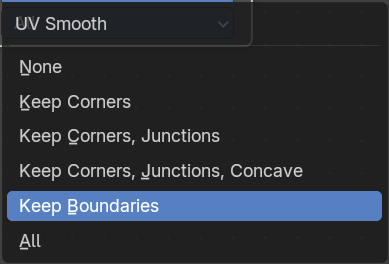
The methbod to deal with smoothing the UV.
Boundary Smooth
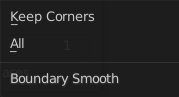
Controls if open boundaries and corners are smooth.
Outputs
Geometry
Standard geometry output.
Triangulate
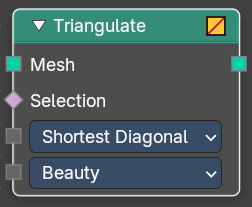
The Triangulate node triangulates all faces in a mesh.
Inputs
| Entry | What it does |
|---|---|
| Geometry | Standard geometry input. |
| Minimum Vertices | Minimum number of vertices a face must have to be triangulated. For example, setting this value to 5, will prevent triangulation of Quads and only triangulate N-gons. |
Properties
Quad Method
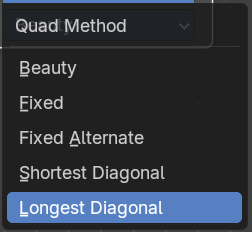
A quad is a polygon with four edges.
| Entry | What it does |
|---|---|
| Beauty | Split the quads in nice triangles, slower method. |
| Fixed | Split the quads on their 1st and 3rd vertices. |
| Fixed Alternate | Split the quads on their 2nd and 4th vertices. |
| Shortest Diagonal | Split the quads based on the shortest diagonal distance between their vertices. |
| Longest Diagonal | Split the quads based on the longest diagonal distance between their vertices. |
Polygon Method
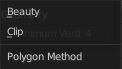
Meant are N-Gons. Faces with more than four edges. Tris, Quads and N-Gons are all Polygons.
| Entry | What it does |
|---|---|
| Beauty | Arrange the new triangles nicely, slower method. |
| Clip | Split the polygons using an ear-clipping algorithm (gives similar results to the tessellation used for the viewport rendering). |
Outputs
Geometry
Standard geometry output.