

































































Add Menu - Input - Import
Here you find import nodes. These are useful for importing file based data into the Geometry Nodes trees.
Add menu - Input - Import
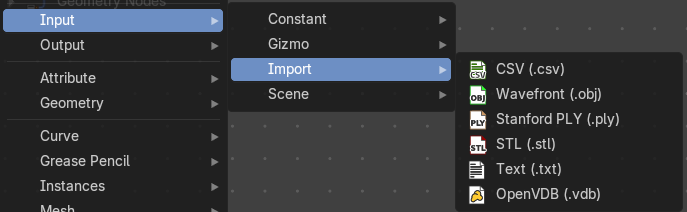
Here you find import nodes. These are useful for importing file based data into the Geometry Nodes trees.
Import CSV (.csv)
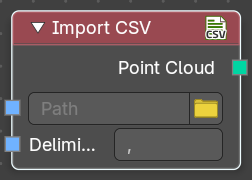
The Import CSV node is used to bring structured tabular data into Geometry NOdes, particularly for workflows involving point cloud generation. You can select a CSV file, specify the appropriate delimiter, and extract formatted data to use in the node tree.
Inputs
| Entry | What it does |
|---|---|
| Path | Specifies the location of the CSV file to be imported. This can also be a string input. · Open: Includes a folder icon button for browsing files. |
| Delimiter | Defines the character separating values in the CSV file. Default value is a comma (,). The Delimiter field determines how data is parsed from the fil |
Outputs
Generates a point cloud data type from the imported CSV file.
Import Wavefront (.obj)
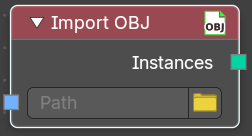
The Import OBJ node is used to load Wavefront OBJ files into Geometry Nodes, allowing you to integrate external 3D models into the Geometry Nodes tree. Useful for importing static meshes into a procedural workflow
Inputs
Path
Specifies the location of the OBJ file to be imported. This can also be a string input.
Open
Includes a folder icon button for browsing files.
Outputs
Instances
Outputs the imported OBJ file as an instance within the node tree. You can later realize the instance for mesh data.
Import Standford (.ply)
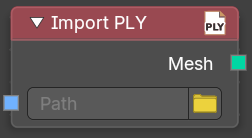
The Import PLY node is used to bring Polygon File Format (PLY) meshes into Geometry Nodes, facilitating workflows that incorporate 3D scanned data or procedural mesh generation. It allows you to load PLY files with vertex color and geometry information into the Geometry Nodes node tree.
Inputs
Path
Specifies the location of the PLY file to be imported. This can also be a string input.
Open
Includes a folder icon button for browsing files.
Outputs
Mesh
Outputs the imported PLY file as a mesh, including vertex positions, colors, and potential additional attributes.
Import STL (.stl)
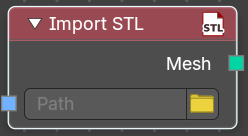
The Import STL node is used to bring Stereolithography (STL) files into Geometry Nodes, making it ideal for workflows involving 3D printing, CAD models, and mesh-based processing. This node allows you to load STL files and integrate them into Geometry Nodes tree.
Inputs
Path
Specifies the location of the STL file to be imported. This can also be a string input.
Open
Includes a folder icon button for browsing files.
Outputs
Mesh
Outputs the imported STL file as a mesh. Typically this may be curve data, so you can use the Mesh to Curve node to convert to curves without a problem.
Import Text (.txt)
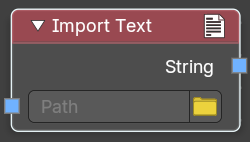
The Text Node is used to generate and manipulate text within Geometry Nodes. It allowsyouto input and format text dynamically, making it useful for procedural labeling, engraving, and other text-based effects.
Inputs
Path
Specifies the location of the TXT file to be imported. This can also be a string input.
Open
Includes a folder icon button for browsing files.
Outputs
String
Outputs the imported text file as string value.
Import OpenVDB (.vdb)
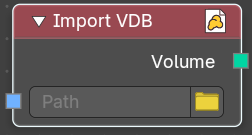
The** Import VDB node is used to bring OpenVDB volumetric data **into Geometry Nodes, making it an essential tool for fluid simulations, smoke, and cloud-based effects. It allowsyouto import voxel-based data and integrate it into procedural workflows.
Inputs
Path
Specifies the location of the VDB file to be imported. This can also be a string input.
Open
Includes a folder icon button for browsing files.
Outputs
Volume
Outputs the imported VDB file as a volumetric grid, which can be modified within the node tree.