
































































Editors

Add Menu - Input - Gizmo
Here you find input nodes.
Add menu - Input - Gizmo
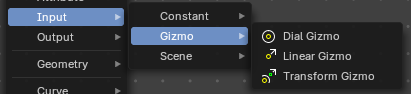
Here you find input nodes.
Dial Gizmo
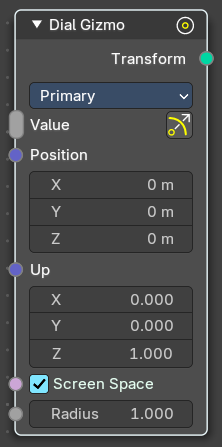
Displays the rotation gizmo in the 3d view.
Inputs
| Entry | What it does |
|---|---|
| Value | Show or hide the widget. |
| Position | Where to show the widget in relation to the object. |
| Up | The up vector to define the rotation. |
| Screen Space | Use screen space or object space values to display the widget. |
| Radius | The radius of the widget. |
Properties
Color
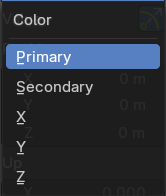
The widget color, defined in the theming.
Pin Gizmo
Always display the gizmo.
Outputs
Transform
The output transform. No positions, no matrices, Gizmos.
Linear Gizmo
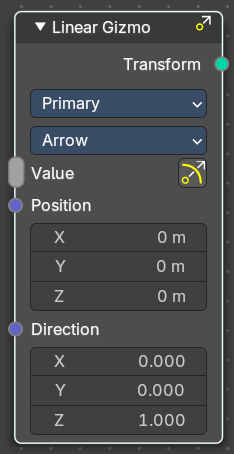
Displays the translation gizmo in the 3d view.
Inputs
| Entry | What it does |
|---|---|
| Value | Show or hide the widget. |
| Position | Where to show the widget in relation to the object. |
| Direction | The direction vector. |
| Screen Space | Use screen space or object space values to display the widget. |
| Radius | The radius of the widget. |
Properties
Color
The widget color, defined in the theming.
Draw Style
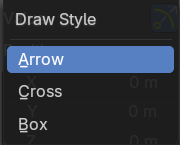
How to draw the widget.
Pin Gizmo
Always display the gizmo.
Outputs
Transform
The output transform. No positions, no matrices, Gizmos.
Transform Gizmo
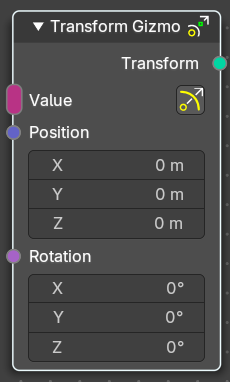
Displays the transform gizmo in the 3d view.
| Entry | What it does |
|---|---|
| Inputs | Value: Show or hide the widget. · Position: Where to show the widget in relation to the object. · Rotation: The rotation vector. · Screen Space: Use screen space or object space values to display the widget. · Radius: The radius of the widget. |
| Properties | Pin Gizmo: Always display the gizmo. |
| Outputs | Transform: The output transform. No positions, no matrices, Gizmos. |