
































































Editors

Add Menu - Geometry - Write
Here you find nodes to modify the geometry.
Add menu - Geometry - Write
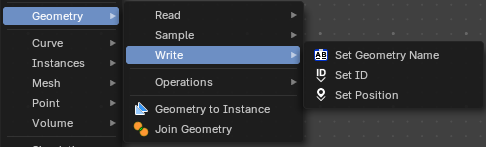
Here you find nodes to modify the geometry.
Set Geometry Name
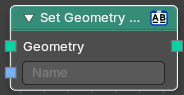
Sets the name of the target geometry.
| Entry | What it does |
|---|---|
| Inputs | Geometry: Geometry input. · Name: The name that you want to set |
| Outputs | — |
| Geometry | Geometry output. |
Set ID
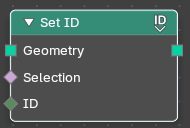
Sets the ID of the target geometry.
| Entry | What it does |
|---|---|
| Inputs | Geometry: Geometry input. · Selection: Selection input. · ID: ID Input |
| Outputs | — |
| Geometry | Geometry output. |
Set Position
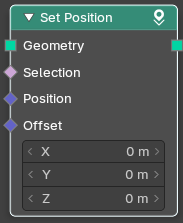
The Set Position node controls the location of each point, the same way as controlling the position attribute. If the input geometry contains instances, this node will affect the location of the origin of each instance.
The input node for this data is the Position Node.
| Entry | What it does |
|---|---|
| Inputs | Geometry: Geometry input. · Selection: Whether or not to change the position of each point or instance. True values mean the position will be changed, false values mean it will remain the same. · Position: The new position for selected elements. By default, this is the same as if the Position Node was connected, meaning the node will do nothing. · Offset: An optional translation for each point. This is evaluated at the same time as the Position input, meaning that fields evaluated for it will not reflect the changed position. |
| Outputs | — |
| Geometry | Geometry outputs. |