

































































Add Menu - Geometry - Read
Here you find nodes to modify the geometry.
Add menu - Geometry - Read
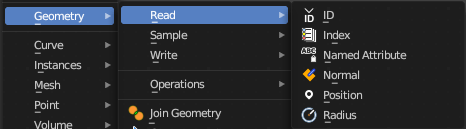
Here you find nodes to modify the geometry.
ID
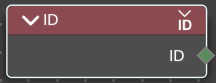
Retreive the ID of the object.
Outputs
ID
The ID of the object.
Index
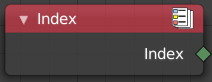
Retreives an integer value indicating the position of each element in the list. This list depends on the internal order of the data in the geometry, which is not necessarily visible in the 3D Viewport. However, the index value is visible in the left-most column in the Spreadsheet Editor.
Outputs
Index
Integer value which enumerates each point on the geometry.
Named Attribute
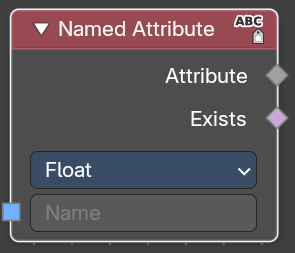
Adds a field input.
Input
Name
The input name for the field.
Input
Data Type
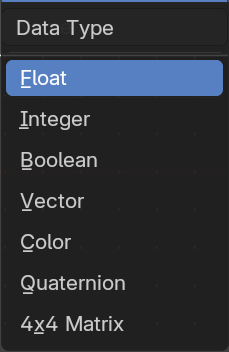
What data type to use.
Output
Attribute
The output attribute name.
Normal
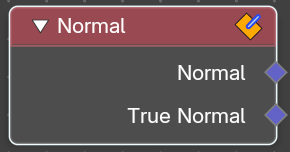
Returns a vector for each evaluated point indicating the normal direction. The output can depend on the attribute domain used in the node evaluating the field, but the output is always a normalized unit vector.
The output depends on where you plug in the normal node.
| Entry | What it does |
|---|---|
| Face | On the face domain, the normal is the “up” direction of the face. |
| Mesh Vertices | For mesh vertices, the normal is an average of the surrounding face normals. If the vertex does not have any connected faces, the output is simply the normalized position of that vertex. |
| Edge | The normal output for each edge is the average of the edge’s two vertex normals. |
Face Corner
The output for each face corner is the same as the face normal of the corresponding face.
Curve Control Points
The output of this node when used for curve geometry is the evaluated normal of the curve, which depends on the twist method. The normal vector is always perpendicular to the direction of the curve’s path at every point.
Warning!
Please keep in mind that for NURBS and Bézier spline curves the value retrieved from this node is the value at every control point. Which may not correspond to the visible evaluated points. For NURBS splines the difference may be even more pronounced and the result may not be as expected. A Resample Curve Node can be used to create a poly spline, where there is a control point for every evaluated point.
Outputs
| Entry | What it does |
|---|---|
| Normal | The normal vector output. |
| True Normal | For meshes, outputs normal without custom normal attributes taken into account. |
Position
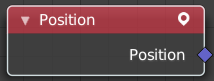
The Position node outputs a vector of each point of the geometry the node is connected to.
The node can work on geometry domains besides points. In that case, the position data will be automatically interpolated to the new domain. For example, when used as part of the input to the mesh edge split node, the position for each edge will be the average position of the edges two vertices.
For instances, the output is the origin of each instance. However, if the node is for a geometry node that adjusts data inside instances, the position output of this node will be in the local space of each instance.
Outputs
Position
The position vector output.
Radius
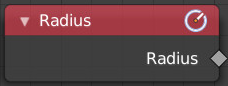
Retrieve the radius of the object.
Outputs
Radius
The radius output.