

































































Add Menu - Geometry - Operations
Here you find nodes to modify the geometry.
Add menu - Geometry - Operations
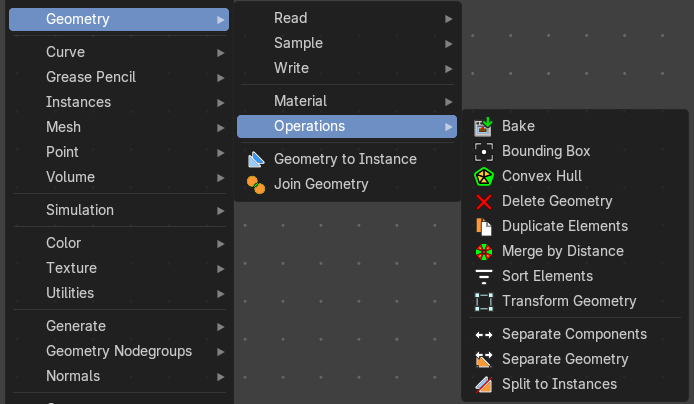
Here you find nodes to modify the geometry.
Bake
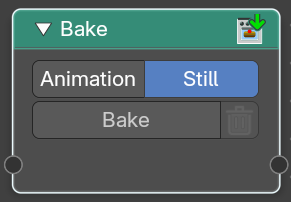
Allows saving and loading per-calculated geometry node data. This allows you to bake and “freeze” node tree parts to achieve better performance, where any data up to the node will no-longer be evaluated. Another use is to bake data for use with a render engine.
To bake, the file must be saved first.
Note: When baked, the header of the node will show how many frames have been baked.
| Entry | What it does |
|---|---|
| Input | Geometry: Standard geometry input. You can bake multiple geometry inputs. |
| Properties | Animation / Still: Bake an animation or a single frame. Note that the bake node does not do automatic caching. |
| Operators | Bake: The bake operator button. Press this to bake. · Delete Geometry Node Bake: Delete baked data of a single bake node or simulation. |
| Output | Geometry: Standard geometry output. |
Bounding Box
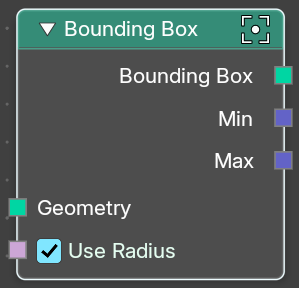
The Bounding Box geometry node allows you to work with the values of a bounding box.
| Entry | What it does |
|---|---|
| Inputs | Geometry: Standard geometry input. · Use Radius: Take the radius attribute into account when computing curves, point clouds and grease pencil. |
| Output | Bounding Box: Standard output. · Min: The minimum values of the bounding box. · Max: The maximum values of the bounding box. |
Convex Hull
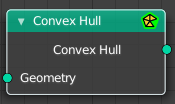
The node allows you to work with the values of a convex hull of this object.
| Entry | What it does |
|---|---|
| Inputs | Geometry: Standard geometry input. |
| Output | Convex Hull: Standard output. |
Delete Geometry
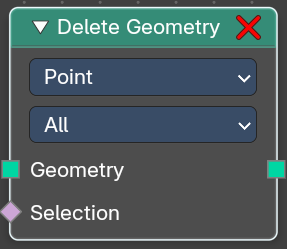
The node allows you to work with the values of a convex hull of this object.
Inputs
| Entry | What it does |
|---|---|
| Geometry | Standard geometry input. |
| Selection | A selection of the geomerty |
Properties
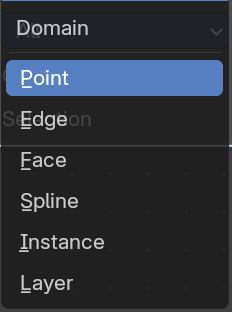
Domain
What element to delete.
Mode
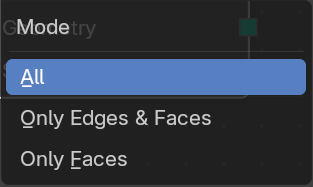
Delete mode. Names should be self explaining.
Output
Geometry
Standard output.
Duplicate Elements
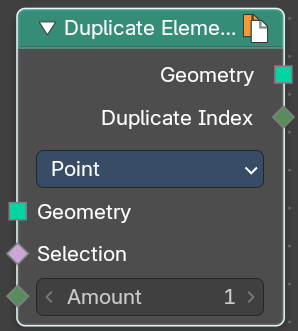
Duplicates a part of a geometry a dynamic number of times.
Inputs
| Entry | What it does |
|---|---|
| Geometry | Standard geometry input. |
| Selection | A selection of the geomerty. |
| Amount | Number of times the geometry should be duplicated. |
Properties
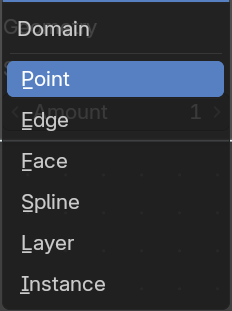
Domain
What element to duplicate.
Output
| Entry | What it does |
|---|---|
| Geometry | Standard output. |
| Duplicate Index | The index of the duplicated elements. |
Merge by Distance

Welds the selected geometry below a given distance into one vertice.
Input
| Entry | What it does |
|---|---|
| Geometry | The input geometry. |
| Selection | A selection of the input geometry. |
Mode
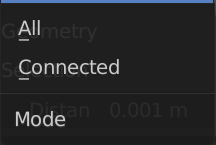
| Entry | What it does |
|---|---|
| All | Merges all vertices in reach. |
| Connected | Merges just vertices that are connected by edges. |
Distance
The merge distance. Everything below this distance will be merged into one vertice.
Output
Geometry
The output geometry.
Sort Elements
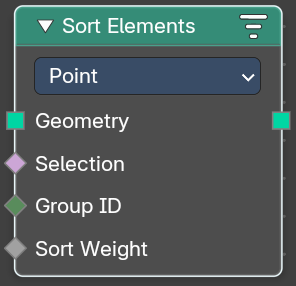
The Sort Elements node rearranges geometry elements by changing their indices.
Input
Geometry
The input geometry.
Selection
A selection of the input geometry. If left blank, all elements are sorted. Non selected elements will be keep their current indices.
| Entry | What it does |
|---|---|
| Group ID | Group ID input value. A group is defined as all elements with the same group id. Elements with the same group ID are sorted together. If this is not a field, the node has no affect. |
| Sort Weight | The sorted values used to do the reordering. If this is not a field, the node has no affect. |
Properties
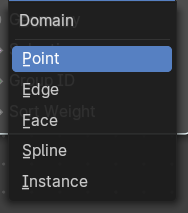
Domain
| Entry | What it does |
|---|---|
| Point | The fields are evaluated on points, control points, and vertices. |
| Face | The fields are evaluated on the edges of the mesh component. |
| Edge | The fields are evaluated on the faces of the mesh component. |
| Spline | The fields are evaluated on the splines in the curve component. |
| Instance | The fields are evaluated on the top-level instances. Realized instances are ignored. |
Output
Geometry
The output geometry.
Transform Geometry
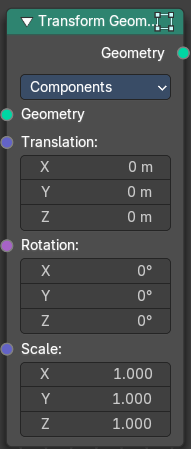
Move, rotate or scale the geometry. The transformation is applied to the entire geometry, and not per element. For example, you can not rotate individual point cloud points with this node.
Inputs
Mode
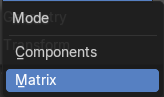
The transformation mode for the node.
Components mode
Uses single values and vectors.
| Entry | What it does |
|---|---|
| Geometry | Standard geometry input. |
| Translation | Translates the geometry in local space of the modified object. |
| Rotation | Euler rotation in local space. |
| Scale | Scale to transform the geometries in local space. |
Matrix mode
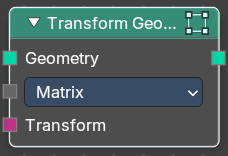
Uses a matrix to transform.
| Entry | What it does |
|---|---|
| Geometry | Standard geometry input. |
| Transform | Transform matrix input. |
Output
Geometry
Standard geometry output.
Separate Components
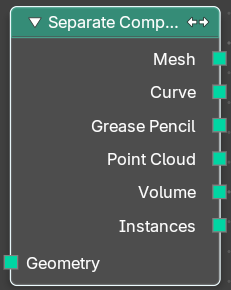
Splits a geometry into its components.
| Entry | What it does |
|---|---|
| Inputs | Geometry: Geometry input. |
| Outputs | Mesh: Mesh component of the input geometry. · Curve: Curve component of the input geometry. · Grease Pencil: Grease Pencil component of the input geometry. · Point Cloud: Point cloud component of the input geometry. · Volume: Volume component of the input geometry. In case that the input contains multiple volume instances, only the first volume component will be calculated. · Instance: The single instances of the geometry. |
Separate Geometry
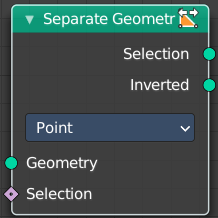
Separates a selection of a geometry into its own object.
Tip: when you combine it with the Compare Floats nodem then you get a more precise control of which parts are separated to a given output geometry.
Inputs
| Entry | What it does |
|---|---|
| Geometry | Geometry input. |
| Selection | Selection input. |
Properties
Domain
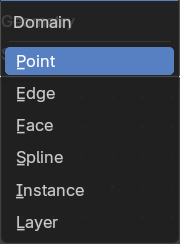
What kind of geometry to separate.
Note that when selecting a domain that doesn’t modify all components, the unmodified components will appear in both outputs.
| Entry | What it does |
|---|---|
| Outputs | — |
| Selection | Separated selection. · Inverted: The inverted separated selection. |
Split to Instances
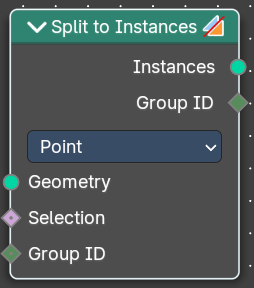
This node allows splitting up a geometry into groups. A group is defined as all elements with the same group id.
The node supports meshes, curves, point clouds and instances. Note that it only works on the top-level geometry. It does not go into nested instances because it also generates new instances.
Inputs
| Entry | What it does |
|---|---|
| Geometry | Geometry input. |
| Selection | Selection input. |
| Group ID | Group ID input value. |
Properties
Domain
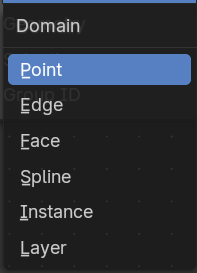
What kind of geometry to separate.
Note that when selecting a domain that doesn’t modify all components, the unmodified components will appear in both outputs.
| Entry | What it does |
|---|---|
| Outputs | — |
| Instances | Instances output. An Instance per group. · Group ID: Group ID output value. |