

































































Add Menu - Curve - Write
Here you find curve related nodes.
Add - Curve - Write
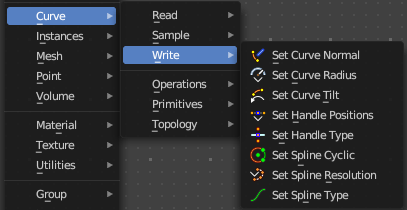
Here you find curve related nodes.
Set Curve Normal
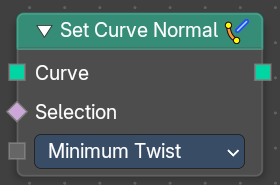
Set the evaluation mode for curve normals.
Input
| Entry | What it does |
|---|---|
| Curve | The input curve. |
| Selection | A selection of the input curve. |
Mode
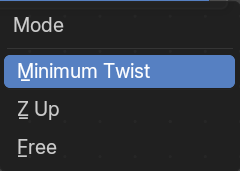
The evaluation mode for the curve normals.
Outputs
Curve
The curve output.
Set Curve Radius
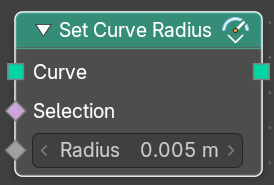
Set the curve radius.
| Entry | What it does |
|---|---|
| Input | Geometry: The input curve. · Selection: A selection of the input curve. · Radius: The radius to set. |
| Outputs | Geometry: Standard geometry output. |
Set Curve Tilt
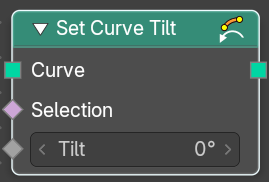
Controls the tilt angle at each curve control point.
| Entry | What it does |
|---|---|
| Input | Geometry: The input curve. · Selection: Whether or not to change the value on each control point. True values mean the value will be changed, false values mean the value will remain the same. · Tilt: The tilt rotation. |
| Outputs | Curve: Standard geometry output. |
Set Handle Positions
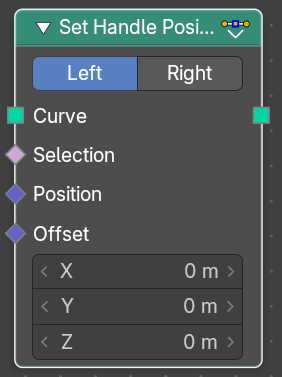
Set the handle positions of bezier curves
| Entry | What it does |
|---|---|
| Input | Geometry: The input curve. · Selection: A selection of the input curve. · Position: The position of the handle. · Offset: A vector 3 offset for the handles. |
| Properties | Mode: Left or right handles. |
| Outputs | Geometry: Standard geometry output. |
Set Handle Type
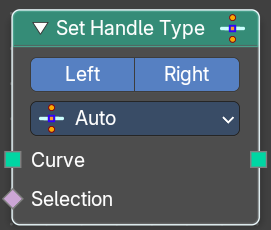
Sets a handle type for the curve points of a bezier curve. Handle types determines how the interpolation before and after the curve point happens.
Input
| Entry | What it does |
|---|---|
| Curve | The input curve. |
| Selection | A selection of the input curve. |
Properties
Mode
Left or right handles.
Handle Type
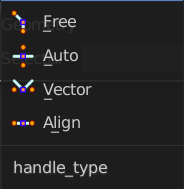
The different available handle types.
Free
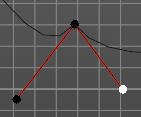
The handles can be adjusted individually.
Auto
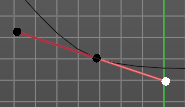
The left and the right handle will always point to each other. The length of the handles will start in equal size.
Vector
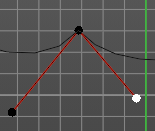
The handles can be adjusted individually.
Aligned
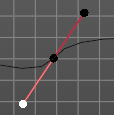
The left and the right handle will always point to each other.
Output
Curve
Standard geometry output.
Set Spline cyclic
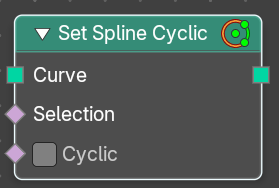
Sets the spline cyclic. Means looping.
| Entry | What it does |
|---|---|
| Input | Geometry: The input curve. · Selection: A selection of the input curve. · Cyclic: Cyclic or not |
| Outputs | Geometry: Standard geometry output. |
Set Spline Resolution
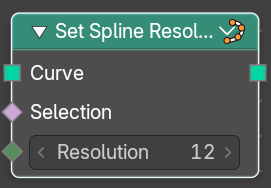
Sets the resolution of the spline. Means how many evaluated points should be generated on the curve for each control point.
| Entry | What it does |
|---|---|
| Input | Geometry: The input curve. · Selection: A selection of the input curve. · Resolution: The resolution of the spline. |
| Outputs | Geometry: Standard geometry output. |
Set Spline Type
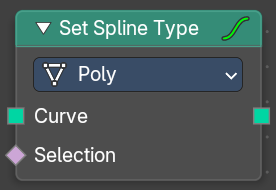
Change the curve spline type.
Input
| Entry | What it does |
|---|---|
| Curve | The input curve. |
| Selection | A selection of the input curve. |
Properties
Spline Type
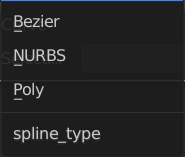
The spline type to set the curve to.
Note that when converting from a NURBS spline to a Bézier spline, at least six points are needed. When the number of points is not a multiple of three a full conversion is not possible and the spline has to be truncated.
Output
Curve
Standard geometry output.