

































































Add Menu - Curve - Read
Here you find curve related nodes.
Add - Curve - Read
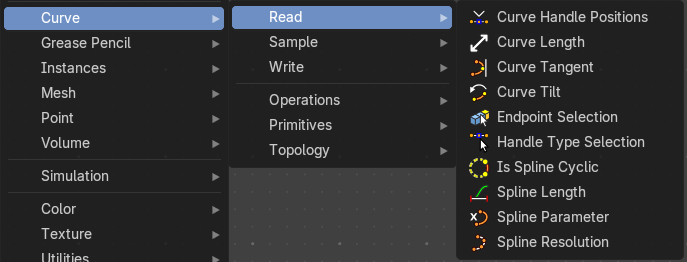
Here you find curve related nodes.
Curve Handle Positions
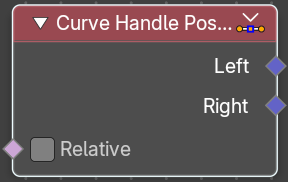
Get the position of the left or right handle of a curve point.
| Entry | What it does |
|---|---|
| Inputs | Relative: Output the handle positions relative to the corresponding control point instead of the local space of the geometry. |
| Outputs | Left: The left handle of the curve point. · Right: The right handle of the curve point. |
Cuve Length
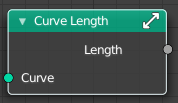
Retreives the length of all splines added together.
| Entry | What it does |
|---|---|
| Inputs | Curve: The input curve. |
| Outputs | Length: The length of the curve. |
Curve Tangent
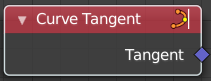
Retreive the tangent direction of a curve. The output values are normalized vectors.
Note that for NURBS and Bézier spline curves the value retrieved from this node is the value at every control point, which may not correspond to the visible evaluated points. For NURBS splines the difference may be even more pronounced and the result may not be as expected. A Resample Curve Node node can be used to create a poly spline, where there is a control point for every evaluated point.
Outputs
Factor
The vector of the tangent.
Curve Tilt
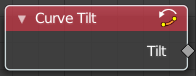
Outputs the angle used to turn the curve normal around the direction of the curve tangent in its evaluated points.
The output is per control point. For NURBS and Bézier splines, the values will be interpolated to the final evaluated points.
Outputs
Tilt
The tilt angle for the normal in radians.
Endpoint Selection
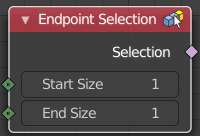
The Endpoint Selection node allows for the Selection of an aribitrary
number of endpoints from each spline in a curve. The start and end
inputs are evaluated on the spline domain. The result is outputted
as a boolean field on the point domain.
| Entry | What it does |
|---|---|
| Input | Start Size: The start point of the spline. · End Size: The end point of the spline. |
| Outputs | Selection: Selection output. |
Handle Type Selection
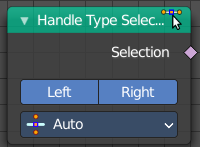
Creates a selection based on the handle types of the control points.
Properties
Left / Right
Wether to check for the type of handles.
Handle Type
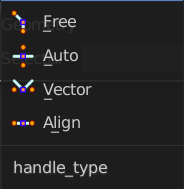
What handle type to compare.
Output
Selection
The selection.
Is Spline Cyclic
Retreive if the curve is set to cyclic.
Outputs
Cyclic
If the spline is cyclic or not.
Spline Length
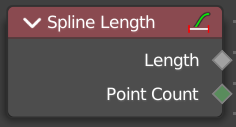
Retreive the total length of each spline in a curve.
Outputs
| Entry | What it does |
|---|---|
| Length | The length of each spline in the curve. |
| Point Count | Integer Field input of the number of control points on each spline in the spline domain. Or in the point domain, it is the number of points on the spline that contains the given control point. |
Spline Parameter
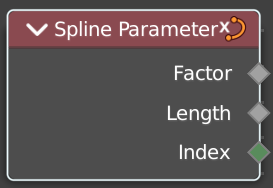
The Curve Parameter node outputs how far along each spline a control point is, with a value between zero and one. The output is different from dividing the index by the total number of control points, because the control points might not be equally spaced along the curve.
The first value is zero, so the output corresponds to the length at the control point rather than including the length of the following segment.
When used on the spline domain, the node outputs the portion of the total length of the curve (including all splines) has been traversed at the start of each spline. The order of the curve’s splines is visible in the Spreadsheet Editor.
Note that for NURBS and Bézier spline curves the value retrieved from this node is the value at every control point, which may not correspond to the visible evaluated points. For NURBS splines the difference may be even more pronounced and the result may not be as expected. A Resample Curve Node node can be used to create a poly spline, where there is a control point for every evaluated point.
Outputs
| Entry | What it does |
|---|---|
| Factor | The factor of the curve. |
| Length | The length of the curve. |
| Index | The index of the curve. |
Spline Resolution
Retreive the curve resolution. Means the number of spline points.
Outputs
Resolution
The spline resolution.