

































































Add Menu - Curve - Primitives
Add curve primitives in different shapes.
Add menu - Curve Primitives
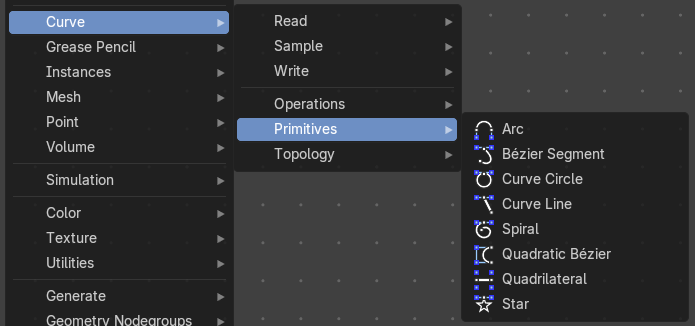
Add curve primitives in different shapes.
Arc
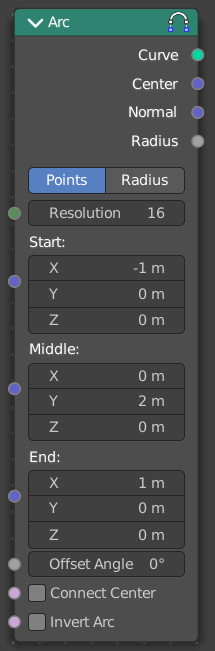
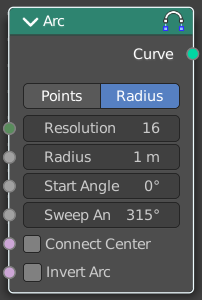
Adds a bezier curve segment in the shape of an arc
Inputs
| Entry | What it does |
|---|---|
| Resolution | The number of edges on the curve. |
| in Radius mode | Radius: Just Radius mode. The radius of the arc. · Start Angle: Just Radius mode. The start angle of the arc. · Sweep Angle: Just Radius mode. The sweep angle of the arc. |
| In Points Mode | Start: The start point vector of the ark. · Middle: The middle point vector of the ark. · End: The end point vector of the ark. · Offset Angle: The offset angle of the ark. |
| Connect Center | Connect the start and endpoins to the center. |
| Invert Arc | Inverts the arc. |
Properties
Mode
Point or Radius mode.
Radius mode (default): Generates a fixed radius arc on XY plane with controls for Angle, Sweep and Invert.
Points mode: Generates a three point curve arc from Start to End via Middle with an Angle Offset and option to invert the arc. There are also outputs for arc center, radius and normal direction relative to the Z-axis.
Outputs
| Entry | What it does |
|---|---|
| Curve | Curve output. |
| In Points Mode | Center: The center vector of the arc. · Normal: The normal of the arc. · Radius: The radius of the arc. |
Bezier Segment
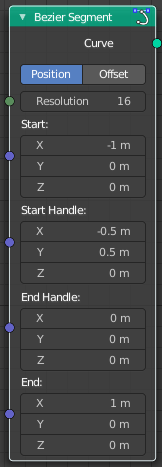
Adds a bezier curve segment.
Inputs
| Entry | What it does |
|---|---|
| Resolution | The number of edges on the curve. |
| Start, End | Positions of the start and end control point of the curve. |
| Start Handle, End Handle | Positions of the handles used to define the shape of the curve. |
Properties
Mode
| Entry | What it does |
|---|---|
| Position | The handle inputs are the absolute positions of the handles in 3D space. |
| Offset | The handle positions are relative to the control point on the curve. The handle inputs give the offset from the control points. |
Outputs
Curve
Bezier spline generated from the inputs.
Curve Circle
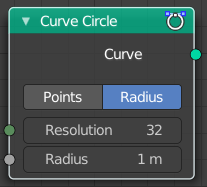
Adds a curve in circle shape.
Inputs
Resolution
Number of edges on the circle.
Radius
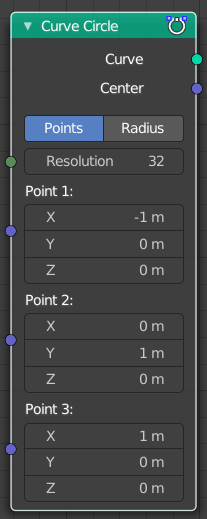
The radius of the circle.
Point 1, Point 2, Point 3
Appears when you change the method to Points. Defines three points on the circle. The order of the points determines the direction (clockwise or counterclockwise) of the circle.
Note that because of the finite resolution, the three points do not necessarily lie on the generated curve.
Properties
Mode
| Entry | What it does |
|---|---|
| Points | The position and radius of the circle is defined by three points. The center of the circle is also given as an output. If the three points lie on one line, no geometry is generated. |
| Radius | The circle is defined by the radius. |
Outputs
| Entry | What it does |
|---|---|
| Curve | Poly spline generated from the inputs. |
| Center | Appears when you change the method to Points. The center of the circle defined by the three points. |
Curve Line
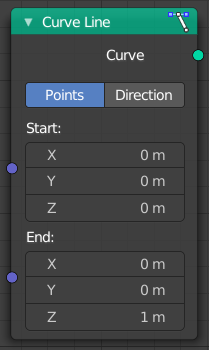
Adds a curve in the shape of a straight line.
Properties
Points
Calculates the curve by a start and end point.
| Entry | What it does |
|---|---|
| Start | The start point of the curve. |
| End | The end point of the curve. |
Direction
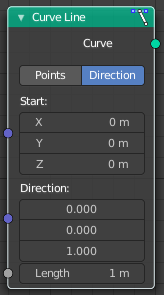
Calculates the curve by a start point, a direction vector and the length of the curve.
| Entry | What it does |
|---|---|
| Start | The start point of the curve. |
| Direction | The direction vector. |
| Length | The length of the curve. |
Outputs
Curve
The created curve.
Spiral
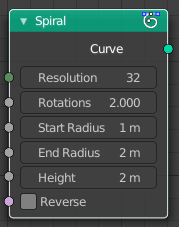
Adds a curve in spiral shape. By default the spiral twists clockwise.
| Entry | What it does |
|---|---|
| Inputs | Resolution: Number of edges for each full rotation. · Rotations: Number of times the spiral makes a full rotation. · Start Radius, End Radius: Radius of the start point and end point of the spiral. The radius of the spiral changes linearly between the two values over the whole spiral. · Height: Height of the spiral. · Reverse: Boolean value that changes the direction from clockwise to counterclockwise when turned on. |
| Outputs | Curve: Poly spline generated from the inputs. |
Quadratic Bezier

Adds a curve from the given control points. The generated shape is a parabola.
| Entry | What it does |
|---|---|
| Inputs | Resolution: The number of edges on the curve. · Start, Middle, End: Positions of the three control points. The generated curve passes through the two end points, and is tangent to the lines between the middle point and the two end points. |
| Outputs | Curve: Poly spline generated from the inputs. |
Quadrilateral
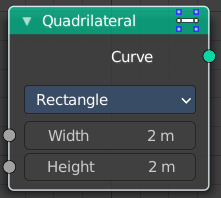
Adds a curve in different geometric shapes.
Note that the names does not necessarily fit to the generated geometry.
Input
The input nodes may vary. See Properties.
Properties
Mode
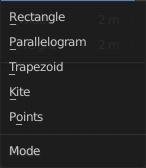
Rectangle

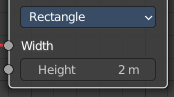
creates a straight line in y direction.
Width
The length of the straight line.
Parallelogram
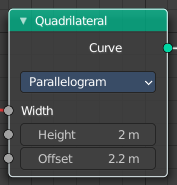
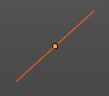
Creates a straight line that is adjustable in x and y direction.
| Entry | What it does |
|---|---|
| Height | The height of the line. |
| Offset | The width of the line. |
Trapezoid
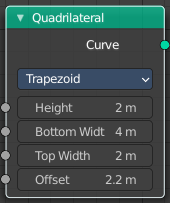
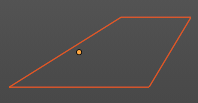
| Entry | What it does |
|---|---|
| Height | The height of the trapez. |
| Bottom Width | The width of the bottom line of the trapez. |
| Top Width | The width of the top line of the trapez. |
| Offset | The offset of the top line of the trapez. |
Kite
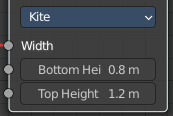
creates a straight line in y direction. The curve end points are separately adjustable
| Entry | What it does |
|---|---|
| Bottom Height | The length of the bottom part of the line. |
| Top Height | The length of the top part of the line. |
Points

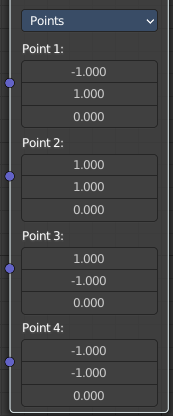
Creates a rectangle. Each point of the rectangle is independantly adjustable in x, y and z position.
Star
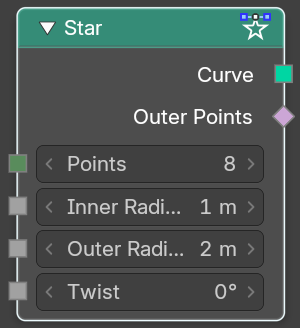
Adds a curve in star shape.
This is done by connecting alternating points of two circles. The points on the inner circle are offset by a rotation so that they lie in between the points on the outer circle. This offset can be changed with the twist input.
| Entry | What it does |
|---|---|
| Inputs | Points: Number of points on each of the circles. · Inner Radius, Outer Radius: Radii of the two circles. The inner radius can be bigger than the outer radius. · Twist: Angle offset of the inner circle. The twist value rotates the points on the circle corresponding with the inner radius counterclockwise by the given angle. |
| Outputs | Curve: Poly spline generated from the inputs. |