

































































Add Menu - Curve - Operations
Here you find curve related nodes.
Add - Curve
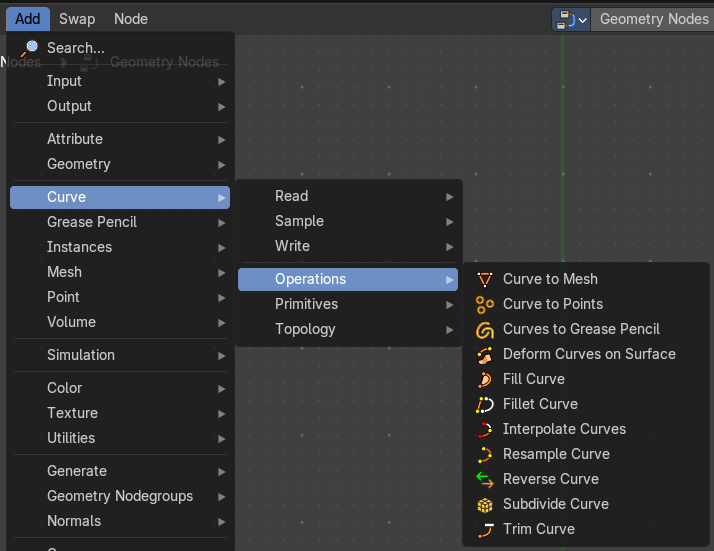
Here you find curve related nodes.
Cuve to Mesh
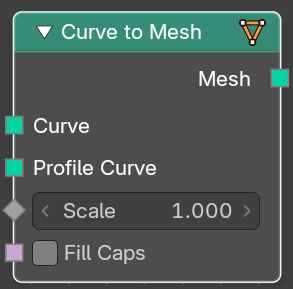
Converts a curve object to a mesh object. Optionally, a profile curve can be provided to give the curve a custom shape.
| Entry | What it does |
|---|---|
| Inputs | Curve: The input curve. · Profile Curve: If a profile curve is provided, it will be extruded along all splines. Otherwise the generated mesh will just be a chain of edges. · Scale: Scale of the profile at each point. · Fill Caps: For cyclic profile curve. Fill the ends of the generated mesh for each spline combination with an N-gon. The resulting mesh is Manifold, the two new faces for each spline are simply connected to existing edges. |
| Outputs | Mesh: Standard mesh output. |
Cuve to Points
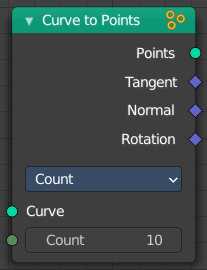
Converts a curve object to a Point cloud.
Inputs
Curve
The input curve.
Properties
Mode
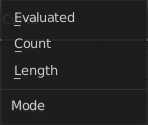
How to generate points from the input curve.
Evaluated
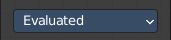
Create points from the evaluation points of the curve. This is based on the resolution attribute for nurbs and bezier splines.
Count
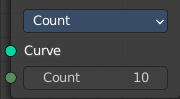
Sample each spline by evenly distributing the specified number of points along the spline.
Count Input
The number of points to distribute along the spline.
Length
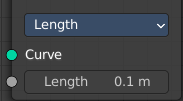
Sample each spline by splitting the spline into segments by the specified length.
Length Input
The length of the single segments.
Outputs
| Entry | What it does |
|---|---|
| Point | Generated point cloud. |
| Tangent | The normalized curve tangent at the sampled position, or the direct evaluated normal in Evaluated mode. |
| Normal | The normal value from the evaluated curve at each result point. This is the same value from the Normal Node at those positions. |
| Rotation | — |
Cuves to Grease Pencil

Converts a curve object to a mesh object. Optionally, a profile curve can be provided to give the curve a custom shape.
| Entry | What it does |
|---|---|
| Inputs | Curves: The input curves. · Selection: A selection of the curve · Instances as Layers: Create separate layers for each instance. |
| Outputs | Grease Pencil: Standard output. The Euler rotation build from the Tangent and Normal outputs. |
Deform Curves on Surface
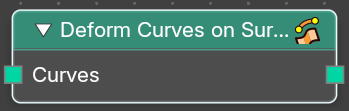
Curves that are attached to a surface can follow the surface at modification.
| Entry | What it does |
|---|---|
| Inputs | Curves: The input curve. |
| Outputs | Curves: The output curve. |
Fill Curve
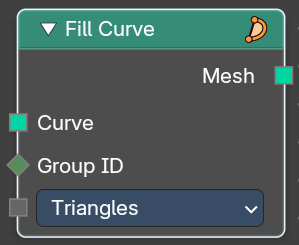
Fills the curve with mesh geometry. The mesh is only generated flat with a local Z of 0.
Inputs
| Entry | What it does |
|---|---|
| Curve | The input curve. |
| Group Input | An index used to rgoup curves together. Filling is done separately for each group. |
Mode
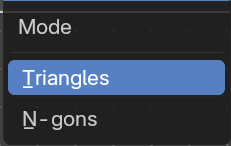
Triangles or N-gons
Fill the curve with either triangles, or use N-Gon geometry.
Outputs
Mesh
The output as mesh.
Fillet Curve
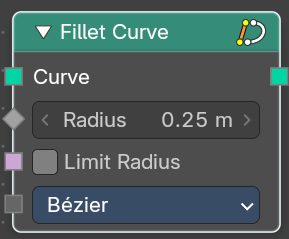
The Fillet Curve rounds corners on curve control points, similar to the effect of the Bevel Modifier on a 2D mesh.
A key difference is that the rounded portions created by the Fillet Curve node are always portions of a circle.
Input
| Entry | What it does |
|---|---|
| Curve | The input curve. |
| Count | Polymode. Define the number of vertices that are created. |
| Radius | The radius of the arc |
| Limit Radius | Prevent overlapping when the defined radius exceeds the maximum possible radius for a given point. |
Mode
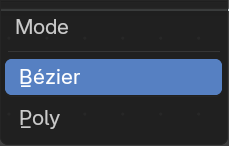
| Entry | What it does |
|---|---|
| Bezier | Creates a circular arc at vertices by changing handle lengths (applicable only for Bezier splines). |
| Poly | Creates a circular arc by creating vertices (as many as defined by the Count fields input) along the arc (applicable for all spline types). |
Outputs
Curve
Standard geometry input with a curve component.
Interpolate Curves
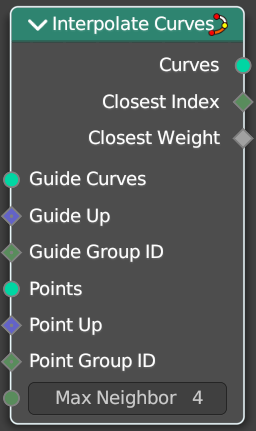
Generates new curve parts by interpolating between existing curves.
Input
| Entry | What it does |
|---|---|
| Guide Curves | The base curves to interpolate from. |
| Guide Up | An optional up vector that is typically a surface normal. Providing this up vector can improve the quality of the interpolation. This up direction can be retrieved with a combination of the Sample UV Surface Node using the same geometry that the points were distributed on, and the Normal Node. |
| Guide Group ID | Splits guides into separate groups. New curves interpolate existing curves from a single group. |
| Points | The positions of the first root control points of the newly generated interpolated curves. |
| Points Up | Optional up vector that is typically a surface normal. |
| Point Group ID | The curve group to interpolate in. |
| Max Neighbor | Maximum amount of close guide curves that are taken into account for interpolation. |
Outputs
| Entry | What it does |
|---|---|
| Curves | The new curve. |
| Closest Index | Index of the closest guide curve for each generated curve. Note that internally this node mixes the data from multiple guide curves, with the maximum number of sources depending on the Max Neighbor input. This output is only the index of the curve with the largest weight. |
| Closest Weight | Weight of the closest guide curve for each generated curve. |
Resample curve
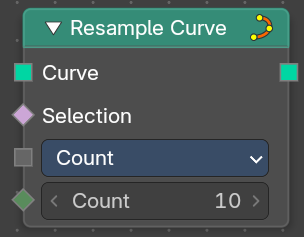
Creates a poly spline for each input spline. In the Count and Length modes, the control points of the new poly splines will have uniform spacing.
Input
| Entry | What it does |
|---|---|
| Curve | The input geometry. |
| Selection | A selection of the input geometry |
| Length | The approximate length between the control points of the new splines. |
Mode
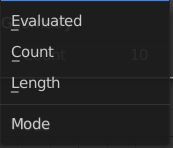
The resample mode.
| Entry | What it does |
|---|---|
| Evaluated | Use the resolution attribute for spline and bezier curves. |
| Count | Use the count of the curve points. |
| Length | Use the length of the curve. |
Count
The number of control points on the new splines.
Output
Curve
Standard geometry output.
Reverse Curve
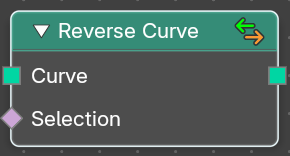
Reverses the direction of the spline. The start point becomes the end point and vice versa. The shape of the spline is not modified.
| Entry | What it does |
|---|---|
| Inputs | Curve: The input curve. · Selection: An optional selection attribute to determine which part of the spline should be reversed. |
| Outputs | Curve: Standard geometry output. |
Subdivide Curve
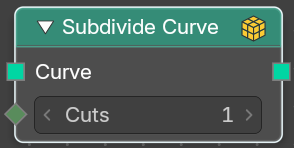
Subdivides the curve. The shape is not changed.
| Entry | What it does |
|---|---|
| Inputs | Geometry: The input curve. · Cuts: The number of cuts per segment. |
| Outputs | Geometry: Standard geometry output. |
Trim Curve
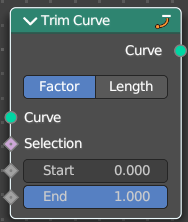
The Curve Trim node shortens each spline in the curve by removing sections at the start and end of each spline.
Bézier splines will still output as Bézier splines. The first and last control point and its handles will be moved as necessary to preserve the shape. But NURBS splines will be transformed into poly splines in order to be trimmed.
Cyclic splines are currently not supported.
Note that if the Start input is larger than the End, then the resulting spline will have a single point, located at the sample location of the Start value.
Inputs
| Entry | What it does |
|---|---|
| Curve | The input curve. |
| Selection | A selection of the curve. |
| Start | The start point of the spline, as a factor. |
| End | The end point of the spline, as a factor. |
Properties
Mode
How to find endpoint positions for the trimmed spline.
| Entry | What it does |
|---|---|
| Factor | The endpoint positions of each spline’s length is determined by a factor. The input values should be between 0 or 1. |
| Length | The endpoint positions of each spline is determined by a length from the start of each spline. The input values should be between 0 and the length of the splines. |
Outputs
Curve
Standard geometry output.