

































































Drivers Tab
This panel displays the driven property of the object. It is read only.
Driven Property Panel
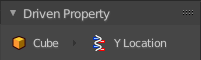
This panel displays the driven property of the object. It is read only.
Note that you need to have a channel selected to show the tabs.
Driver Panel
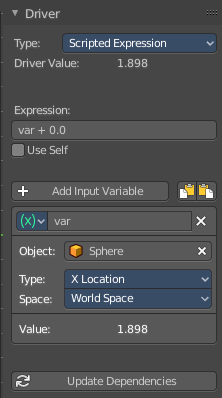
The actual driver with all its settings.
Type
Built in functions
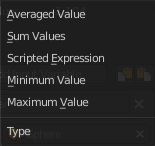
Average, Sum, Min and Max are Built-In functions. The driven property will have the value of the average, sum, lowest or highest values of the referenced driver variables. Remember that you can add more than one input variable. So when you for example use the X position of two cubes as the input, and the method Average, then the driven object will be located at the average X value of cube 1 and cube 2.
When there is just one Input variable, then the driven object will be positioned at the value of the driver object.
Scripted Expression
Allows you to use Python expressions that can refer to the driver variables by name. An expression allows you to use standard constants and math functions.
Expression
A text field with the current expression. Not available with all variable types.
Use Self
The variable Self can be used for drivers to reference their own data. Example:
self.location.x applied to the Y rotation property of the same object will make the object tumble when moving.
Note that dependencies for properties accessed via self may not be fully tracked.
| Entry | What it does |
|---|---|
| Add Input Variable | Adds a new driver variable. |
| Copy Driver variable | Copies the driver variable. |
| Paste Driver variable | Pastes a copied driver variable. |
Driver variable panel
Variable type
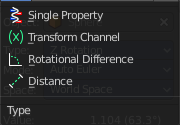
The type of variable to use.
Single Property
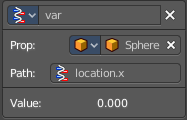
Allows you to retrieve a single value of a RNA Property, specified by a data block reference ( the source object) and a path string ( the property of this source object).
Prop
Type
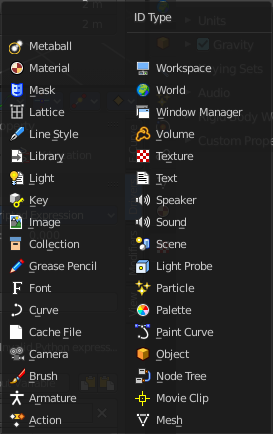
Define the input type of the object. You can retrieve values from nearly every object type.
ID
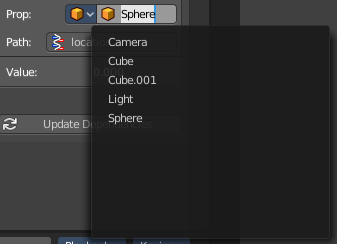
The source object. This is also a drop down field where you can pick objects from the scene.
Path
The path string to use. This defines the property where you get the value from.
Setting up by hand
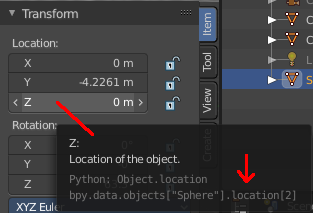
Have a look at the python tool tip in the property of the source object. The bpy.data string gives you a hint of the expression that you need.
For example, if i want to use the Z location of the sphere as the driver value.
The python string in the tool tip of the Z location property says
bpy.data.objects["Sphere"].location[2]
The sphere is already chosen as the source object. Remains the part behind objects["Sphere"] in the string.
location[2]
To use location[2] in the path will already work. But you can point directly to the single axis too. The tool tip uses an array for the axis. 0 for X, 1 for Y and 2 for Z. When you want to use the axis letters, then you need a dot between location and the axis letter. And so the other working string is:
location.z
Setting up by Copy as New Driver
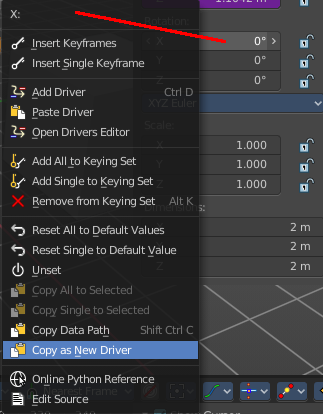
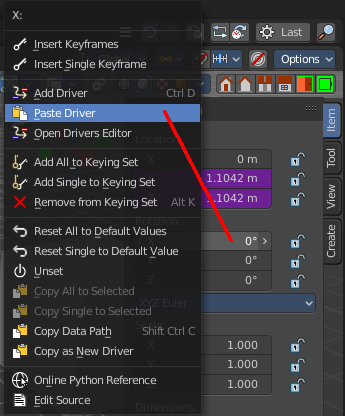
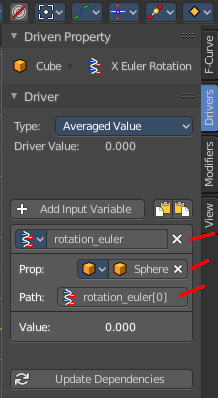
The easier way is to right click at the value that you want to use as the driver value. Here choose Copy as new Driver. In the target property choose Paste Driver. And this creates a driver with the correct values then that contains all relevant settings.
Value
The result of the diver variable. Read only.
Transform Channel
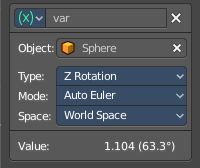
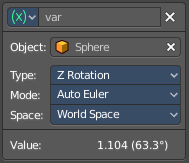
Uses the transform values of the source object.
Type
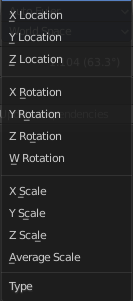
The transform type.
Rotation Mode
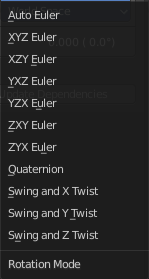
Just for Rotation transformations. The rotation mode.
Transform space
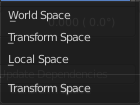
In which transform space the transformation should happen.
| Entry | What it does |
|---|---|
| World Space | Transforms includes effect of parenting / restpose and constraints. |
| Transform Space | Transforms don't include effect of parenting / restpose and constraints. |
| Local Space | Transforms include constraints, but not effect of parenting / restpose. |
Value
The result of the diver variable. Read only.
Rotational Difference
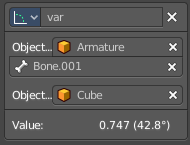
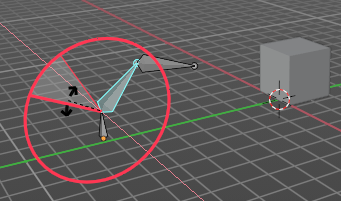
Use the angle between two bones. The parent bone acts as the second bone here.
| Entry | What it does |
|---|---|
| Object 1 | The source armature. · Bone Name: The source bone of this armature. |
| Object 2 | The target object. |
| Value | The result of the diver variable. Read only. |
Distance
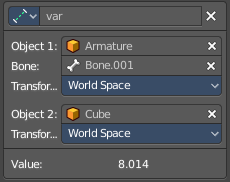
The distance between two bones or objects is used for the driver.
Object 1
The source armature.
Bone Name
The source bone of this armature.
Transform space
In which transform space the transformation should happen.
| Entry | What it does |
|---|---|
| World Space | Transforms includes effect of parenting / restpose and constraints. |
| Transform Space | Transforms don't include effect of parenting / restpose and constraints. |
| Local Space | Transforms include constraints, but not effect of parenting / restpose. |
Object 2
The target object.
Transform space
In which transform space the transformation should happen.
| Entry | What it does |
|---|---|
| World Space | Transforms includes effect of parenting / restpose and constraints. |
| Transform Space | Transforms don't include effect of parenting / restpose and constraints. |
| Local Space | Transforms include constraints, but not effect of parenting / restpose. |
Value
The result of the diver variable. Read only.
Variable name

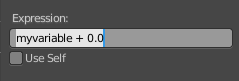
The name of the variable. This name of the variable is used for calculation in the expression. This variable can be renamed. Make sure to update the name of the variable in the expression then too.
Delete Target Variable
Removes the variable.
Update Dependencies
Some changes may not update automatically. Update dependencies updates all the changes done to the drivers.