

































































Sidebar
Here you can define custom properties that can be used for scripting.
Sidebar - Custom Properties
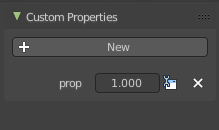
Here you can define custom properties that can be used for scripting.
Add
Adds a new property.
Edit
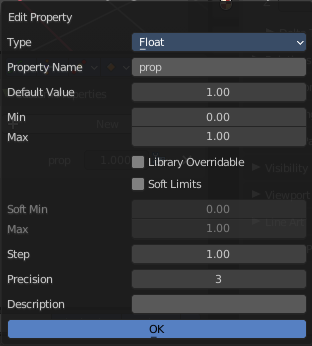
Opens a panel where you can adjust the settings for the custom property.
Remove
Removes the property.
Sidebar - Action panel
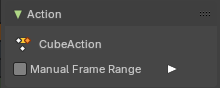
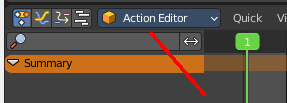
In Dope Sheet and Action Editor sub mode.
Manual Frame Range
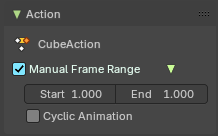
Use a manual frame range.
| Entry | What it does |
|---|---|
| Start / End | The start and end frame of the manual range. |
| Cyclic Animation | If the animation in the manual frame range should cycle. |
Sidebar - Layer panel
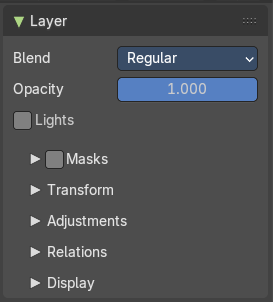
Grease Pencil mode only. This panel contains further settings for the grease pencil layers. And also exists with nearly same content in the properties editor in the object data properties tab when you have a grease pencil object selected.
Blend
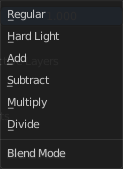
The blend mode for the current layer.
| Entry | What it does |
|---|---|
| Opacity | The layer opacity. |
| Lights | Enable the use of lights on stroke and fill materials. |
Masks subpanel
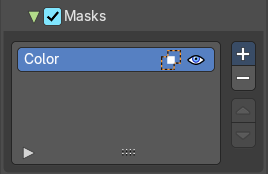
Use masking.
Enable
Activate the use of masks. Every existing grease pencil layer can be used as mask.
Layer Specials
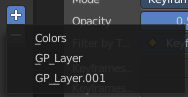
Choose the grease pencil layer that you want to add and use as a mask.
Mask layer list
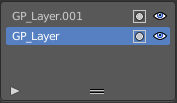
The list of the mask layers.
| Entry | What it does |
|---|---|
| Layer name | The name of the layer. Double clicking at it enables to edit the name. |
| Invert | Invert the mask. |
| Hide | Show or hide the mask. |
Search
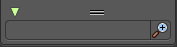
At the end of the list you will find a search field. It can be revealed by clicking at the triangle button. Type in the term that you want to search for.
Invert
Inverts the filtering of the content.
Resize
The list can be resized by the handler with the two lines at the bottom.
Transform subpanel
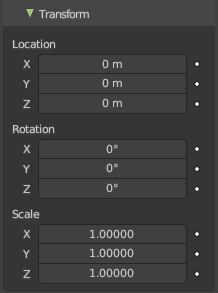
Transform values.
Adjustment subpanel
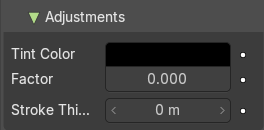
| Entry | What it does |
|---|---|
| Tint color | Color for tinting stroke colors. |
| Factor | Factor of tinting color. |
| Stroke Thickness | Radius change to apply to current strokes. |
Relations subpanel
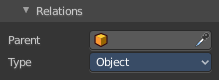
| Entry | What it does |
|---|---|
| Parent | Parent object. |
| Type | The object type to parent to. |
Display subpanel
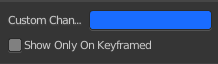
Custom channel color
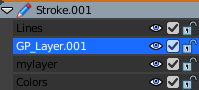
Give the selected channels another color in the channels list.
Show only on keyframed
In Paint mode display only layers with keyframe in current frame.
Sidebar - Create Pose Asset panel
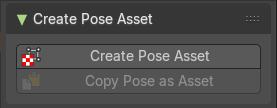
This panel just shows when you have a armature selected and when you are in pose mode in the 3d view.
Create Pose Asset
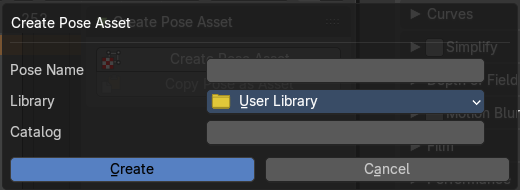
Creates a pose asset from the selected armature in pose mode. It opens a dialog. The dialog is pretty self explaining.
| Entry | What it does |
|---|---|
| Pose name | Name of the pose. |
| Library | The library where you want to store the pose. |
| Catalog | Catalog to use for the new asset. |
| Copy Pose as Asset | Copies the current pose of the selected armature as an asset. You can then paste it into the asset library. |