

































































Key Menu
The key menu contains functionality to manage the keyframes.
Dopesheet Editor - Key Menu
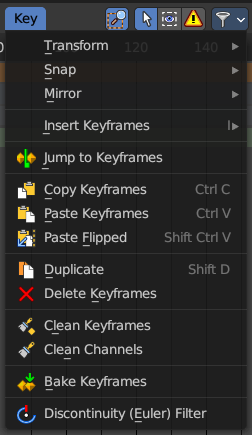
The key menu contains functionality to manage the keyframes.
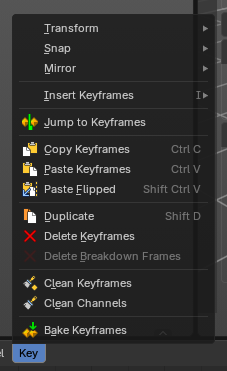
The menu exist in all modes. In Grease Pencil mode it contains not so much functionality.
The grease pencil object is a special object in this regards. It can have keyframes at an object level. And keyframes at a stroke level, which the grease pencil mode is meant for.
Transform
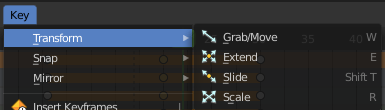
| Entry | What it does |
|---|---|
| Grab/Move | Moves the selected keyframe(s). |
| Extend | Moves the last keyframes of the selection. |
| Slide | Slides a selected keyframe between two other keyframes. |
| Scale | Scales the selected keyframes. You need to have more than one keyframe selected. |
Last Operator Transform
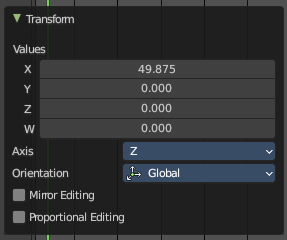
The last operator is nearly equal for the transform operations above.
Values
The transform values.
Axis
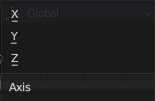
Which axis is up.
Orientation
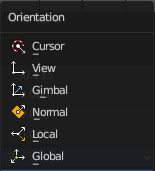
Choose the orientation in which the transform should happen.
Mirror Editing
Just with Grab/Move. Allow mirror edit the transform.
Proportional editing
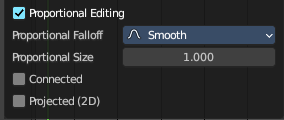
Enables proportional editing. Activating proportional editing reveals further settings.
| Entry | What it does |
|---|---|
| Proportional Falloff | Adjust the falloff methods. |
| Proportional Size | See and adjust the falloff radius. |
| Connected | The proportional falloff gets calculated for connected parts only. |
| Projected(2D) | The proportional falloff gets calculated in the screen space. Depth doesn't play a role. When it's in the radius, then it gets calculated. |
Snap
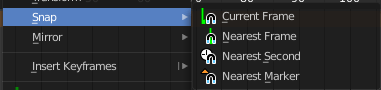
Snaps the selected keyframes by the chosen method.
Mirror

Flips the selected keyframes over the current frame position.
Insert Keyframes

Choose a method how to insert a new keyframe at the current frame position.
| Entry | What it does |
|---|---|
| Jump to Keyframes | Sets the frame marker at the average position of the currently selected keyframes. |
| Copy Keyframes | Copy selected keyframes. |
| Paste Keyframes | Pastes copied keyframes. |
| Paste Flipped | Pastes copied keyframes, but flipped. |
| Duplicate | Duplicate selected keyframes. |
| Delete Keyframes | Deletes selected keyframes. |
Delete Breakdown Frames
Remove breakdown frames generated by interpolating between two grease pencil frames.
Note: Grease Pencil operator object only.
Workflow
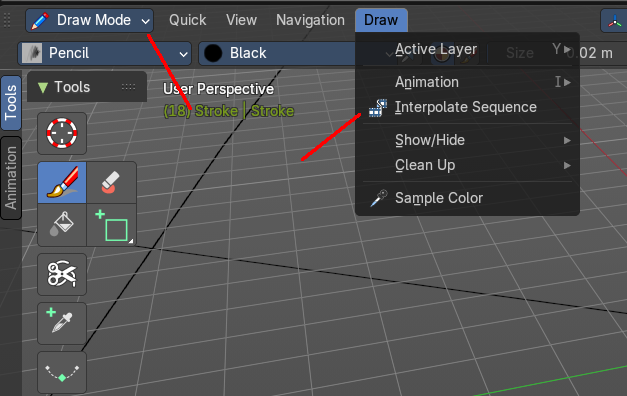
Grease Pencil in Draw mode. Generate two keyframes. Go to the Draw menu. Choose Interpolate Sequence.
Delete Breakdown Frames now becomes active, and you can delete the interpolated keyframes if you need.
| Entry | What it does |
|---|---|
| Clean Keyframes | Simplify FCurces by deleting keyframes that are close to each other in all channels |
| Clean Channels | Simplify FCurces by deleting keyframes that are close to each other in selected channels. |
Bake Keyframes
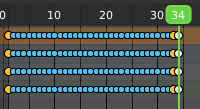
Adds keyframes at every unit between the selected keyframes.