
































































Editors

Add Tab
Here you can find the same nodes than in the Add menu. Panels are more convenient to use. They stay open for example. It's your decision with what system you want to work.
Add Tab
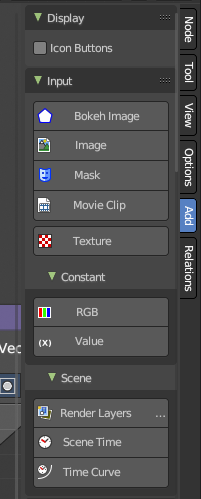
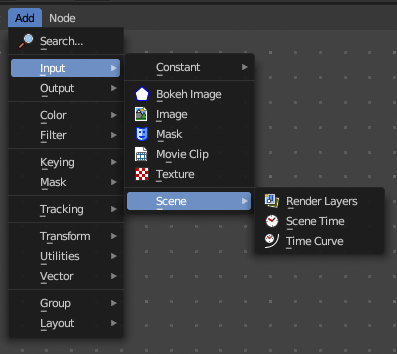
Here you can find the same nodes than in the Add menu. Panels are more convenient to use. They stay open for example. It's your decision with what system you want to work.
We won't explain the content of the panels again. The single nodes are explained in the add menu chapter.
Usage
Click at one of the node buttons, then move the mouse into the viewport. The created node sticks at the mouse. Click again to release it.
Add tab - Display Panel
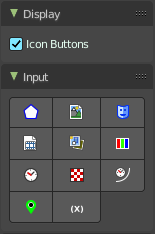
Icon Buttons
You can display the nodes in the panels either as text buttons or as pure icon buttons.