

































































Grease Pencil - Sculpt Mode
In Sculpt Mode you will mainly find brushes in the tool shelf.
Tool Shelf - Grease Pencil - Sculpt Mode
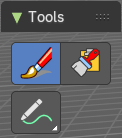
In Sculpt Mode you will mainly find brushes in the tool shelf.
The brushes settings are covered in the chapter 25.1.8 Editors - Properties Editor - Tools Tab - Grease Pencil Object.
Brush
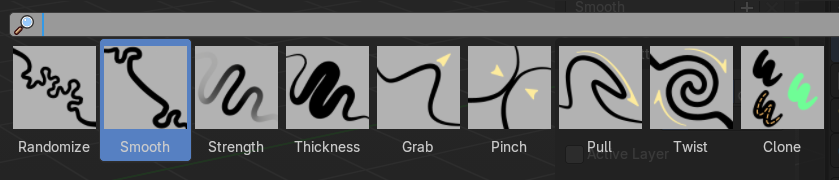
Sculpt brushes.
The brushes names are pretty self expanatory
Clone
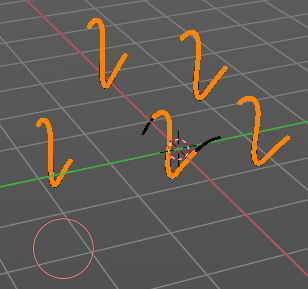
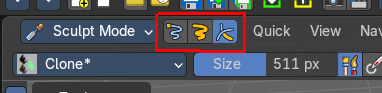
Clones strokes. You first need to copy a stroke before you can clone it in sculpt mode.
This can be done in edit mode. Or you switch to one one of the mask selection modes. Then select a stroke. With circle select for example. Copy it with ctrl c. And then you should be able to clone the current stroke around with a mouse click.
Note that it clones the whole stroke, and not just the selected stroke geometry. The clone brush is more of a copy and paste stroke tool.
Annotate tools
The annotate tools at the end of the list are explained in the chapter 7.1.1 Editors - 3D View - Tool Shelf - Object Mode. We won't cover this tools again here.
However, the active tool setting in Sculpt mode has an extra setting.
Select tools
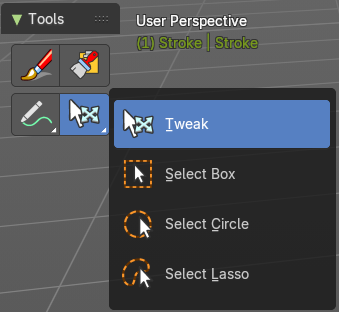
The select tool appears when you are in one of the mask selection modes. It allows you to select strokes.
Like the annotate tools they are already explained in the chapter 7.1.1 Editors - 3D View - Tool Shelf - Object Mode. We won't cover this tools again here.