

































































Tool Tab - Particle Edit Mode
The Particle Edit mode enables to edit particle settings. For example, Hair Particles can be manipulated with some brushes. They can be combed, cut etc.
Tools Tab in Particle Edit Mode
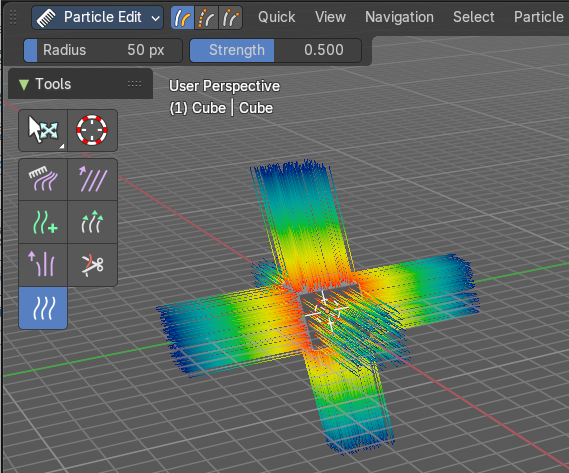
The Particle Edit mode enables to edit particle settings. For example, Hair Particles can be manipulated with some brushes. They can be combed, cut etc.
The Tools tab contains the settings for the hair editing brushes.
Different from the other paint modes, there is no brush panel. The brushes are here part of the tool settings of the single brushes.
The brush settings can be found in the Particle Tool panel instead.
Particle Edit Mode - Particle Tool panel
Comb brush
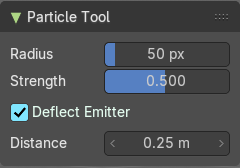
| Entry | What it does |
|---|---|
| Radius | The size of the brush. |
| Strength | The strength of the brush. |
| Deflect Emitter | Keep paths from intersecting the emitter. |
| Distance | Distance to keep particles away from emitter. |
Smooth brush
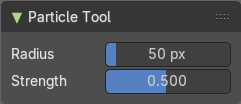
| Entry | What it does |
|---|---|
| Radius | The size of the brush. |
| Strength | The strength of the brush. |
Add brush
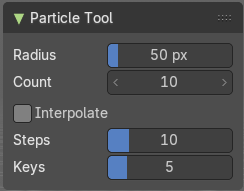
| Entry | What it does |
|---|---|
| Radius | The size of the brush. |
| Strength | The strength of the brush. |
| Interpolate | Interpolate new particles from existing ones. |
| Steps | Brush steps. |
| Keys | How many keys to make new particles with. |
Length brush
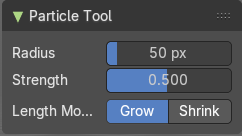
| Entry | What it does |
|---|---|
| Radius | The size of the brush. |
| Strength | The strength of the brush. |
| Length | Make hairs longer with Grow, or shorter with Shrink. |
Puff brush
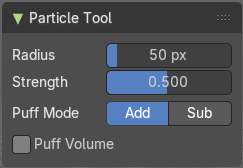
| Entry | What it does |
|---|---|
| Radius | The size of the brush. |
| Strength | The strength of the brush. |
| Puff Mode | Add makes hairs more puffy. Sub (tract) makes hairs less puffy. |
Cut brush
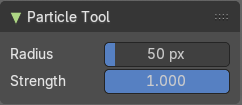
| Entry | What it does |
|---|---|
| Radius | The size of the brush. |
| Strength | The strength of the brush. |
Weight brush
| Entry | What it does |
|---|---|
| Radius | The size of the brush. |
| Strength | The strength of the brush. hier weiter |
Particle Edit Mode - Options panel
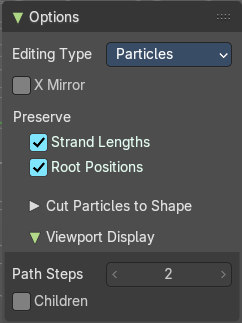
This panel contains some further options for the particles.
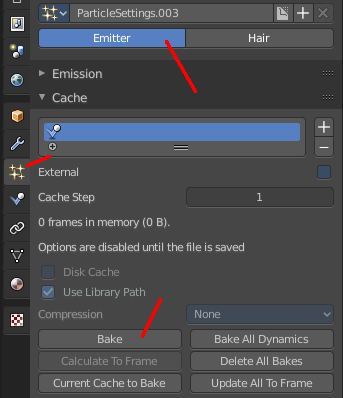
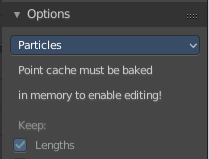
Note that you need to bake some particle types to be able modify them. Emitter for example. You will get a warning then, and the Options panel content is greyed out.
The particles can be baked in the Particles tab in the Cache panel.
| Entry | What it does |
|---|---|
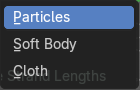
| Editing Type | The Particle Edit Type. This edit box just shows you what particle type you currently have. It does not allow you to change the particle type. |
| X Mirror | Mirrors the selected particles. If you want a symmetrical haircut, first select all particles, then mirror the particles, then tick X Mirror. |
| Preserve | Strand Lengths: Keep the path lengths constant. · Root Positions: Keep root keys unmodified. |
Cut particles to Shape
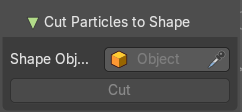
Define an object to cut the hair particles into the shape of the object.
The Cut button with which you perform the option becomes active when you choose a shape object from the list, or pick it in the scene.
Viewport Display

With Hair
| Entry | What it does |
|---|---|
| Path Steps | How many steps to display the path with. Meant is the resolution for the hair strains. |
| Children | Display all particles, including children. For performance reasons child particles are usually not displayed in the viewport. |
With Emitter
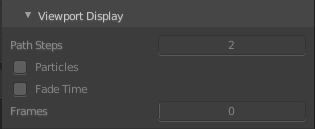
The emitter particle system must be editable, or the settings remains greyed out. Bake ...
| Entry | What it does |
|---|---|
| Path Steps | How many steps to display the emitter path with. |
| Particles | Display the actual particles. |
| Fade Time | Fade paths and keys further away from the current frame |
| Frames | How many frames to fade. |