

































































Tool Tab
In the tool tab you will find the tool related settings for the tools in the tool shelf. In Weightpaint mode you have for example all brush related panels.
Tool Tab
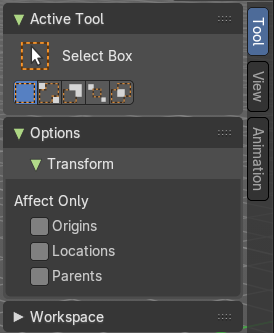
In the tool tab you will find the tool related settings for the tools in the tool shelf. In Weightpaint mode you have for example all brush related panels.
The tool specific entries are explained in the tool shelf chapter. The brushes panels are explained in the tool tab chapters.
Tool Tab and Top Bar
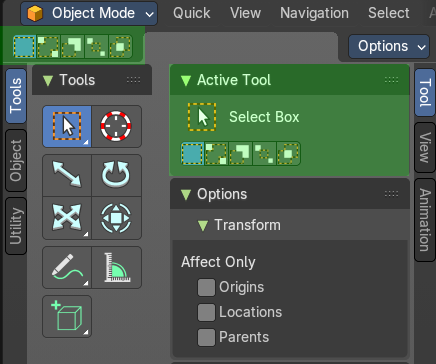
The content in the Tool Tab is besides one panel the same than in the Topbar. The panel called Workspace just exists in the sidebar.
The content of the Options panel changes, dependent of the object type and the mode. And will be described in other tool tab chapters.
Workspace Panel
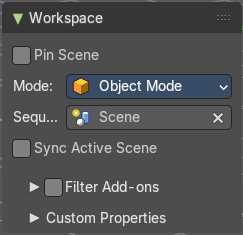
Workspaces can be configured to start in specific modes, and with a specific sets of active addons. This is the place where you configure this settings.
You have to save the startup file to make these changes permanent.
| Entry | What it does |
|---|---|
| Pin Scene | Remember the last used scene for the workspace. And switch to it whenever the workspace is activated again. |
| Mode | The mode in which the 3D view should start when you switch to this workspace layout. |
| Sequencer Scene | The scene to work with. Usually the default scene. |
| Sync Active Scene | Set the active scene and time based on the current scene strip. |
Filter Addons
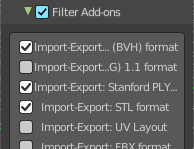
Filter, means activate or deactivate specific addons. Here you can turn on or off specific addons.
Custom Properties
Custom properties allows you to store your own metadata. This metadata can then be used for rigging and Python scripts.
The following data supports custom properties:
- All data-blocks types.
- Bones and Pose-Bones.
- Sequence strips.
Top bar tools arrangement
The tools in the top bar are arranged in a special way. Left you have the tools area. At the right you will find further options in case there are any. This is a general UI design paradigm. Left the menus and modes, right settings and options. And in the center an area for transform, snapping or proportional editing.
