

































































Animation Tab
Tools that can be useful for animation. Paste a mirrored armature part for example.
Animation tab - Global Transform Panel
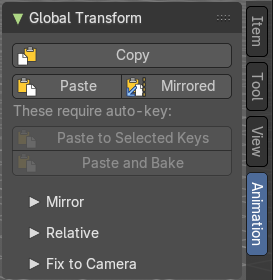
Tools that can be useful for animation. Paste a mirrored armature part for example.
| Entry | What it does |
|---|---|
| Copy | Copies the matrix of the current active object or bone to the clipboard. It uses world space matrices. |
| Paste | Pastes the copied matrix to the current active object or bone from the clipboard. It uses world space matrices. |
| Mirrored | Pastes the copied matrix to the current active object or bone from the clipboard. But mirrored along the global X axis. It uses world space matrices. |
Paste to selected keys

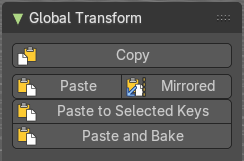
Requires Auto Keying to be on.
Pastes the matrix from the clipboard to thecurrent active object or bone. It uses world space matrices.
Paste and Bake
Requires Auto Keying to be on.
Pastes the matrix from the clipboard to thecurrent active object or bone. And bakes it ton an action. It uses world space matrices.
Mirror Subpanel
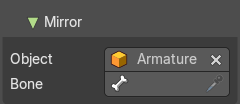
| Entry | What it does |
|---|---|
| Object | The object to mirror over. Leave empty and name a bone to always mirror over that bone of the active armature. |
| Bone | Bone to use for the mirroring. |
Relative Subpanel
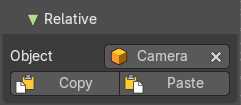
The upper global transform copy and paste actions works global. These buttons works relative to a chosen object.
| Entry | What it does |
|---|---|
| Object | The object to paste relative to its matrix. |
| Copy | Copies the matrix of the current active object or bone to the clipboard. It uses the relative matrix from the defined object. |
| Paste | Pastes the copied matrix to the current active object or bone from the clipboard. It uses the relative matrix from the defined object. |
Fix to Camera subpanel
Fix Location / Rotation / Scale
Include location /rotation /scale keys when fixing to the scene camera.
Fix to Scene Camera
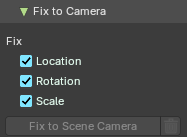
The actual fixing. Generate new keys to fix the selected object / bone to the camera on unkeyed frames.
Adjust last operator Fix to Scene Camera
Location / Rotation / Scale
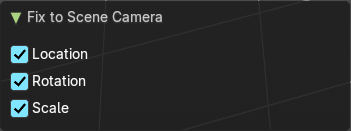
Include location /rotation /scale keys when fixing to the scene camera.
Delete generated keys
Delete the keys that were generated by the Fix to Scene Camera tool.