
































































Editors

Text - Edit mode - Text menu
7.1.26 Editors - 3D View - Header - Text - Edit mode - Text menu
7.1.26 Editors - 3D View - Header - Text - Edit mode - Text menu
Edit Mode - Text Menu
Cut
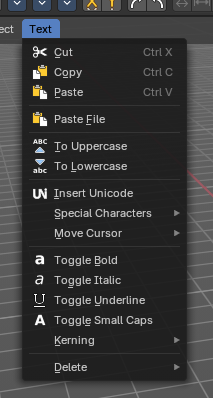
Cuts the selection.
| Entry | What it does |
|---|---|
| Copy | Copies the selection. |
| Paste | Pastes a copied selection. |
| Paste File | Opens the file browser where you can choose a text file to paste the text from. It needs to be UTF8. |
| To Uppercase | Sets the selected text to be uppercase letters. |
To Lowercase
Sets the selected text to be uppercase letters.
Last Operator Set Case
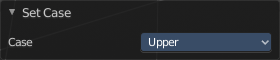
Set Case has one Last Operator for all items.
Insert Unicode
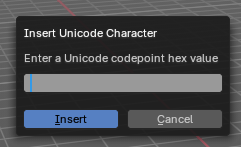
Inserts a Unicode character. When you use the operator, a dialogue box will prompt you to enter a Unicode codepoint hex value to insert the character.
Special Characters
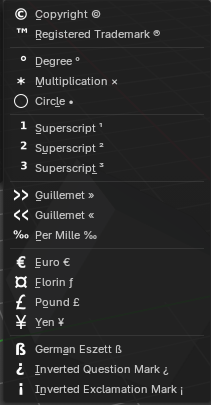
Special characters is a sub menu that contains some special text characters, like copyright, which you can insert into the text.
- Copyright ©
- Registered Trademark ™
- Degree °
- Multiplication ×
- Circle ○
- Superscript ¹
- Superscript ²
- Superscript ³
- Guillemet Left «
- Guillemet Right »»
- Per Mile ‰
- Euro €
- Florin
- Pound £
- Yen ¥
- German Eszett
- Inverted Question Mark ¿
- Inverted Exclamation Mark ¡
Move Cursor
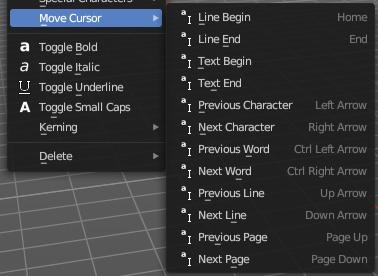
Set the cursor at specific positions in the text.
| Entry | What it does |
|---|---|
| Toggle Bold | Bold sets the selected letters to be displayed as bold letters. |
| Toggle Italic | Italic sets the selected letters to be displayed as italic letters. |
| Toggle Underline | Underline sets the selected letters to be displayed as underlined letters. |
| Toggle Small Caps | Toggle small caps sets the selected letters to be displayed as if they were upper case letters, but with lower case size. |
Kerning

Kerning is the distance between letters. Increase, decrease and reset the kerning.
| Entry | What it does |
|---|---|
| Decrease Kerning | Decreases the distance between the letters. |
| Increase Kerning | Increases the distance between the letters. |
| Reset Kerning | Resets the distance between the letters to the default values from the font. |
Last Operator Change Spacing
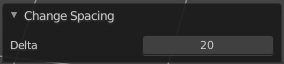
Delta
Adjust the spacing. The range goes from -20 to 20.
Delete
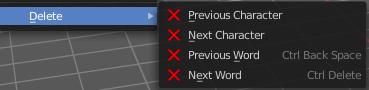
Deletes the selected text.