

































































Mesh - Sculpt mode - Mask menu
Contains legacy operators also found the in the toolshelf as modal operations.
Sculpt Mode - Mask Menu
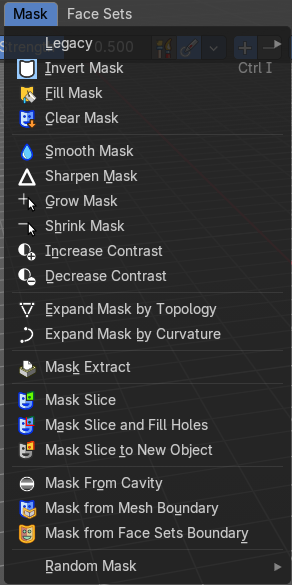
Legacy Sub-menu

Contains legacy operators also found the in the toolshelf as modal operations.
| Entry | What it does |
|---|---|
| Box mask | Select a part of the mesh by box select. |
| Lasso Mask | Select a part of the mesh by lasso select. |
| Mask by Color | Select a part of the mesh by its color. Note that this does not work with a multiresolution modifier at the mesh. You will get a warning that multires is not supported. |
| Entry | What it does |
|---|---|
| Invert Mask | Inverts the mask. |
| Fill Mask | Fills the mask with a given value, or inverts its values. |
| Clear Mask | Clears the mask. |
| Smooth Mask | Smoothens the mask selection. |
| Sharpen Mask | Sharpens the mask selection. |
| Grow Mask | Grows the mask |
| Shrink Mask | Shrinks the mask. |
| Increase Contrast | Increases the contrast between masked parts and not masked parts. |
| Decrease Contrast | Decreases the contrast between masked parts and not masked parts. |
| Expand Mask by Topology | Expands the mask from the initial active vertex under the mouse. Starts with a new mask. Watch the tool tip in the footer for further instructions. |
| Expand Mask by Curvature | Expands the mask from the initial active vertex under the mouse. Keeps the previous mask. Watch the tool tip in the footer for further instructions. |
Mask Extract
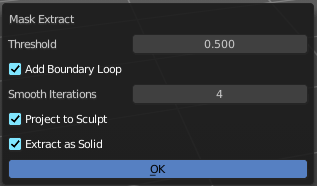
Creates a new object out of the masked mesh part.
This operation cannot be undone!
| Entry | What it does |
|---|---|
| Threshold | The sharpness of the mask border. |
| Add Boundary Loop | Add a boundary loop at the border of the new created geometry. This can help to make the geometry more stable. |
| Smooth Iterations | How many iterations to smooth the new created geometry. |
| Project to Sculpt | Project the extracted mesh into the original sculpt. |
| Extract as Solid | Extract the new created mesh as a solid mesh. |
| OK | Apply the Mask Extract tool. |
Mask Slice
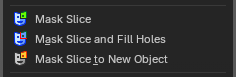
Slices the paint mask from the mesh.
| Entry | What it does |
|---|---|
| Mask Slice and fill Holes | Slices the paint mask from the mesh. And fills existing holes. |
| Mask Slice to new Object | Slices the paint mask from the mesh, and creates a new object out of it. |
Mask from Cavity
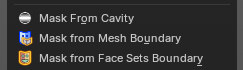
Creates a mask based on cavity and pointiness of the mesh.
Mask from Mesh Boundary
Creates a mask along the topological boundaries of the mesh—edges where geometry ends or is disconnected.
Adjust last operator Mask from Boundary
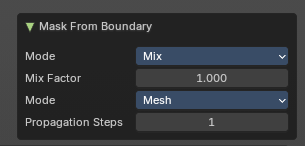
Mode:
Defines how the mask interacts with existing masks. Controls how the new mask blends with any existing mask (e.g. Mix, Add, Subtract).
Mix Factor:
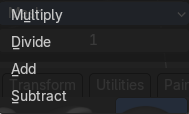
Controls blending strength.
Mode:
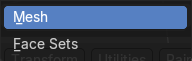
Either Face Sets mode or Boundary mode.
Propagation Steps:
Determines how far the mask spreads from the boundary.
Mask from Face Sets Boundary
Generates a mask along the boundaries between face sets—regions defined by sculpting tools or manual assignment.
Random Mask

Masks out random parts of the mesh by the chosen method.