

































































Mesh - Sculpt mode - Face Sets menu
Face Sets is a kind of a mask that shows in different colors to assist in sculpting regions and running different sculpt brush effect. The colors are random.
Sculpt Mode - Face Sets Menu
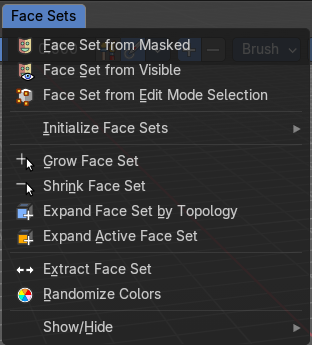
Face Sets is a kind of a mask that shows in different colors to assist in sculpting regions and running different sculpt brush effect. The colors are random.
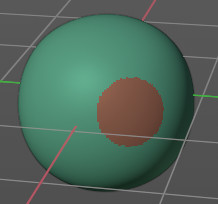
In the Face Sets menu you can create and manage Face Sets.
| Entry | What it does |
|---|---|
| Face Sets from Mask | Creates a face set from the current mask. |
| Face Sets from Visible | Creates a face set from the visible geometry. |
| Face Sets from Edit Mode Selection | Creates a face set from the selection that you do in edit mode. |
| Grow Face Sets | Grows the face sets. |
| Shrink Face Sets | Shrinks the face sets. |
| Expand Face Set by Topology | Expands a face set from a starting point on the topology. Click and drag on the mesh once you start the operator. |
| Expand Active Face Set | Expands a face set from the active face set under the mouse cursor. Click and drag on the face set once you start the operator. |
| Extract Face Set | Creates a new mesh object from the selected face set. The mouse turns into a color picker to pick the face set when you activate this too. |
Initialize Face Sets
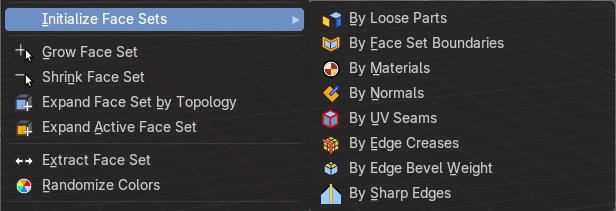
A menu with various methods to initialize the face sets. These methods include the following:
- By Loose Parts
- By Face Set Boundaries
- By Materials
- By Normals
- By UV Seams
- By Edge Creases
- By Edge Bevel Weight
- By Sharp Edges
Randomize Colors
Generates a new set of random colors to render the face sets.
Show/Hide submenu
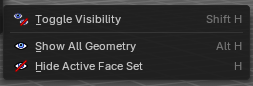
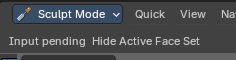
Note that these operators are best used by Hotkey. When you use them from the menu then you need to confirm the action by a mouse click. You will see a corresponding warning in the header.
You need to click at the face set that you want to hide. Same goes for the toggle. Toggle is meant for the case that you have two or more face sets. And then it toggles between the invisible and the face set that you click at.
| Entry | What it does |
|---|---|
| Toggle Visibility | Toggles the visibility of the active face set. |
| Show all Geometry | Reveals all hidden geometry. |
| Hide Active Face Set | Hides the active face set. |