
































































Editors

Grease Pencil - Vertex Paint mode - Paint menu
Sets the color of all selected vertices to the current active vertex color.
Paint Menu
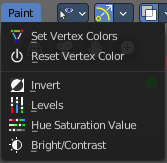
Set Vertex Colors
Sets the color of all selected vertices to the current active vertex color.
Last operator Vertex Paint Set Color
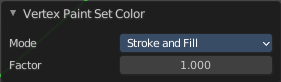
Mode
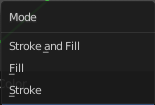
What vertex colors to affect.
Factor
How strong the color is set compared to the old color.
Reset Vertex Color
Resets all vertex color to white.
Last operator Reset Vertex Color
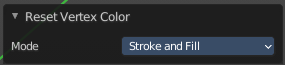
Mode
What vertex colors to affect.
Invert
Inverts the stroke colors.
Last operator Vertex Paint Invert
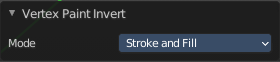
Mode
What vertex colors to affect.
Levels
Adjust the levels of the vertex colors.
Last operator Vertex Paint Levels
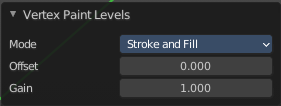
Mode
What vertex colors to affect.
| Entry | What it does |
|---|---|
| Offset | Value to add to the colors. |
| Gain | Value to multiply colors by. |
Hue Saturation Value
Adjust the HSV colors of the vertex colors.
Last operator Vertex Paint Hue Saturation Value
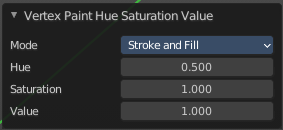
Mode
What vertex colors to affect.
| Entry | What it does |
|---|---|
| Hue | The hue value |
| Saturation | The saturation value. |
| Value | The value value. |
Bright Contrast
Adjust the brightness and contrast of the vertex colors.
Last operator Vertex Paint Bright/Contrast
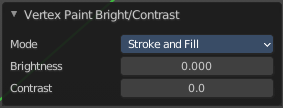
Mode
What vertex colors to affect.
| Entry | What it does |
|---|---|
| Brightness | The brightness value |
| Contrast | The contrast value. |